22
4 & 8 & 16 Channel DVR Operation manual Revision 1.0
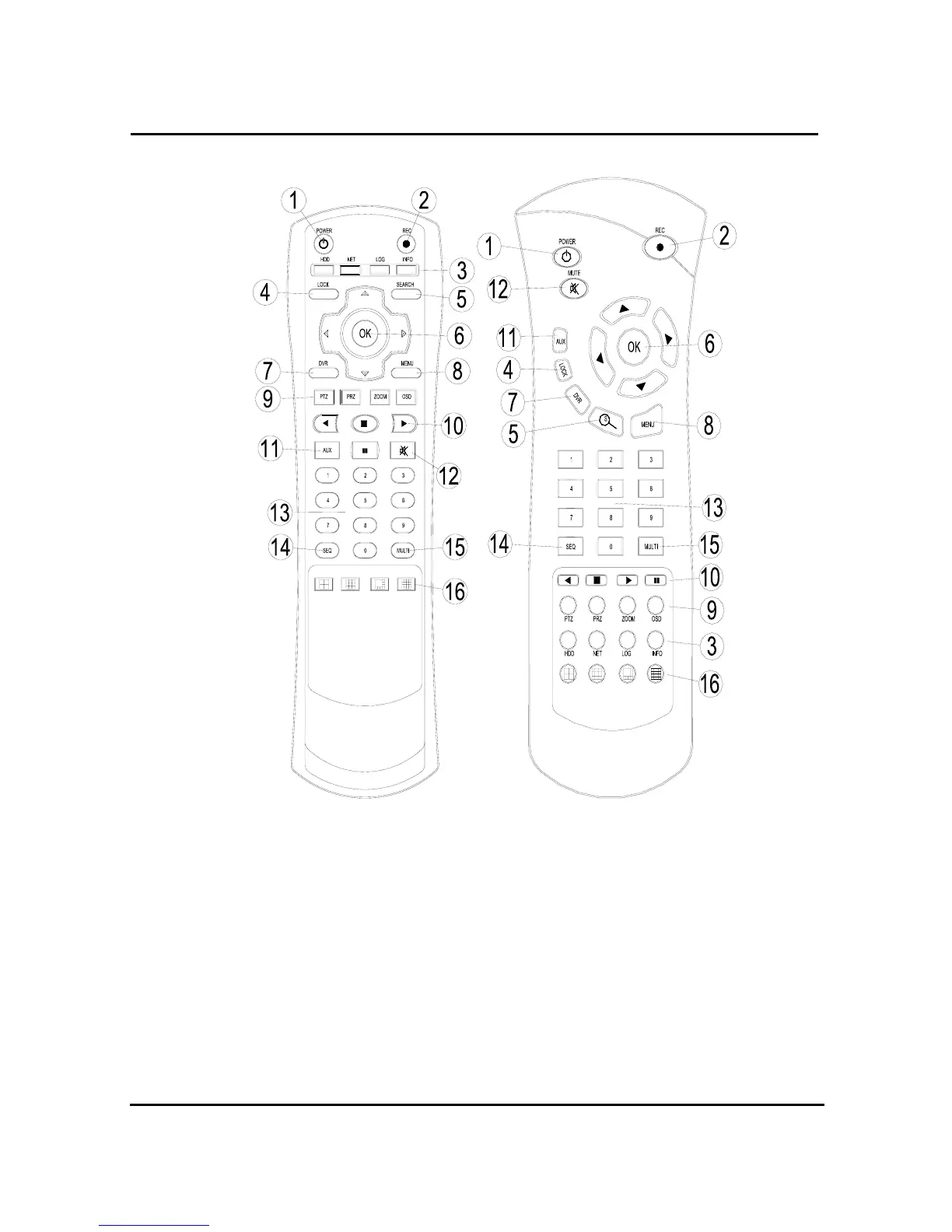
1.4.3 Remote controller function
① POWER : button for power on/off. (DVR should be standby or on working status)
② RECORD : button for forced recording (If it’s pressed again, recording stops)
③ INFO BUTTON GROUP : button group for HDD, NET, LOG, INFO.
If each button is pressed, the relative information shows and press Menu button for exit
④ LOCK : Remote control lock button. Same function as Lock button in the front panel.
To unlock, press any button and input password.
⑤ SEARCH : button to search data in HDD. Press the button to enter, and repress for exit
⑥ Up/down, Right/left & OK button



 To Next Page