89
4 & 8 & 16 Channel DVR Operation manual Revision 1.0
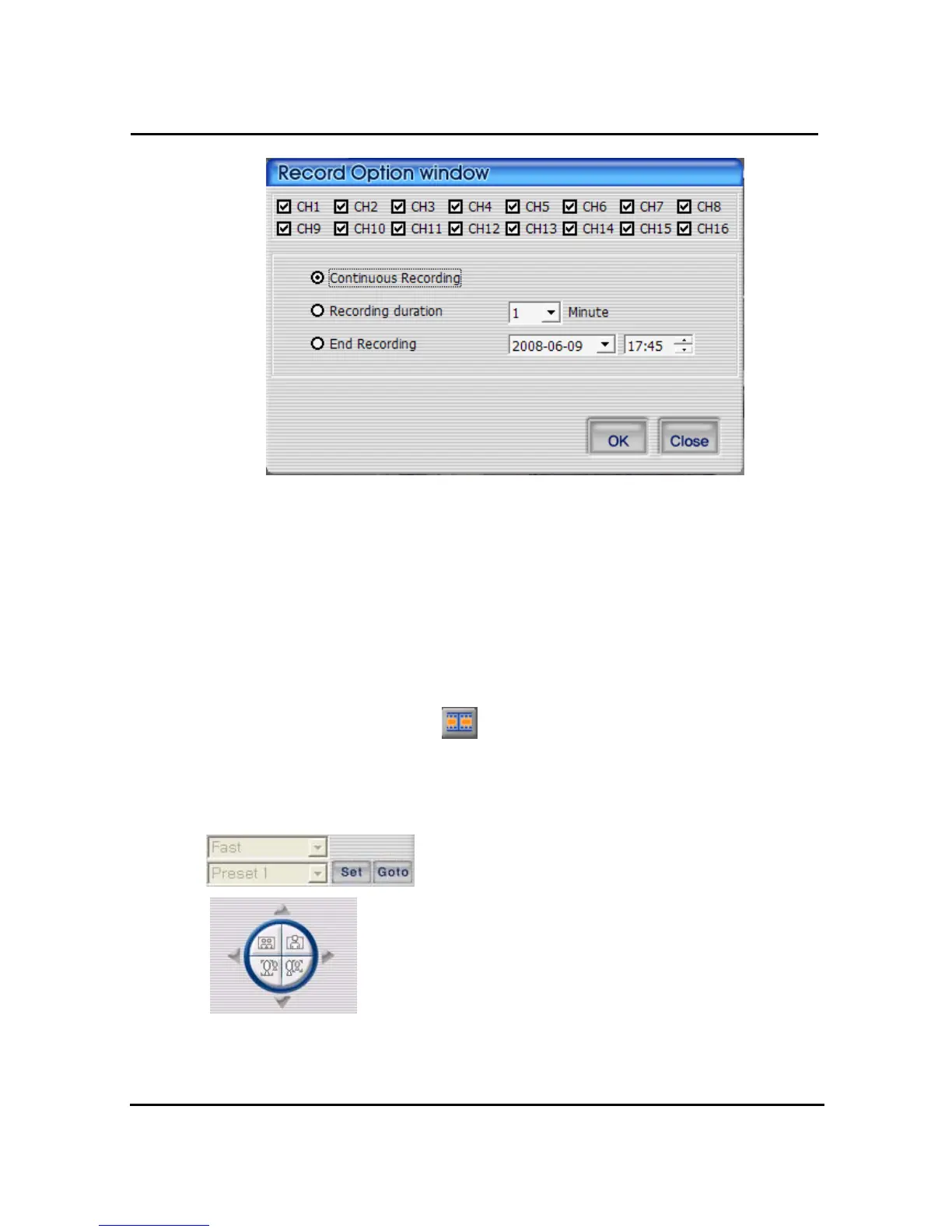
① Select the channel, you desire to record.
② Continuous recording : It keeps recording, until user make the recording stop.
③ Recording duration time : It keeps recording, while it is set up. User is able to make the
recording stop manually.
④ Recording close time : It keeps recording, until the time is set up. User is able to make the
recording stop manually.
OK :⑤ It starts recording, after screen closing of recording time setting
Close : ⑥ Close the screen.
It converts into orange color
, when recording starts. To close recording ,press
the recording button and it is stored in file. The file is stored in a folder and the folder is stored
in the Record folder, where the program is installed .
4.3.15 PAN/TILT, ZOOM/FOCUS
These buttons are for PAN/TILT, ZOOM/FOCUS function of DVR and
after logging in by admin and/or one channel selected.



 To Next Page