97
4 & 8 & 16 Channel DVR Operation manual Revision 1.0
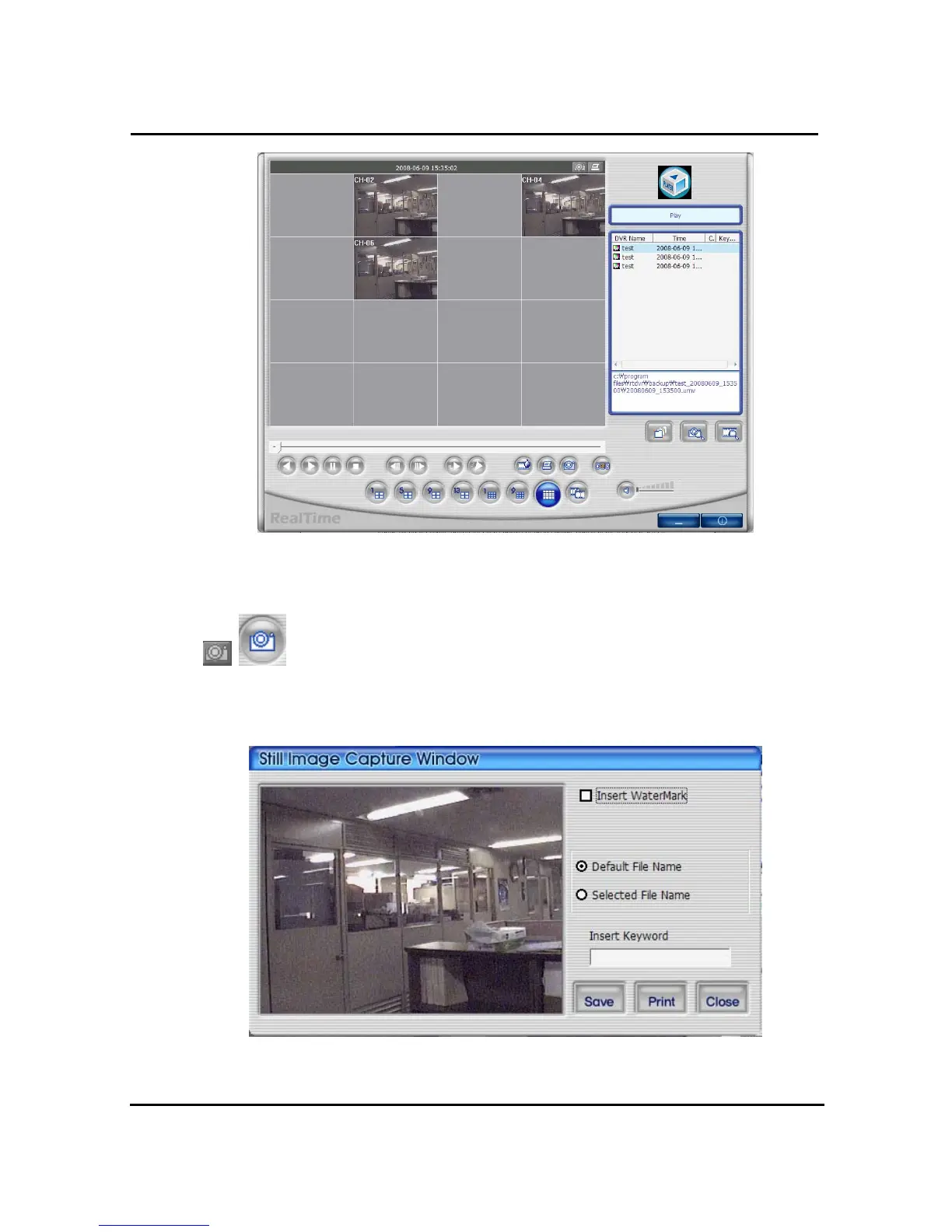
< Playback screen of real-time image, after search >
4.4.5 Still Image Capture
Save replaying images into still image by capture. Besides users can capture
image by push capture button for each channel or push capture button at the foot of a screen.
Still image will be saved in a path of which is established in RAMS_M4’s setup section screen
① Watermark insert: Select checkbox, if you want to insert Watermark to still image..
② Still file name : It stored still image with the given name by program.



 To Next Page