10.Stopping Time and Stopping Distance
Description
NOTICE
You can set user-defined safety rated maximum
stopping time and distance.
If user-defined settings are used, the program
speed is dynamically adjusted to always comply
with the selected limits.
The graphical data provided for Joint 0 (base), Joint 1 (shoulder)
and Joint 2 (elbow) is valid for stopping distance and stopping
time:
•
Category 0
•
Category 1
•
Category 2
The Joint 0 test was carried out using a horizontal movement,
where the rotational axis was perpendicular to the ground. For the
Joint 1 and Joint 2 tests, the robot followed a vertical trajectory,
where the rotational axes were parallel to the ground, and the stop
was done while the robot was moving downward.
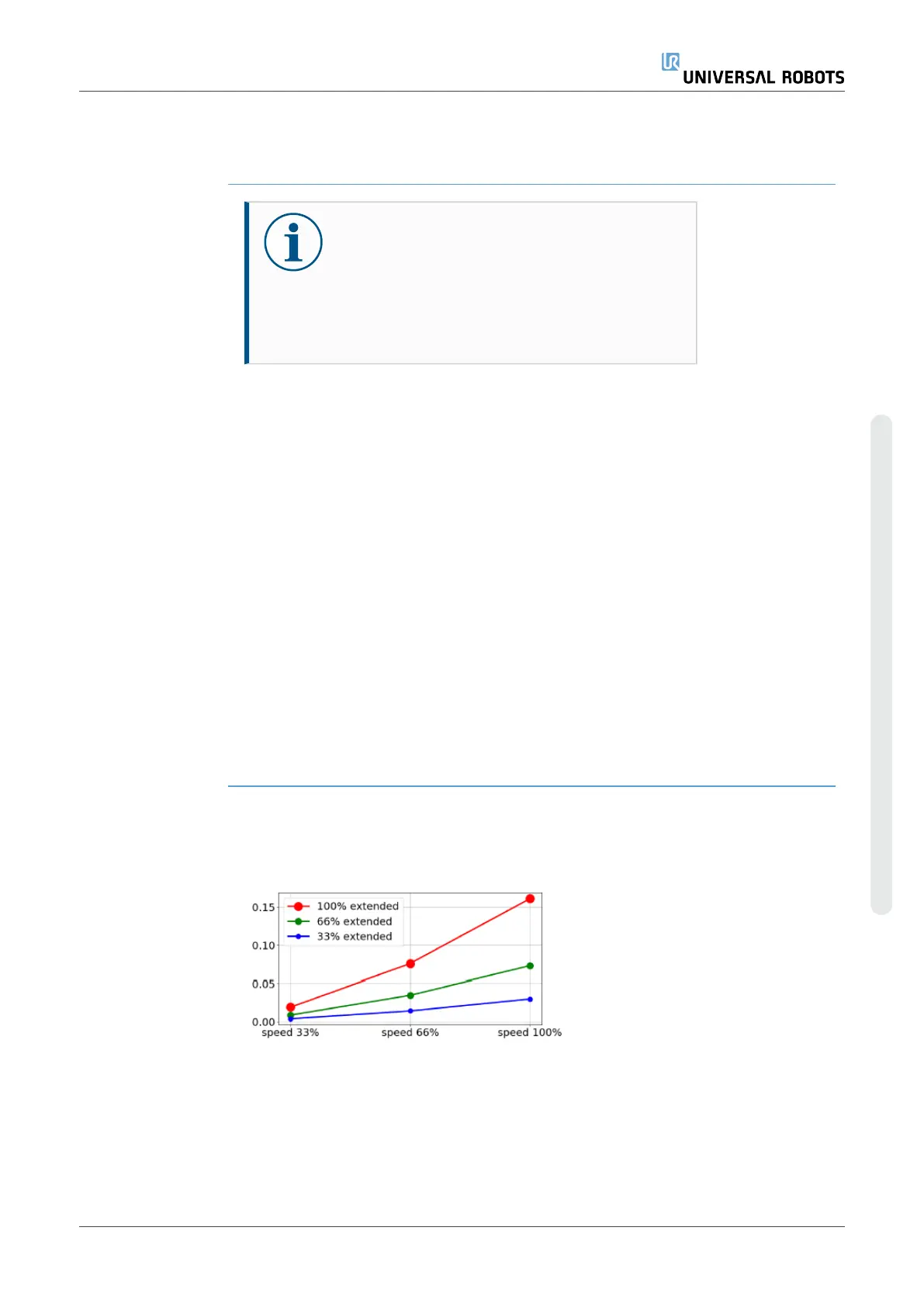
The Y-axis is the distance from where the stop is initiated to the
final position.
The payload CoG is at the tool flange.
The values illustrated below represent two scenarios, robots with a
maximum payload of 10kg, and robots with a maximum payload of
12.5kg.
10.1. Robot Scenario 1: 10 kg.
Joint 0 (BASE)
Stopping distance
in meters for 33%
of 10kg
User Manual 87 UR10e PolyScope X
10.Stopping Time and Stopping Distance
Copyright © 2009–2024 by UniversalRobotsA/S. All rights reserved.










 To Next Page