4.14. Tool Power Supply
Description Access Tool I/O in the Installation Tab
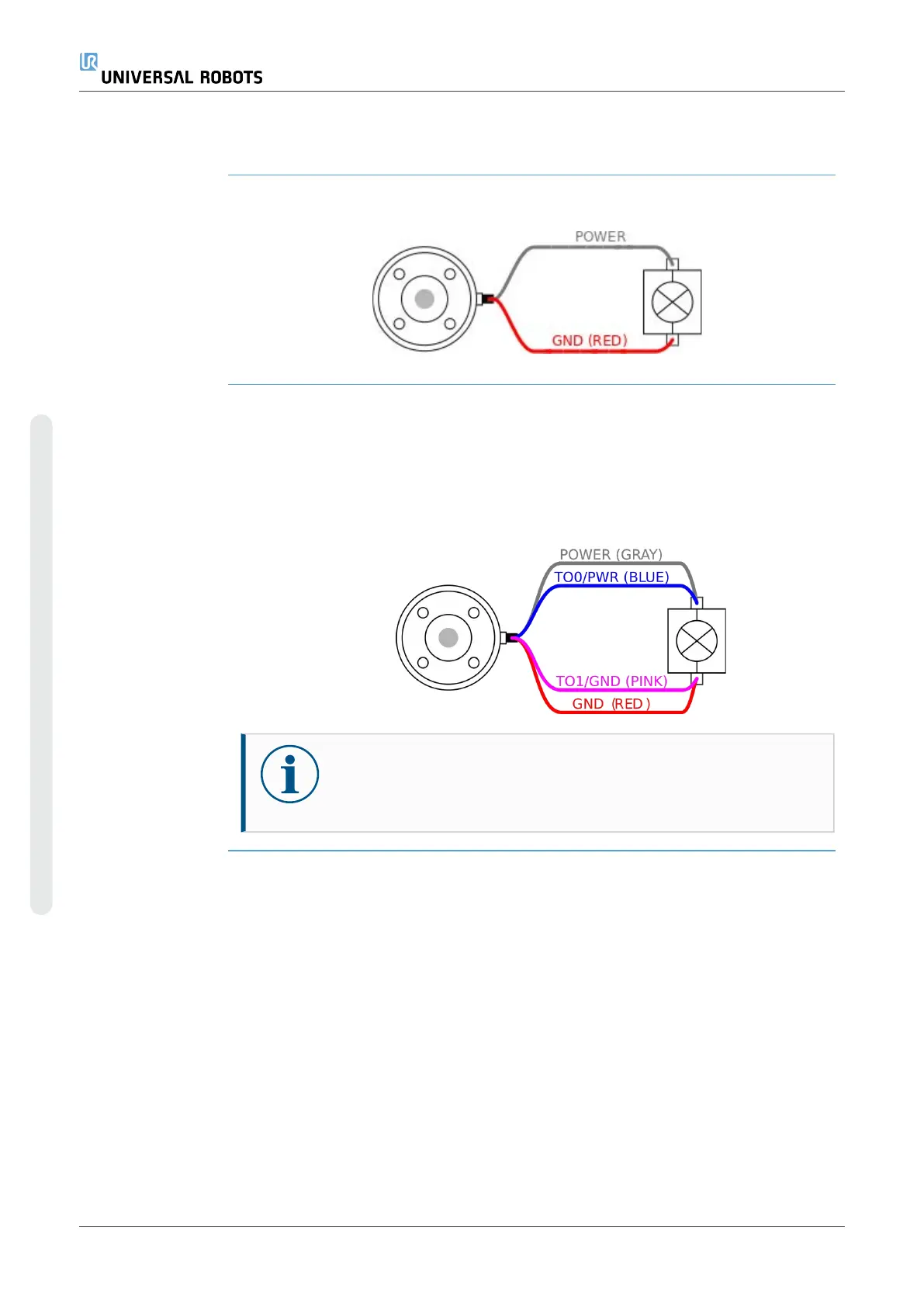
Dual Pin Power
Supply
In Dual Pin Power mode, the output current can be increased as listed in Tool I/O.
1. In the Header, tap Installation.
2. In the list on the left, tap General.
3. Tap Tool IO and select Dual Pin Power.
4. Connect the wires Power (gray) to TO0 (blue) and Ground (red) to TO1 (pink).
NOTICE
Once the robot makes an Emergency Stop, the voltage is set to 0V for
both Power Pins (power is off).
UR10e PolyScope X 72 User Manual
4. Electrical Interface
Copyright © 2009–2024 by UniversalRobotsA/S. All rights reserved.










 To Next Page