4.8. Control Box Connection Ports
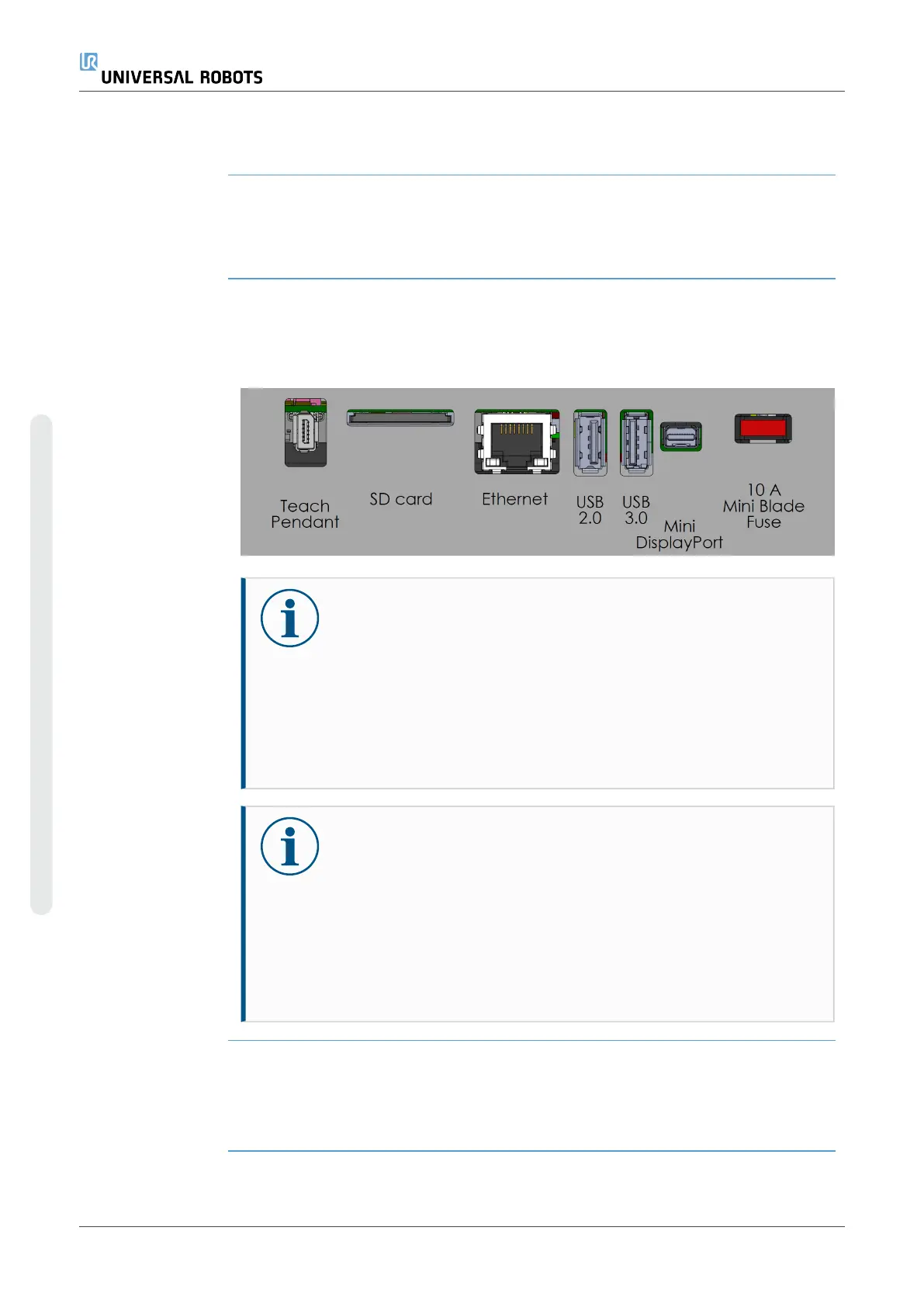
Description The underside of the I/O interface groups is equipped with external connection ports,
as illustrated below. There are capped openings at the base of the Control Box cabinet
to run external connector cables to access the ports.
External
connection ports
The Mini Displayport supports monitors using Displayport. This requires an active Mini
Display to DVI or HDMI converter. Passive converters do not work with DVI/HDMI ports.
The Fuse must be a UL marked, Mini Blade type with maximum current rating: 10A and
minimum voltage rating: 32V
NOTICE
Connecting or disconnecting a Teach Pendant while the Control Box
is powered on can cause damage.
•
Do not connect a Teach Pendant while the Control Box is on.
•
Power off the Control Box before you connect a Teach
Pendant.
Do not connect or disconnect the Teach Pendant while Control Box is
powered on. This can cause damage to Control Box.
NOTICE
Failure to plug in the active adapter before powering on the Control
Box can hinder the display output.
•
Plug in the active adapter before powering on the Control Box.
•
In some cases the external monitor must be powered on before
the Control Box.
•
Use an active adapter that supports revision 1.2 as not all
adapters function out-of-the-box.
4.9. Ethernet
UR10e PolyScope X 64 User Manual
4. Electrical Interface
Copyright © 2009–2024 by UniversalRobotsA/S. All rights reserved.










 To Next Page