D291308.5q.fm Save Mode Setup
Chapter 2: Setup 21
Save Mode Setup
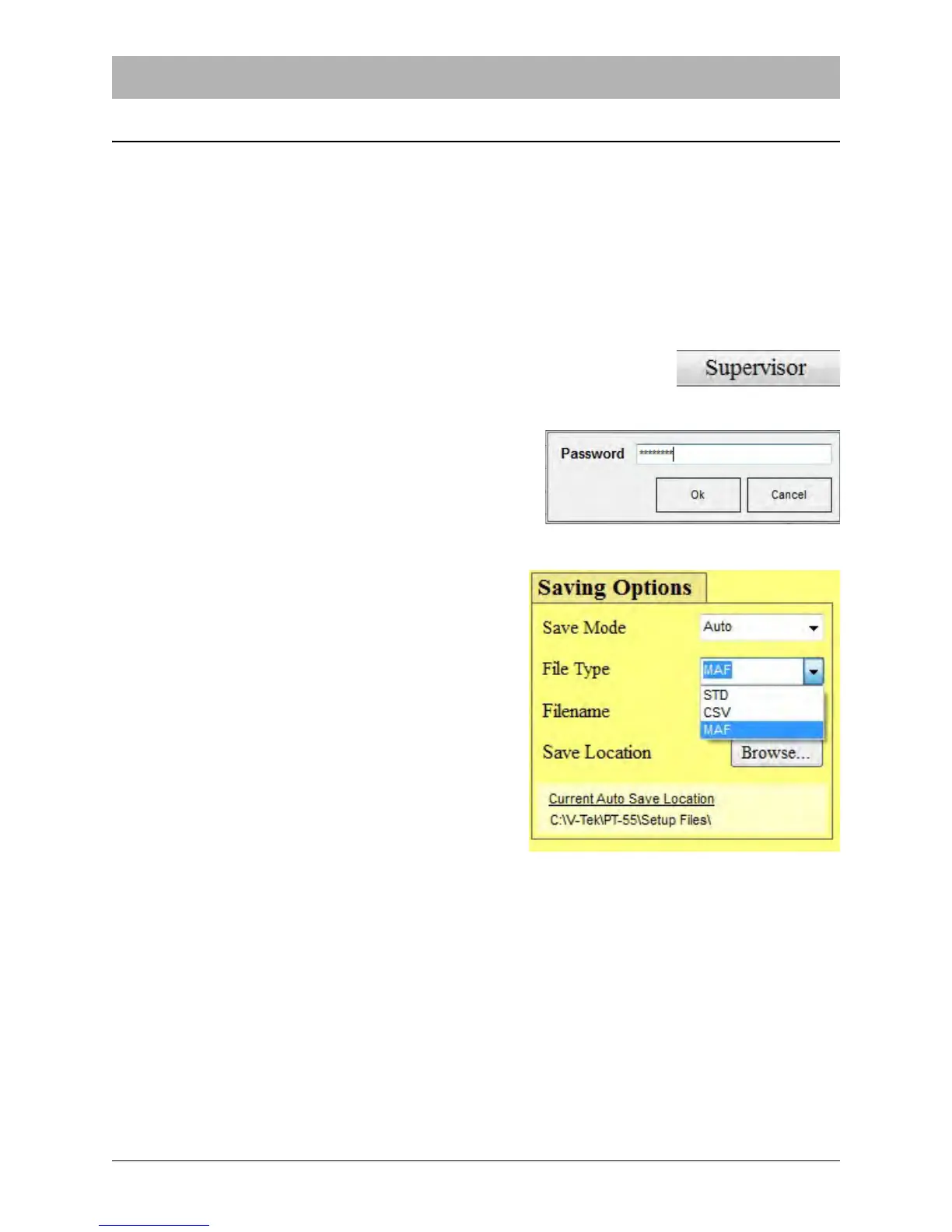
The auto save feature allows the user to select between three types of saving options when sav-
ing peel test settings as Master Forms; Manual, Auto and Auto Sales Order.
In Manual save mode, the operator must manually press the Save File button each time a save
is desired. In Auto Save mode, a peel force test is automatically saved to a specific file name
and location once the test is completed. In Auto Sales Order mode, the file is saved to a specific
location under the sales order number.
Setting the Save Mode
1. Select the Supervisor button from the Main Screen .
2. Enter the password at the prompt and click OK.
3. Select the Save Mode drop down menu in the
Saving Options section.
4. Choose the File Type to be used.
5. If Auto or Auto Sales Order is selected, enter
the Auto Save Filename.
6. Select Browse and choose the desired direc-
tory in which to save the file.
Note: The default save location is C:\V-TEK\PT-55\Setup Files.



 To Next Page