D291308.7M.fm Supervisor Settings Screen
Chapter 3: Operation 39
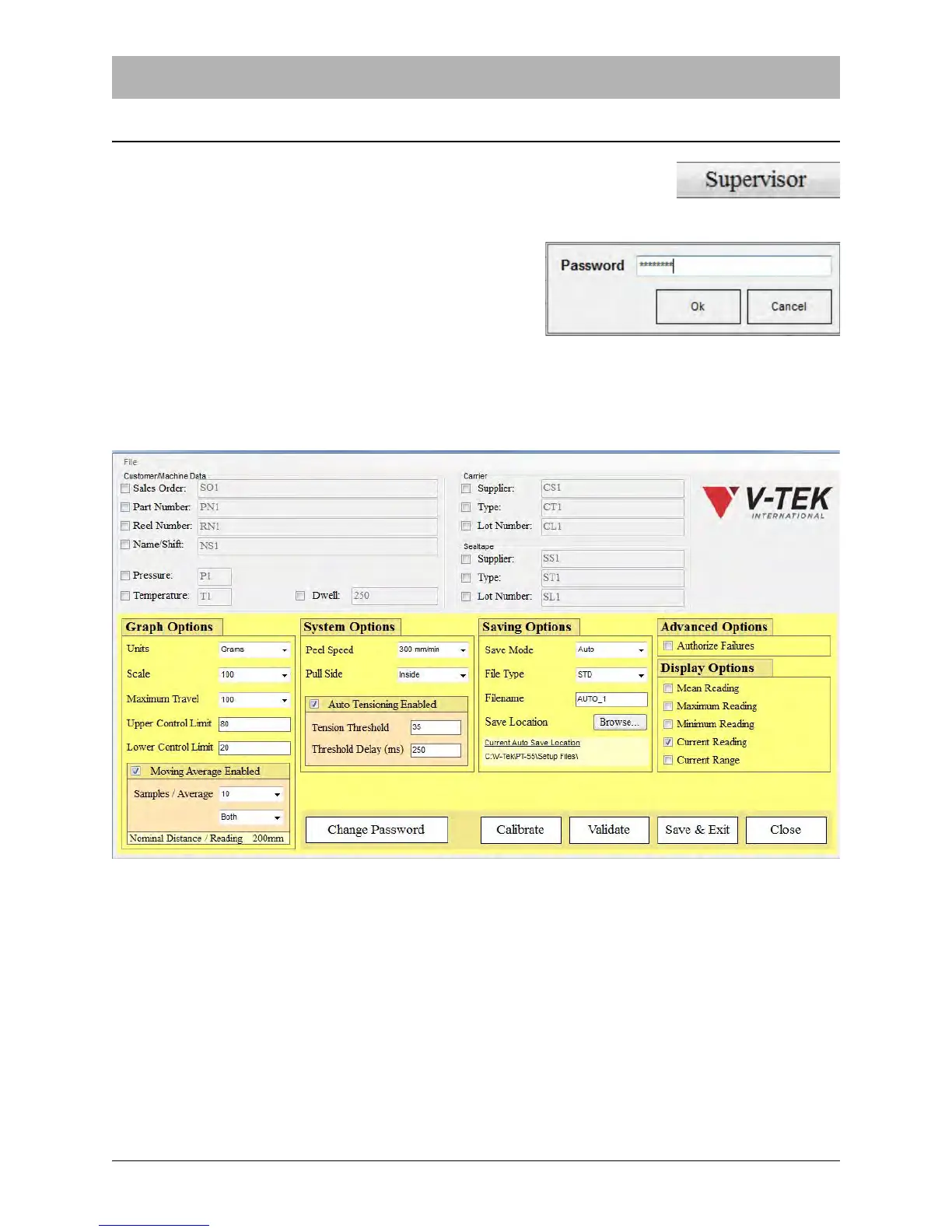
Supervisor Settings Screen
The Supervisor Settings screen can only be accessed by entering a
supervisor password. Click the Supervisor button in the Main Screen to
access the Password Input screen and open Supervisor Settings.
The Password Input screen will appear. Enter the
password at the prompt and click OK.
Note: The default password is “password”. Click
the Change Password button in the Supervisor
Settings screen to create a new password.
After the correct password is entered, the Supervisor Settings screen will appear.
The Supervisor Settings screen determines what fields, test options and graph options appear in
the Main Screen and in printed reports. Notice that each of the Main Screen fields now have a
check box next to them. Field content and format can be edited by clicking the check box of the
field you wish to edit.



 To Next Page