D291308.7M.fm Creating an *.csv Export File
Chapter 3: Operation 61
Creating an *.csv Export File
After the desired data has been set in the user fields and a test has been performed, the PT-55
Software can save test data to a Comma Separated Value (.csv) format. This file is an Excel
compatible data file which may be used to create a spreadsheet which can then be customized
as desired.
The following information is stored in each record:
• Customer/Machine data
• Carrier Tape data
• Seal Tape data
• Peel Test statistics
• Peel Test results (Travel vs. Measured Force)
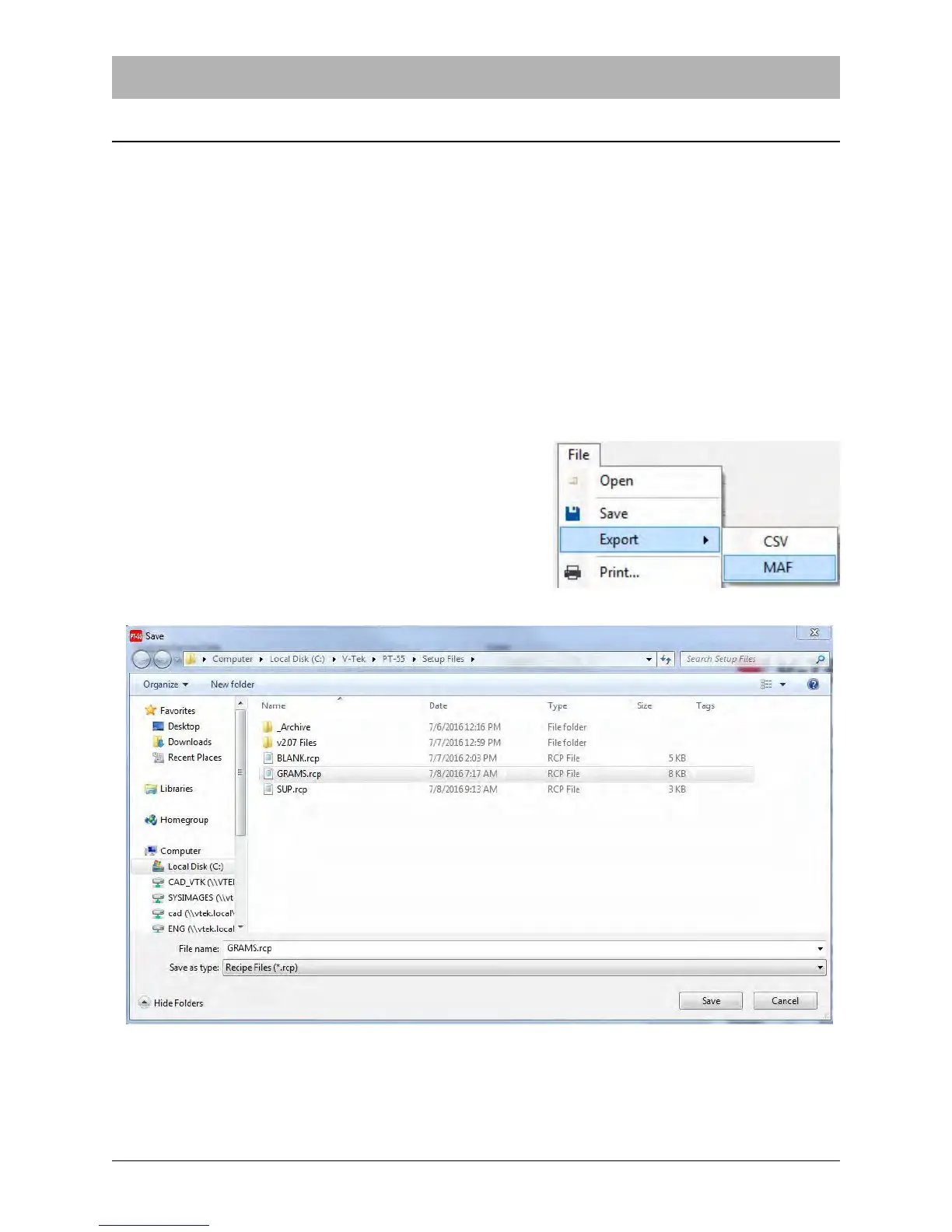
1. Click File > Export > CSV.
2. Enter the file name and location, then click Save.
Note: The default location is C:\V-TEK\PT-55\Setup Files.



 To Next Page