D291308.7M.fm Supervisor Settings Screen
Chapter 3: Operation 49
File Type
The File Type section is used to determine which file type the Auto Save will be exported as.
There are three options: STD (Standard), MAF (Moving Average File) and CSV (Comma Sepa-
rated Values format). The Standard file type is a simple text file. The *.csv and *.maf file type
can be exported into an Excel spreadsheet for a printed report. See Creating a *.csv Export File
and Creating a *.maf Export File at the end of this chapter for further information.
Filename
The File Name field is a text field which allows the user to enter a unique file name.
Note: If Auto Save Mode or Auto - Sales Order Mode are selected, the date and time in 24
hour format of the save will automatically be appended to the File Name. For example, if the
user enters a file name of “My File” in Auto Save Mode and the file is auto-saved at 4:40.30
PM on October 22, 2014, the File Name will be My File_2014.10.22_16.40.30. Similarly if
Auto-Sales Order Mode is selected and the file for Sales Order #1234567 is saved at the
same date and time, the File Name will be 1234567_2014.10.22_16.40.30.
Change Save Location
Clicking the Browse button allows the operator to browse through folders and select an auto
save location.Choose a location and click on OK. The Current Auto Save Location is displayed
below the Browse button.
ADVANCED OPTIONS
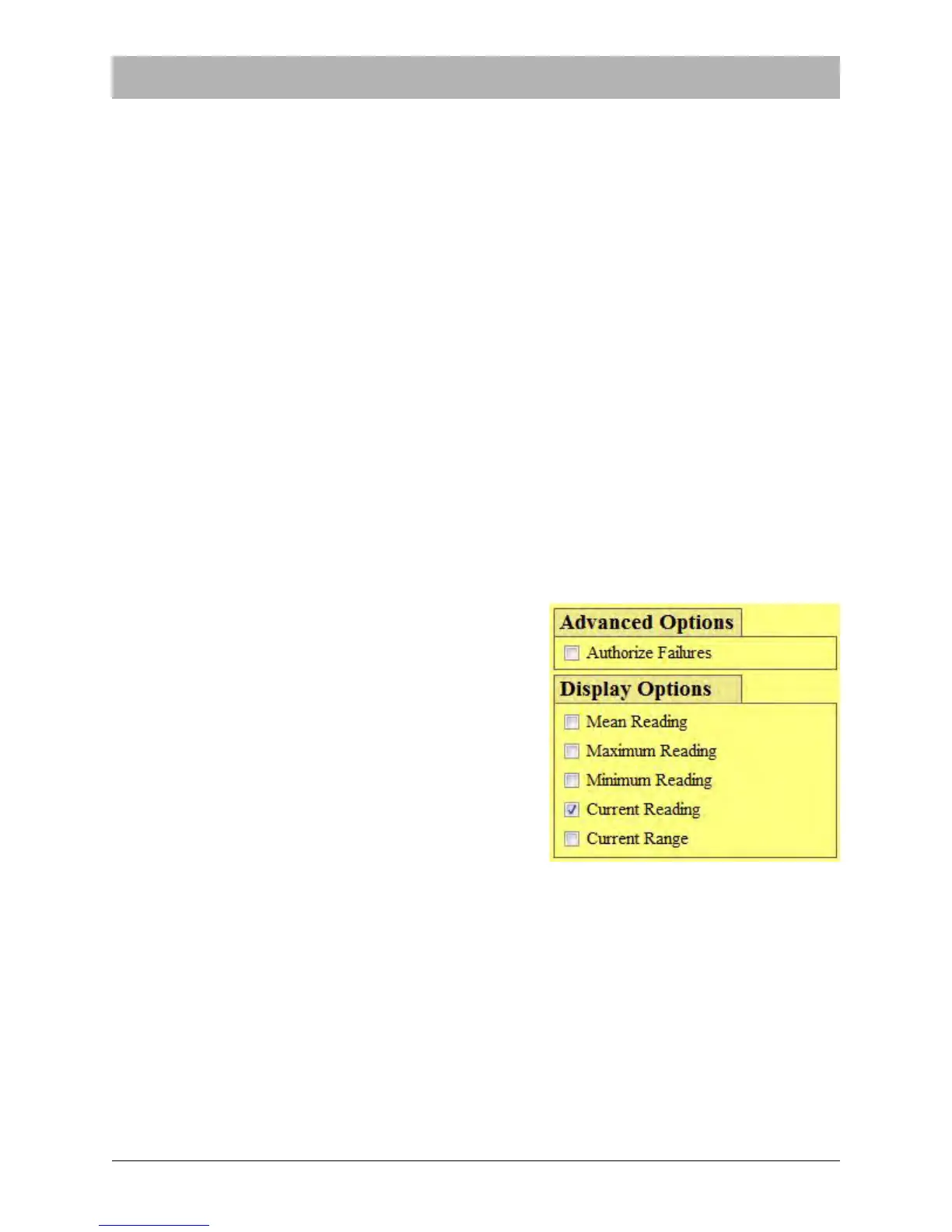
If Authorize Failures is checked, anytime a peel test
fails the PT-55 will stop, the buttons in the Main
Screen will become inactive and the Supervisor but-
ton will flash red once the PT-55 is stopped or the test
is complete. Normal operation can only resume after
the Supervisor Password is entered.
DISPLAY OPTIONS
Display options allows the user to select what test
results will be highlighted in the Main Screen at the
conclusion of a pull test. The options are Mean Read-
ing, Maximum Reading, Minimum Reading, Current
Reading and Current Range.



 To Next Page