46 PT-55 User’s Guide
Supervisor Settings Screen D291308.7M.fm
Supervisor Settings
The Supervisor Settings section allows the operator to customize Saving, Test and Graph
options and to change passwords.
GRAPH OPTIONS
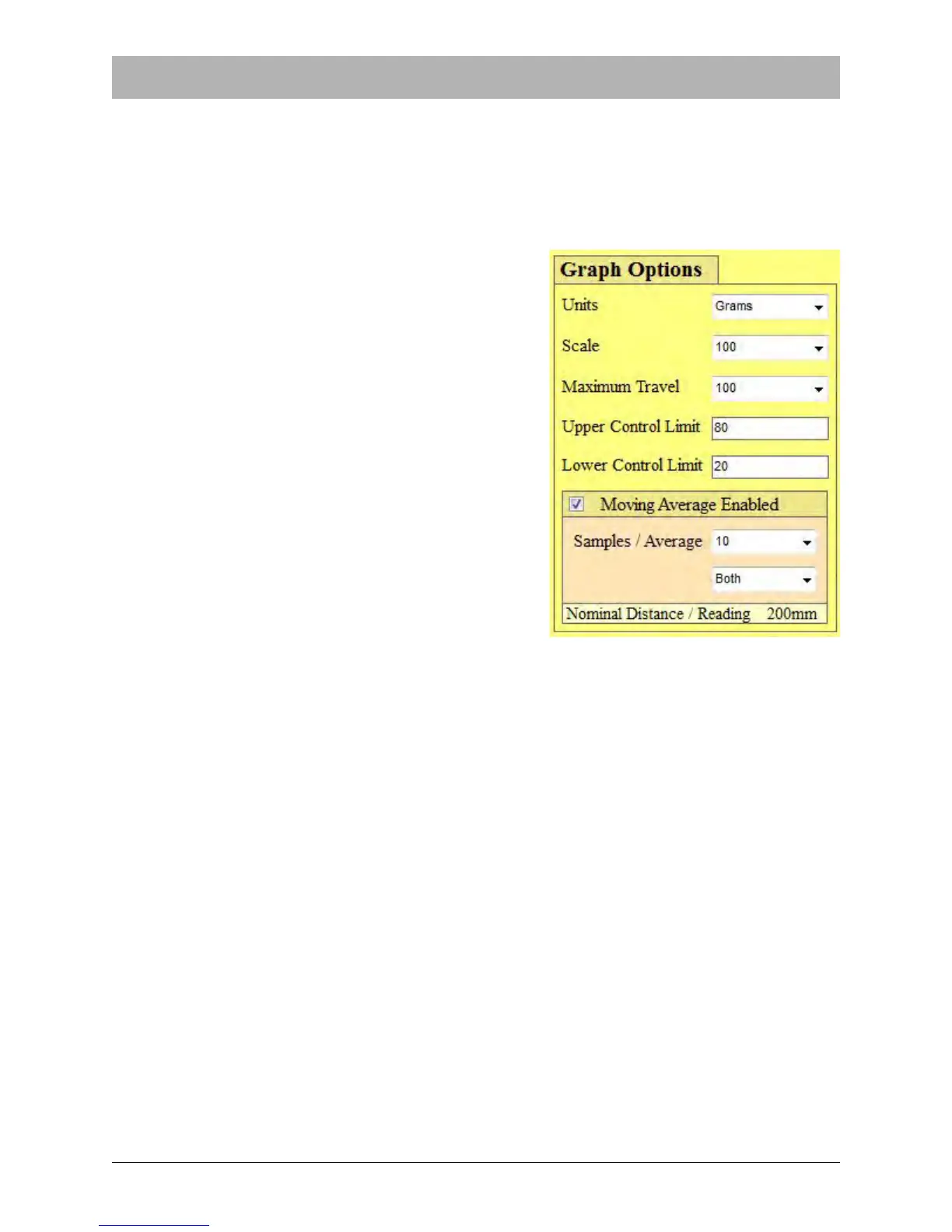
The Graph Options section determines how the Peel
Test Chart in the Main Screen will function.
Units
The Units menu allows the operator to select between
Grams and Newtons as units of measure on the Peel
Force Chart in the Main Screen.
Scale
The Scale menu determines how the Y axis on the
Peel Force Chart is configured. It can be set for 100 or
200 grams or 1-4 Newtons depending on the unit of
measure that was selected in the Unit menu.
Maximum Travel
Maximum Travel determines how many millimeters the
Pull Test Graph in the Main Screen will display. There
are three setting options for travel distance: 100 mm,
150 mm and 200 mm.
Note: If a Pull Length value of 0 is entered in the Main Screen Settings field, the pull length
will be the maximum distance of 200mm.
Upper/Lower Control Limit Fields
Enter the Upper Control Limit (UCL) and the Lower Control Limit (LCL) in the fields shown on
the right. Test results that are between the UCL and LCL will be considered PASS results. Test
results that are higher than the UCL or lower than the LCL will be considered FAIL results.
The UCL and LCL numbers entered must be between 0-100 when Scale is set to 100 and 0-200
when Scale is set to 200.
Moving Average
When Moving Average is Disabled, the Pull Test Graph in the Main Screen will display a graph
of the individual readings taken during the test. When all readings are between the Upper and
Lower Control Limits, the test result will be PASS. If any reading exceeds those limits, the test
result will be FAIL.



 To Next Page