22 PT-55 User’s Guide
Peel Force Test Setup D291308.5q.fm
Peel Force Test Setup
Note: Although the PT-55 is tested and calibrated during manufacture, the calibration should
be re-validated after shipment and prior to first use. Please refer to the validation instructions
on page 60.
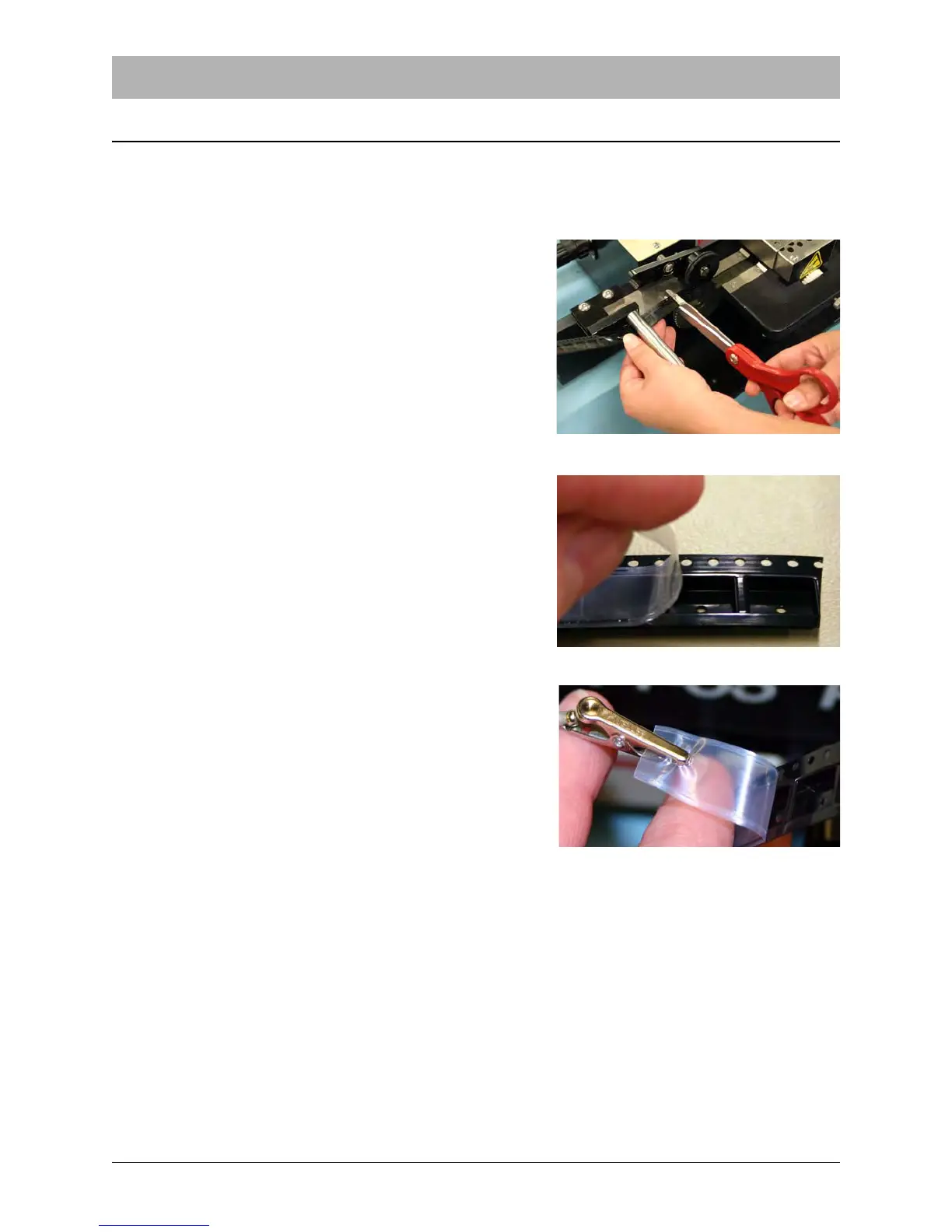
1. To perform a peel force test, run out a strip of
empty, sealed carrier about 6 to 12 inches long.
Make sure the entire length of the strip has been
sealed under the same conditions. Cut the strip
free from the taping machine and bring it to the
peel force tester.
2. Orient the tape to be tested so it is right-side up
and the sprocket holes are facing toward the peel
force tester. At the right end of the tape, carefully
peel back about 1 inch of cover tape.
3. Attach the alligator clip from the load cell chain to
the loose cover tape. Make sure the clip is straight
and centered on the tape.



 To Next Page