D291308.5q.fm Peel Force Test Setup
Chapter 2: Setup 23
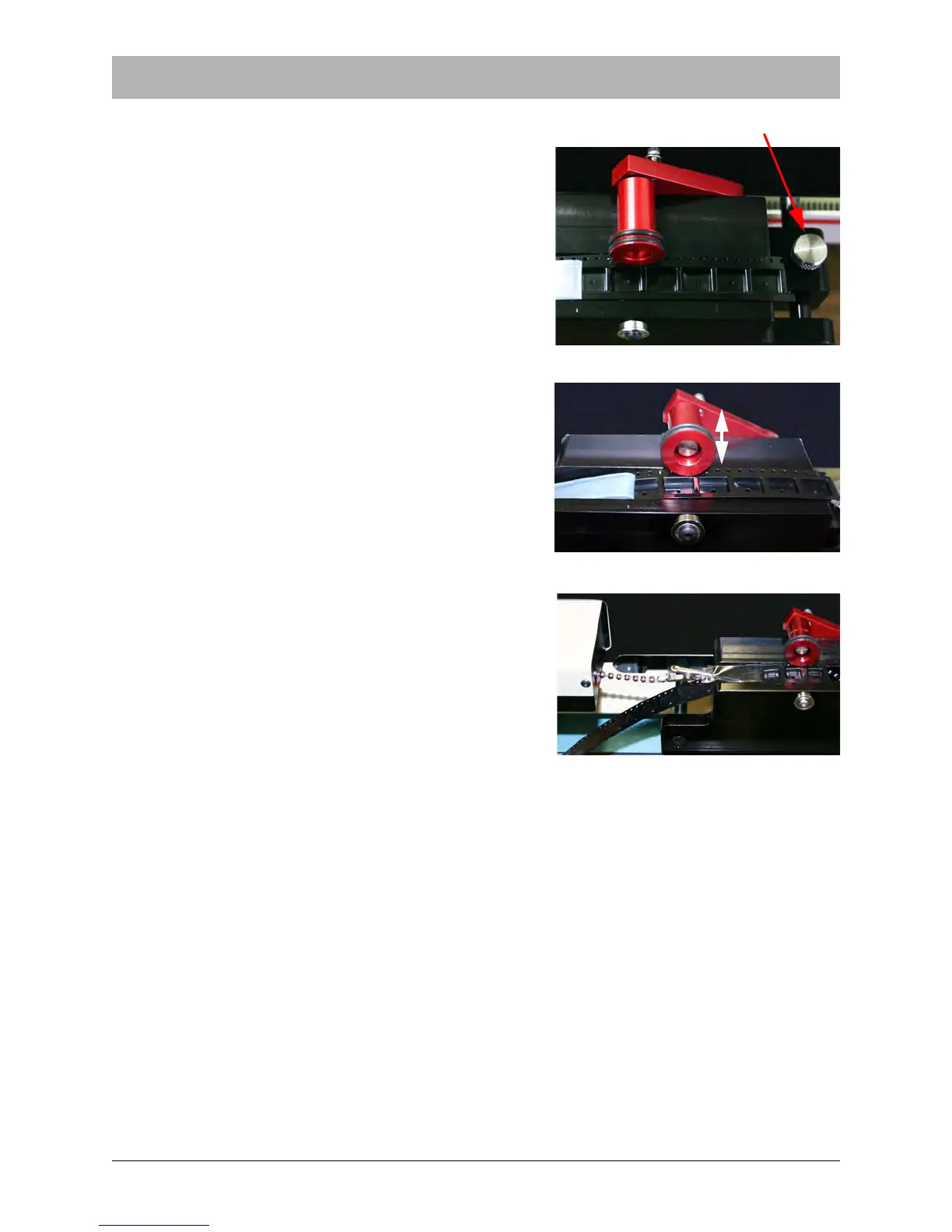
4. Adjust the carriage track width, loosening the
Track Adjustment Knob as needed. The goal is
for the track to touch the sides of the tape but still
allow it to move freely.
5. Lift the idler wheel and attach the carrier tape to
the tape sprocket by placing the sprocket holes
over the pins. Lower the idler wheels so the tape is
captured on the tape sprocket.
6. Pull the load cell assembly out to a position where
the chain is centered on the carrier tape. Adjust the
thumb screw on the left side of the machine as
needed.
Note: The PT-55 software must be configured with
the correct test parameters before continuing. For
test configuration details, see Chapter 3: Software.
Figure 2.24
Track Adjustment Knob



 To Next Page