24 PT-55 User’s Guide
Peel Force Test Setup D291308.5q.fm
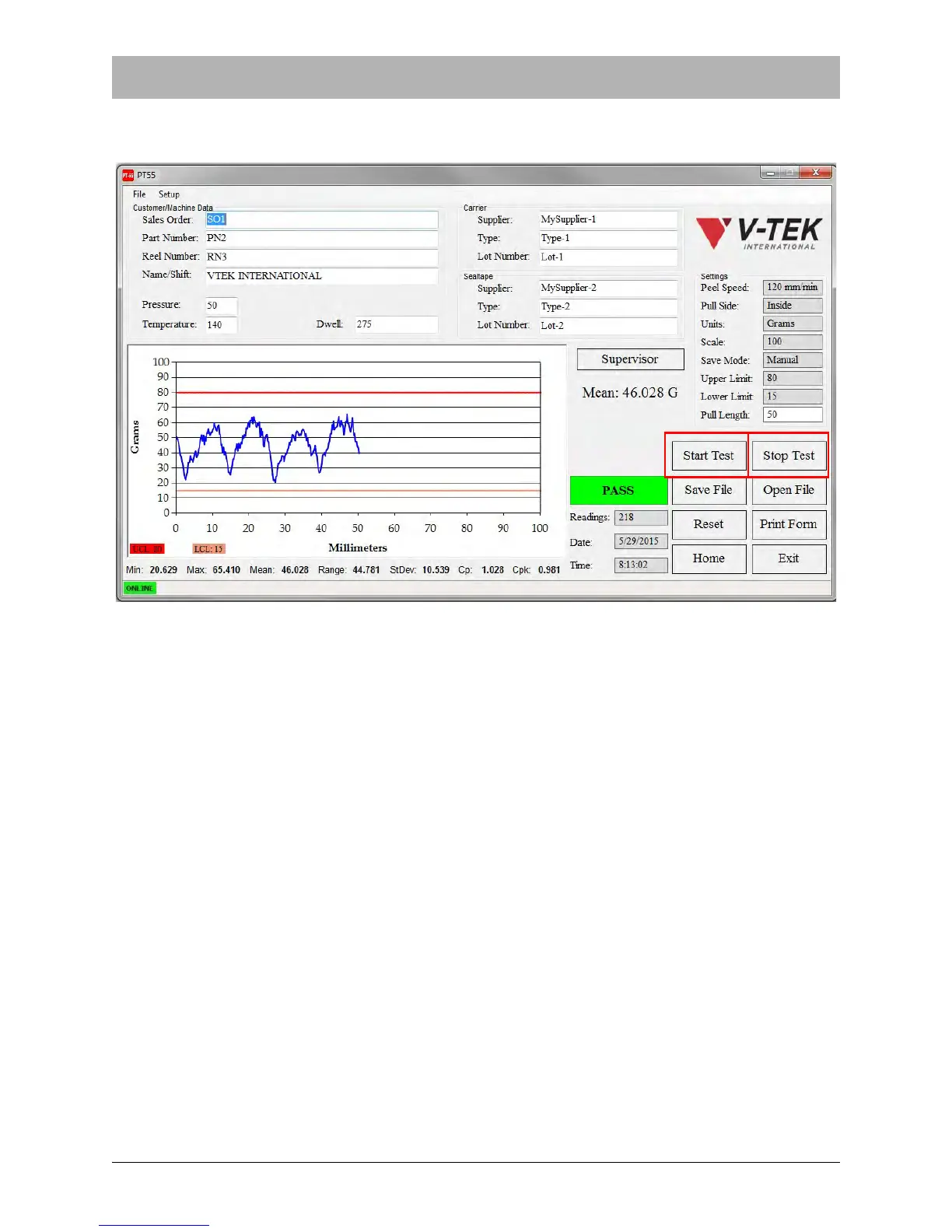
7. Press the Start Test button in the Main Screen. The PT-55 will begin moving the carriage
and graphing the results.
8. When complete, the test will stop automatically when it reaches the preset Pull Length. You
may also press the Stop Test button when enough data has been gathered to complete the
test. The Main Screen will then display a PASS or FAIL message. The photo above shows a
completed test that passed the Pull Test criteria.
9. Release the cover tape from the alligator clip and remove the carrier tape from the tape
sprocket by lifting the idler wheel and lifting the tape clear of the sprocket pins.



 To Next Page