D291308.7M.fm Supervisor Settings Screen
Chapter 3: Operation 47
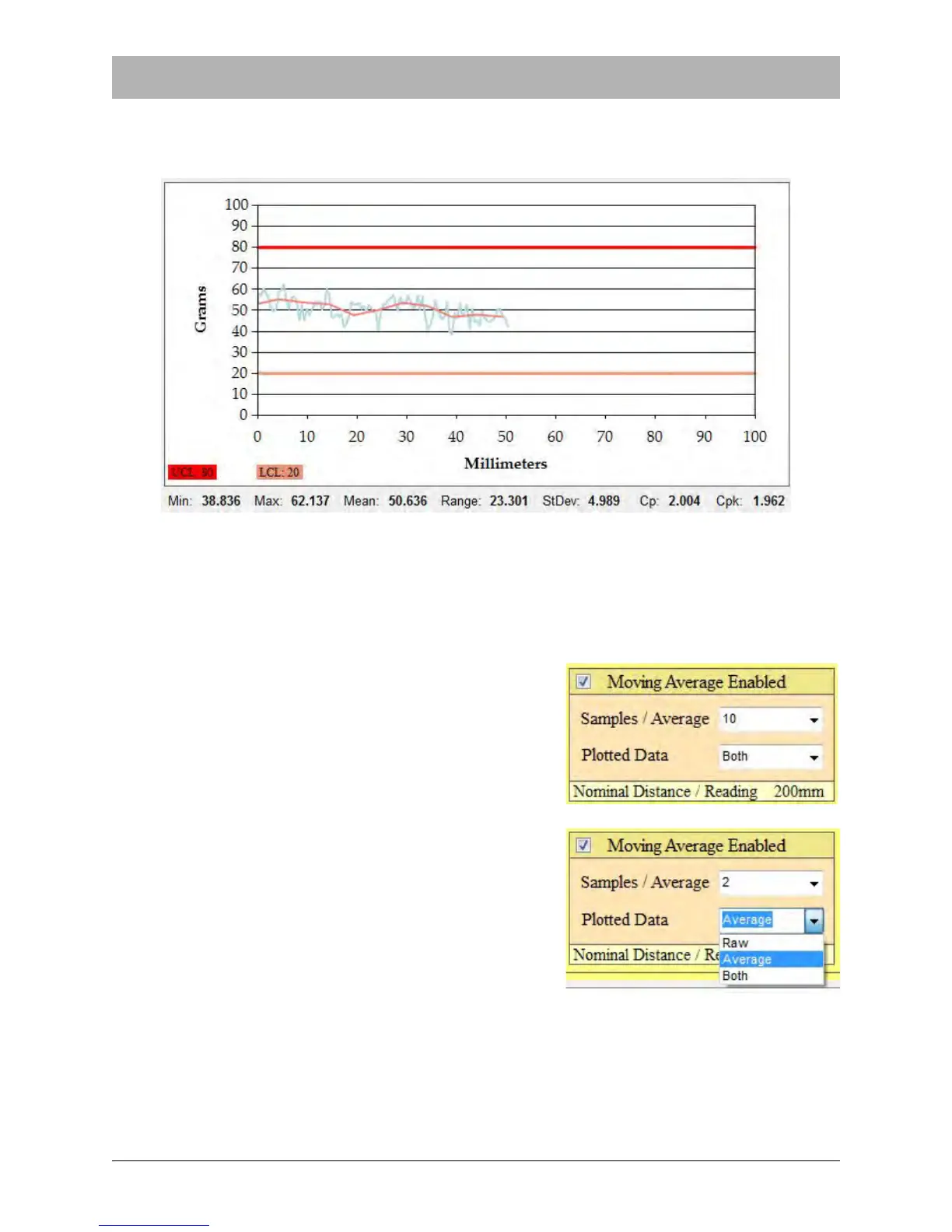
When Moving Average is Enabled, the PT-55 will calculate a moving average based on a preset
number of sample readings. The Pull Test Graph in the Main Screen can now display a graph
with either the raw individual readings (blue) or the Moving Average (pink) or both.
When the Moving Average is between the upper and lower control limits, the test result will be
PASS. If the Moving Average exceeds those limits, the test result will be FAIL.
Note: If the Moving Average is between the preset upper and lower limits but the individual
readings exceed those limits, the test result will still be PASS.
When Moving Average is enabled, the user must select
the number of Samples/Average. This can be set from
2-10.
The Plotted Data field allows the user to choose what
data appears in the Main Screen graph when a test is
run. The options are Raw (individual test readings),
Average and Both.



 To Next Page