50 PT-55 User’s Guide
Supervisor Settings Screen D291308.7M.fm
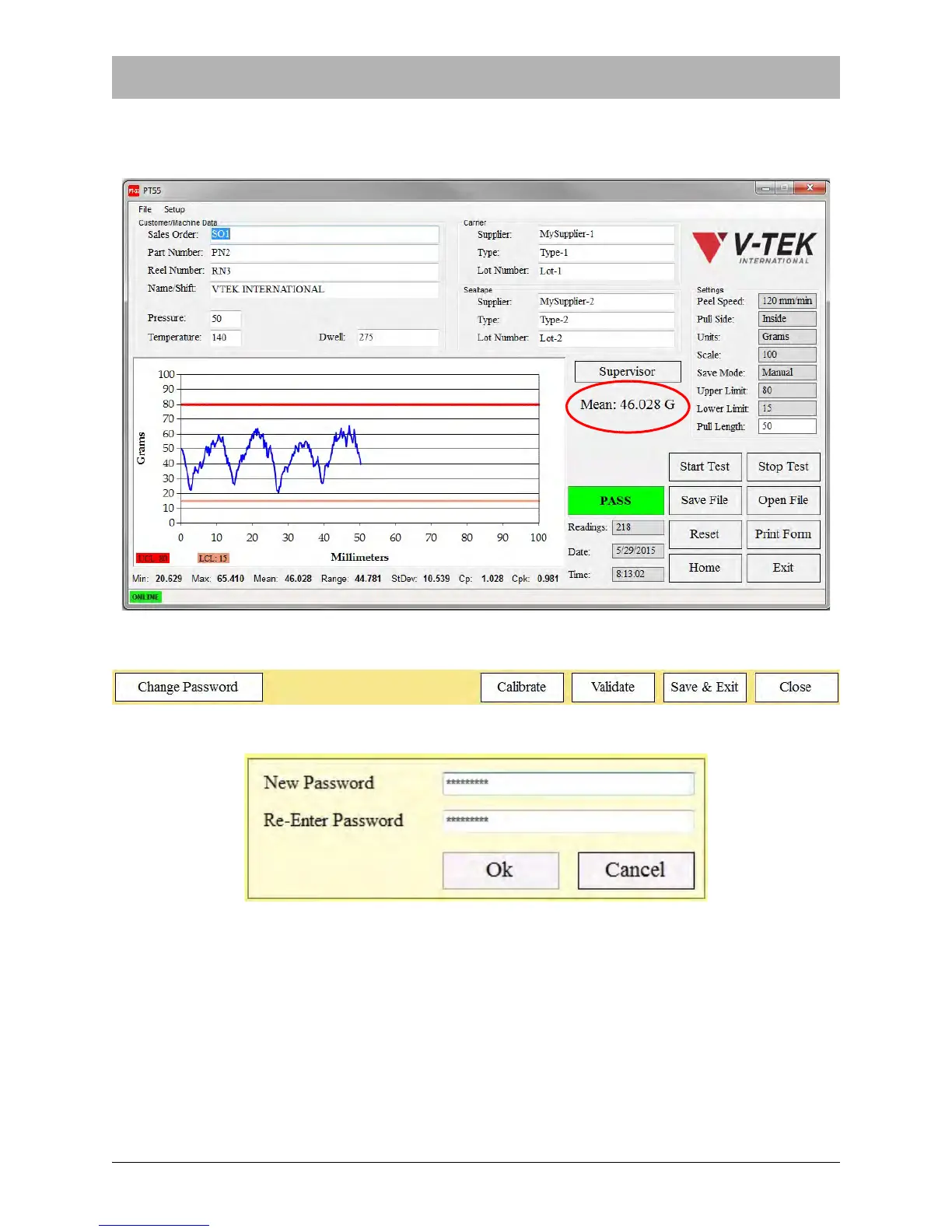
In the example on the above, Mean Reading has been selected. With this option selected, the
Main Screen will appear as below following a test. Note the Mean Reading now appears beneath
the Supervisor button.
SUPERVISOR BUTTONS
Pressing the Change Password button will open the Change Password Screen.
Pressing the Calibrate button will place the PT-55 in Calibration Mode, homing the motor and
then leading the operator through the calibration process. See Chapter 4 for a detailed descrip-
tion of the calibration process.



 To Next Page