Camera Controller Basics
This section covers powering the camera controller and making sure it is able to communicate with its
cameras. It also includes a quick tour of the console and information on accessing the controller's web
interface.
Powering Up the Cameras and Controller
Power up all cameras to be used with the controller.
When you connect the PCC Premier to the network for the first time, it will only identify supported cameras
that are directly connected via RS-232. After the Address Book has been set up, the controller tries to
establish contact with all IP-connected cameras in its address book when it powers up.
Control Console Features
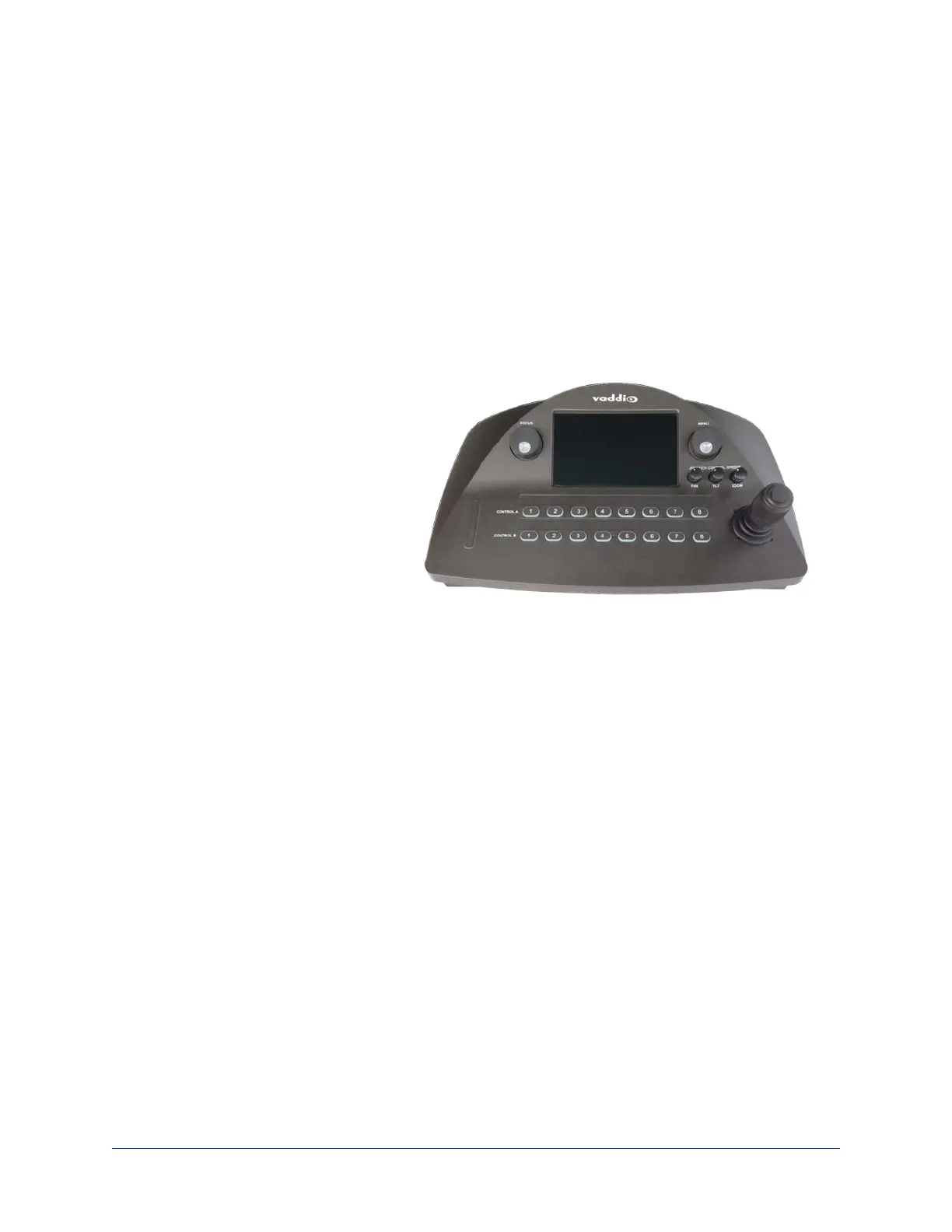
The console provides basic address
book and other functions in addition to
camera control.
Touch-Panel Display
The touch-panel provides:
n Access to the address book, to set
up and select camera groups
n Access to camera presets and
CCU scenes
n CCU and CCU scene setup
n Network information for the controller
n One-touch standby (controller and selected cameras)
Focus Knob
Press the focus knob to switch between modes – auto-focus (illuminated blue) or manual (illuminated red).
In manual focus mode, turn the knob to adjust the focus.
Menu Knob
This knob provides precision in setting slider controls. Dial to the desired setting, then press the menu knob
to save it.
You can also use the Menu knob to navigate the touch-panel screens and some of the controls.
Camera Select Buttons
The camera select buttons allow you to select the camera to work with, from the two active camera groups
(Control A and Control B). During normal operation, the buttons are illuminated if they are mapped to
cameras in the active groups. If a button is not lit, it means one of these things:
n No camera is connected to the RS-232 port assigned to this button.
n No IP-connected camera has been assigned to this button.
7
Integrator's Complete Guide to PCC Premier Precision Camera Controller



 To Next Page