Setting Camera Controller Behavior
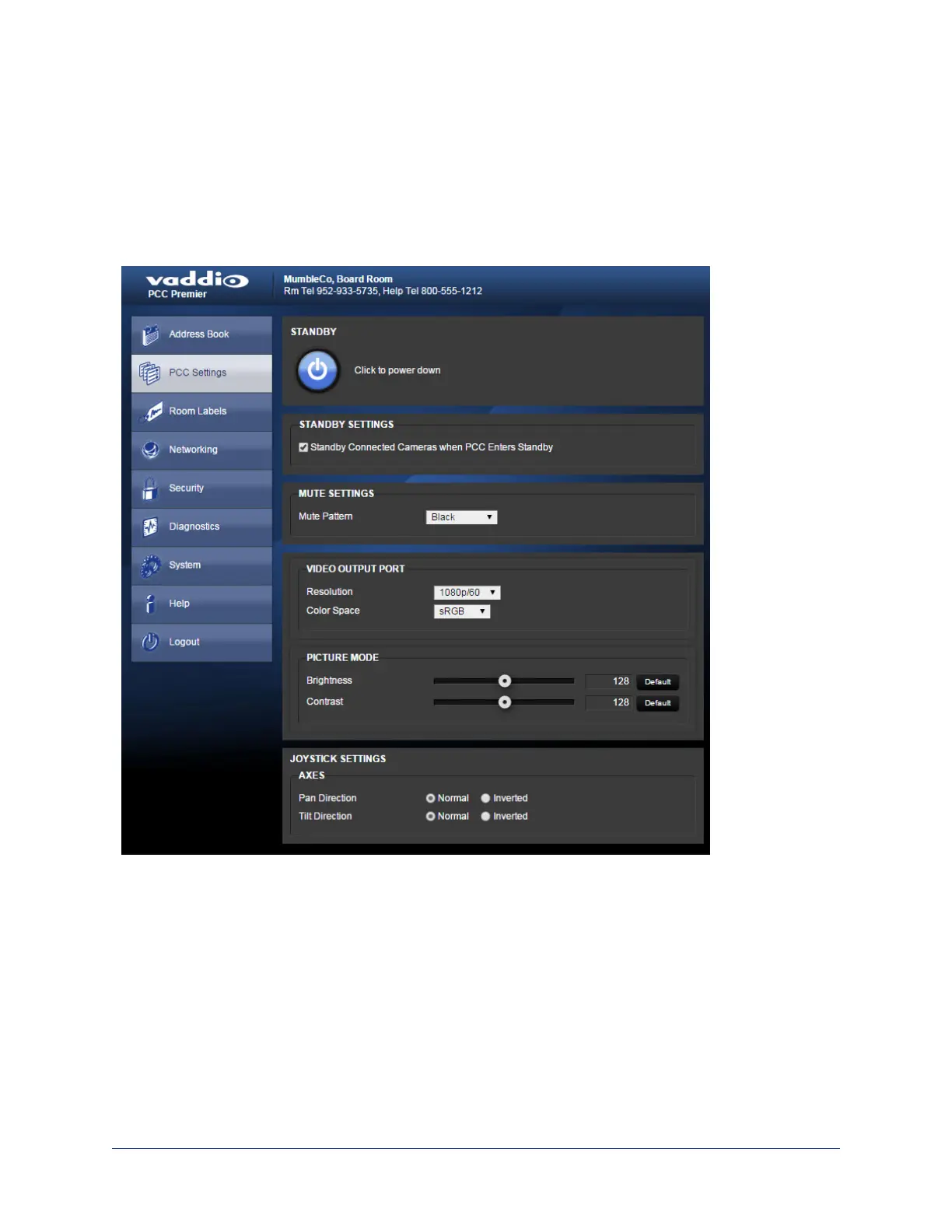
Web interface, PCC Settings page
On this page, you can set:
n What happens when the camera controller goes into standby mode
n What happens when no video stream is available on the HDMI output
n HDMI video settings
n Joystick direction
Standby Settings
To place the cameras in standby mode along with the camera controller, check the box marked "Standby
Connected Cameras when PCC Enters Standby."
Note
This setting only applies to the cameras in the groups currently selected as Control A and Control B. Other
cameras in the address book are not affected.
Leave this check box unchecked if all cameras should remain powered up when the camera controller goes
to standby mode.
29
Integrator's Complete Guide to PCC Premier Precision Camera Controller



 To Next Page