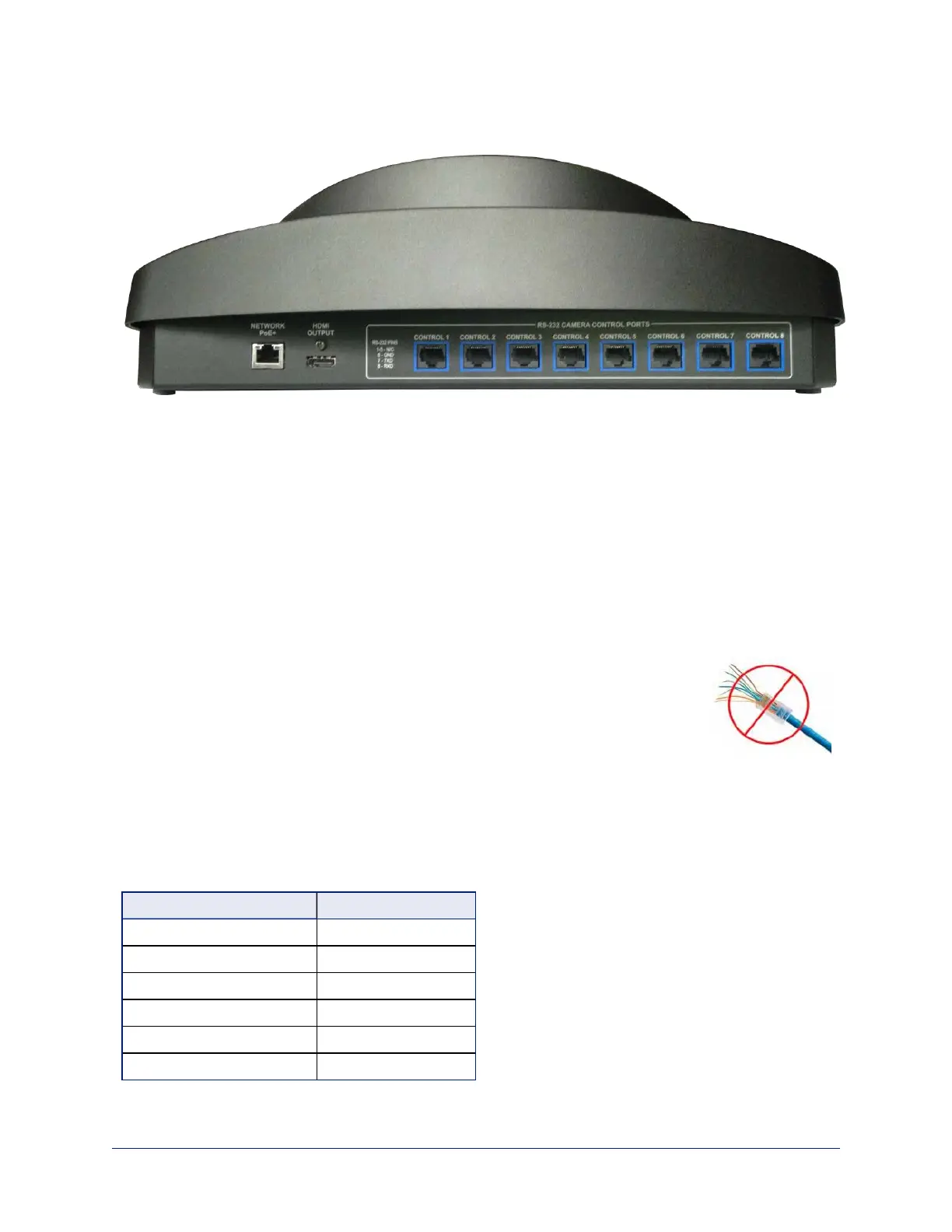
Connector Panel
From left to right:
Ethernet/PoE+ connector – PoE+ Gigabit Ethernet port provides access to the controller's web interface
and to cameras on the network, and powers the controller.
HDMI connector – Monitor the camera you are currently controlling. Video can only be displayed for
cameras with IP streaming capability.
RS-232 ports – Connect up to 8 cameras locally.
Cabling Notes
RS-232 cables may be up to 500 ft (152.4 m).
For RS-232 cabling, use Cat-5e or better cable and standard RJ-45 connectors (568B termination).
We recommend using high-quality connectors and a high-quality crimping tool.
Note
Do not use pass-through RJ-45 connectors. These can cause intermittent
connections and degraded signal quality, resulting in problems that may be hard to
diagnose. Use standard RJ-45 connectors and test all cables for proper pin-outs and
continuity before you connect them to Vaddio products.
RS-232 Serial Communication Settings and Port Pin-out
The RS-232 serial ports (color-coded blue) on the PCC Premier back panel allow you to connect up to 8
cameras directly.
RS-232 communication parameters are as follows:
Parameter Value
Communication Speed 9600 bps (default)
Start bits 1
Stop bits 1
Data bits 8
Parity None
Flow control None
5
Integrator's Complete Guide to PCC Premier Precision Camera Controller



 To Next Page