Working with Camera Presets
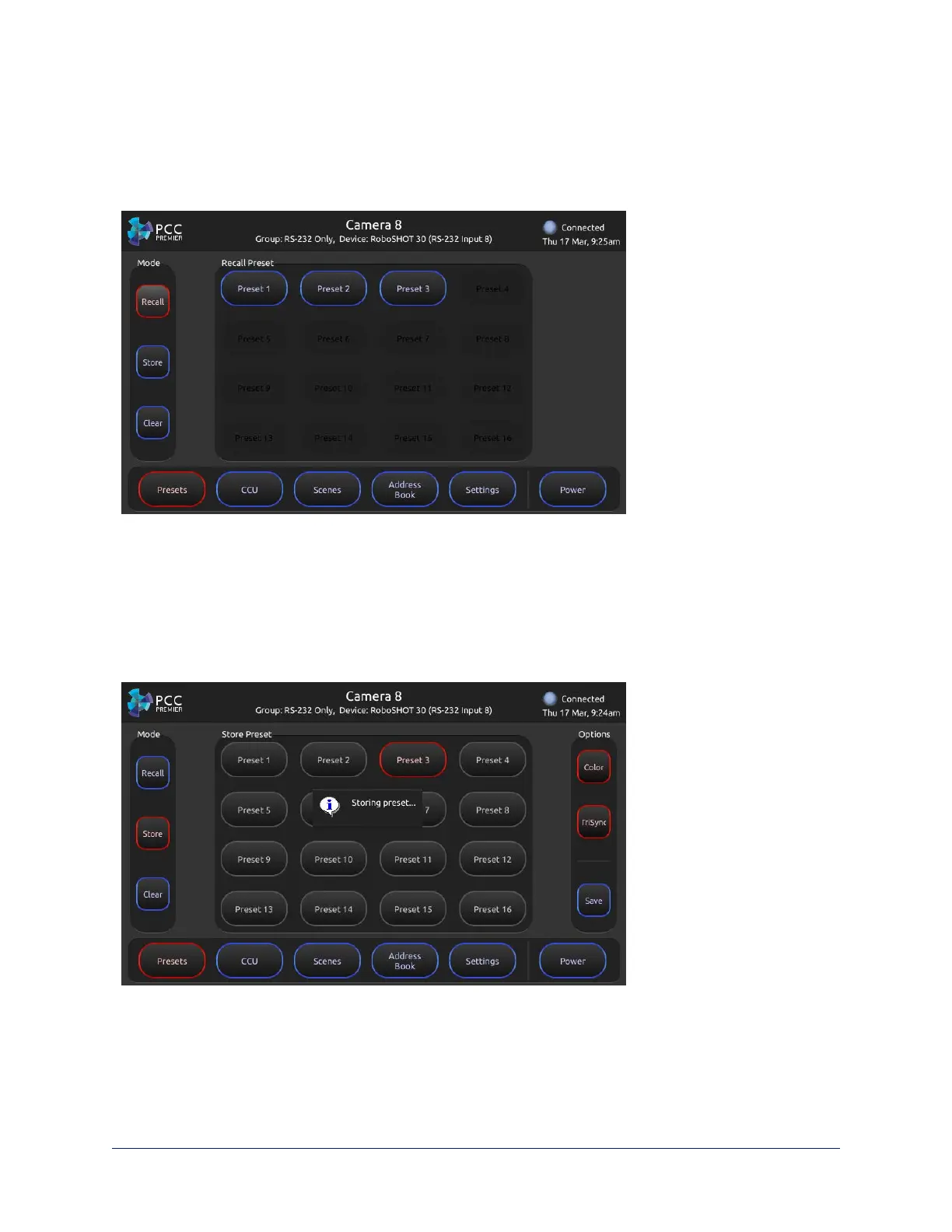
Touch-panel, Presets screen
The camera controller does not store presets internally. It accesses the presets stored in the currently
selected camera, and can write presets to the camera.
To store a new preset to the selected camera:
1. Set up the shot, including all adjustments.
2. On the Preset screen, tap Store.
3. Tap the preset button to assign. If you choose a preset that is already assigned, you will overwrite the
existing preset when you save the new one.
4. Optional:Tap the Color button or TriSync button (or both) if you want to save them as part of the preset.
5. Tap Save.
When you tap Back to return to the main Recall Preset screen, the new preset is available.
28
Integrator's Complete Guide to PCC Premier Precision Camera Controller



 To Next Page