Configuring the Camera Controller for Your Network
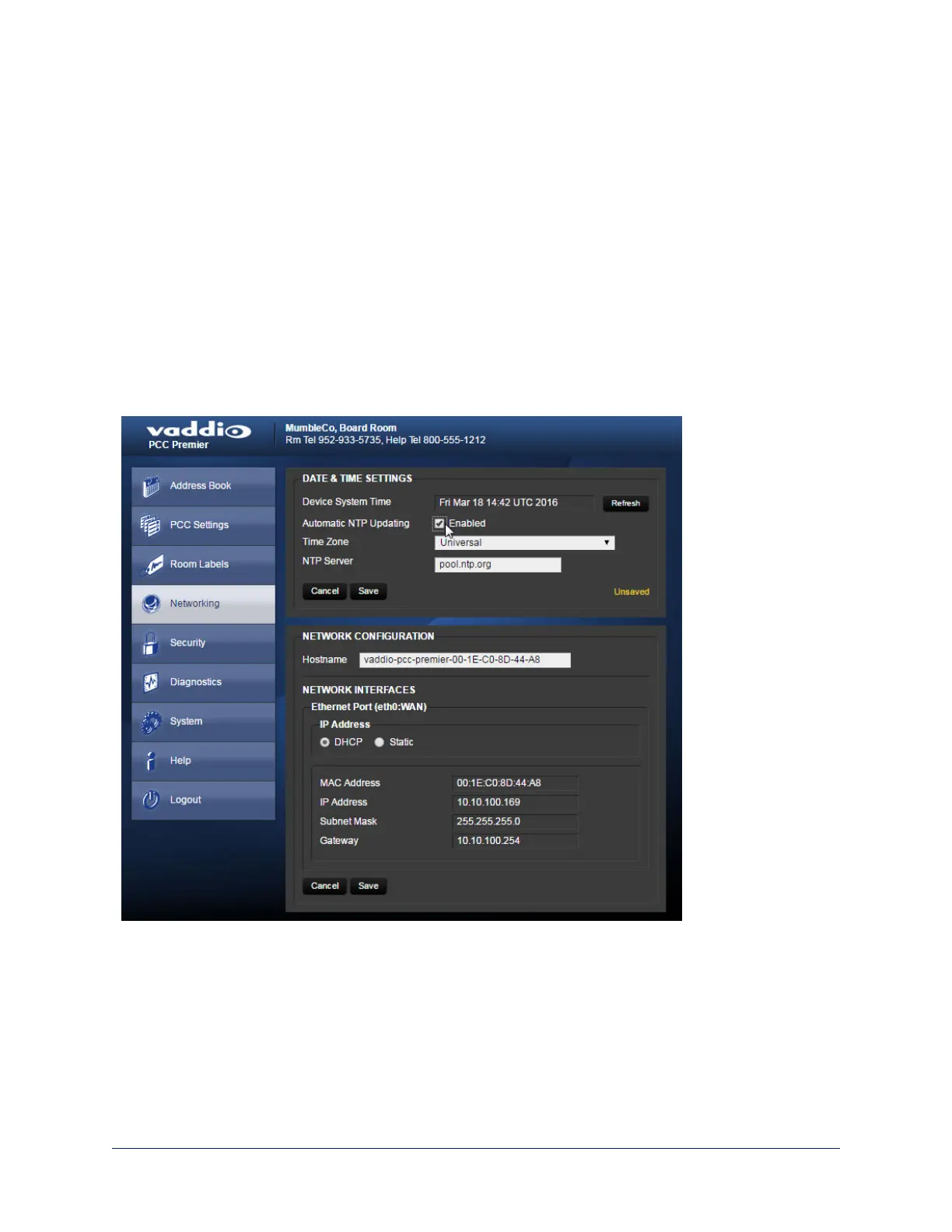
Web interface, Networking page
The camera controller uses DHCP addressing by default. If no DHCP server is available, the default IP
address is 169.254.1.1.
Note
If you don't completely understand all the implications of the steps below, please contact your IT staff or
Vaddio Technical Support for assistance.
1. Edit the device hostname if necessary. The hostname serves as the device URL, so you can use it
instead of the device's IP address when you open a web interface session. The hostname is also used
as the filename for exported configuration data, so it can help you identify the source of an exported
data file.
2. If the camera controller needs to use static IP addressing, select Static.
3. For static IP addressing, enter the appropriate IP address, subnet mask, and gateway address.
36
Integrator's Complete Guide to PCC Premier Precision Camera Controller



 To Next Page