3.10.4 Resetting views
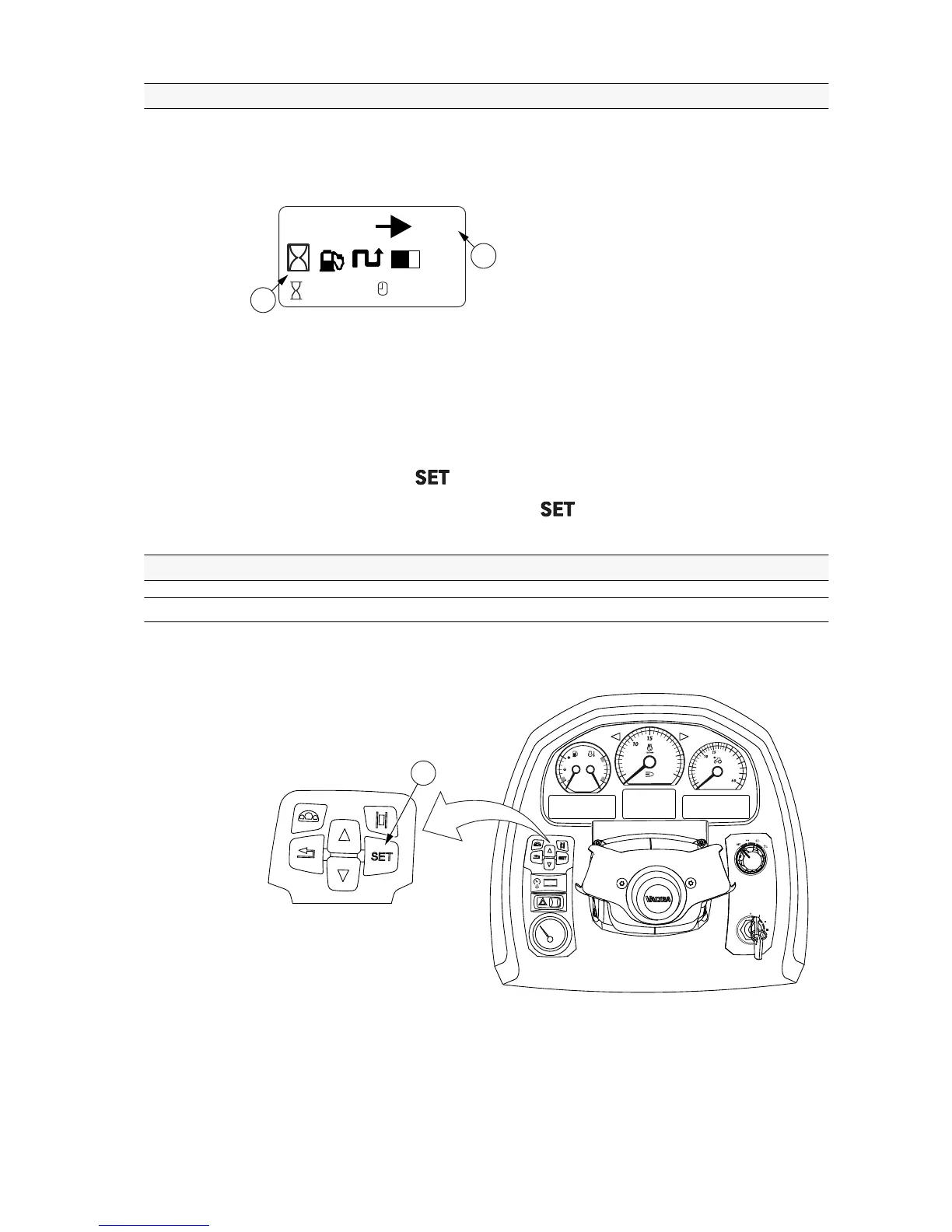
You can reset the travel distance, fuel consumption, working time and square
area (worked area) views. All the readings are reset at the same time.
GUID-B0609514-576D-4599-9B91-8B27B2C6F5BA
1. Reset view
2. Symbols for views that are reset
1. Navigate to the Reset view with the arrow buttons.
2. Press and hold the button until the text RESET blinks three times.
3. When the blinking stops, release the button.
The counters are reset to zero.
3.10.5 Changing parameters
3.10.5.1 Activating and exiting the setting mode
You must activate the setting mode to change the different settings.



 To Next Page