• To deactivate the air conditioning system, turn the fan control knob to the
OFF position.
3.6.4.3 Using ECO mode
Use the air conditioning ECO mode to regulate the cab temperature without the
AC compressor. In the ECO mode the system tries to achieve the target
temperature by adjusting the water valve and fan speed. This mode saves both
the battery power and fuel.
GUID-FF8F7C17-A079-44D8-B446-B6178FED1C34
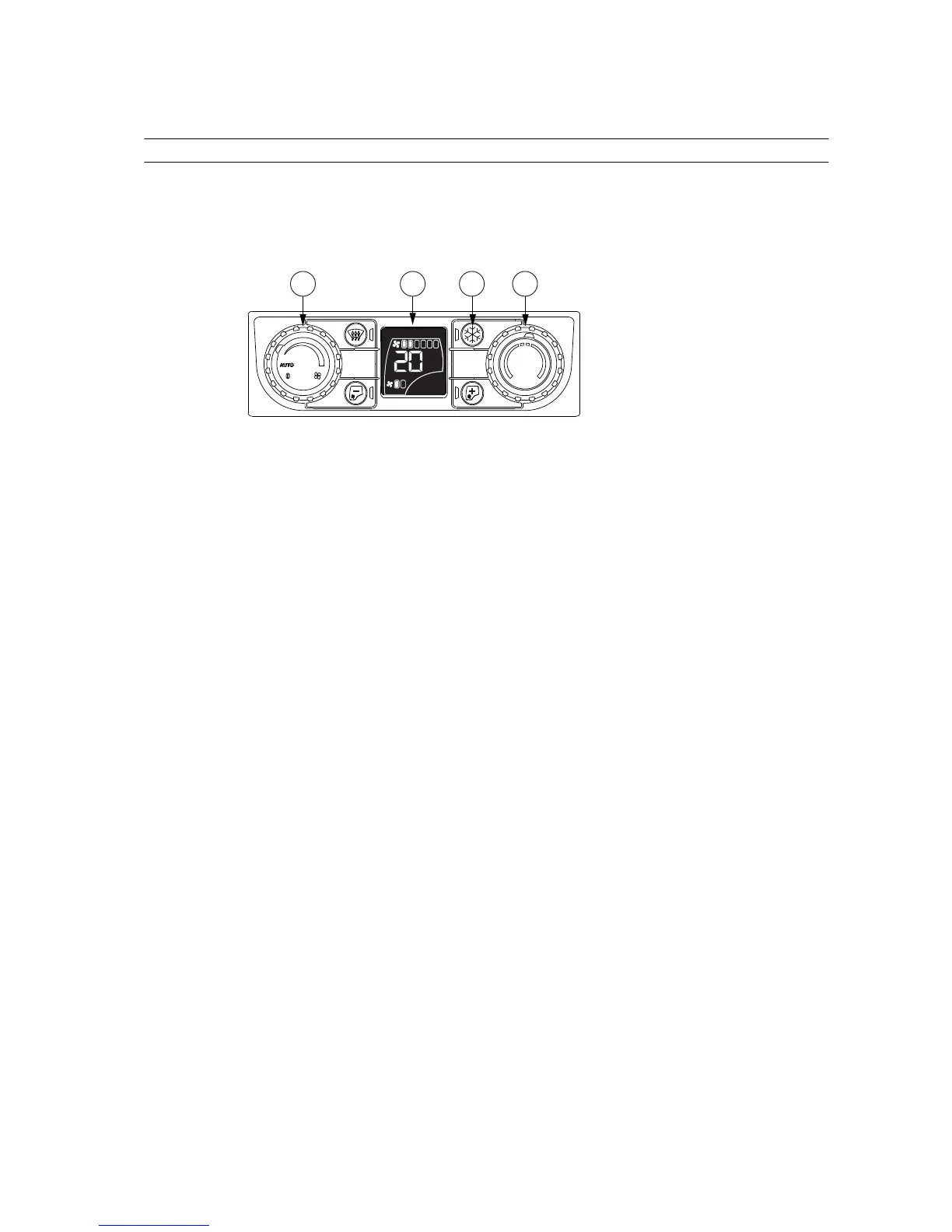
1. Fan speed control knob
2. Display
3. Air conditioning ON/OFF
4. Temperature control knob
• Using the ECO mode when the air conditioning system is in the AUTO mode.
• Switch off the AC compressor by pressing the air conditioning ON/OFF
push button.
The fan speed is regulated by the system and indicators AUTO and ECO
are displayed.
• Select the target temperature with the temperature control knob.
If you turn the temperature to LO the AC compressor is automatically
turned on.
• Using the ECO mode when the air conditioning system is in the manual
mode
• Switch off the AC compressor by pressing the air conditioning ON/OFF
push button.
• Select the target fan speed with the fan speed control knob.
• Select the target temperature with the temperature control knob.
If you turn the temperature to LO the AC compressor is automatically
turned on.
• To deactivate the ECO mode:
• press the air conditioning ON/OFF button (the AC compressor is
activated), or
• turn the fan speed control knob to AUTO, or
• turn the fan speed control knob to OFF.
3. Operation
- 93 -



 To Next Page