GUID-56187F1F-76B3-457F-BE72-6BD2444373C3
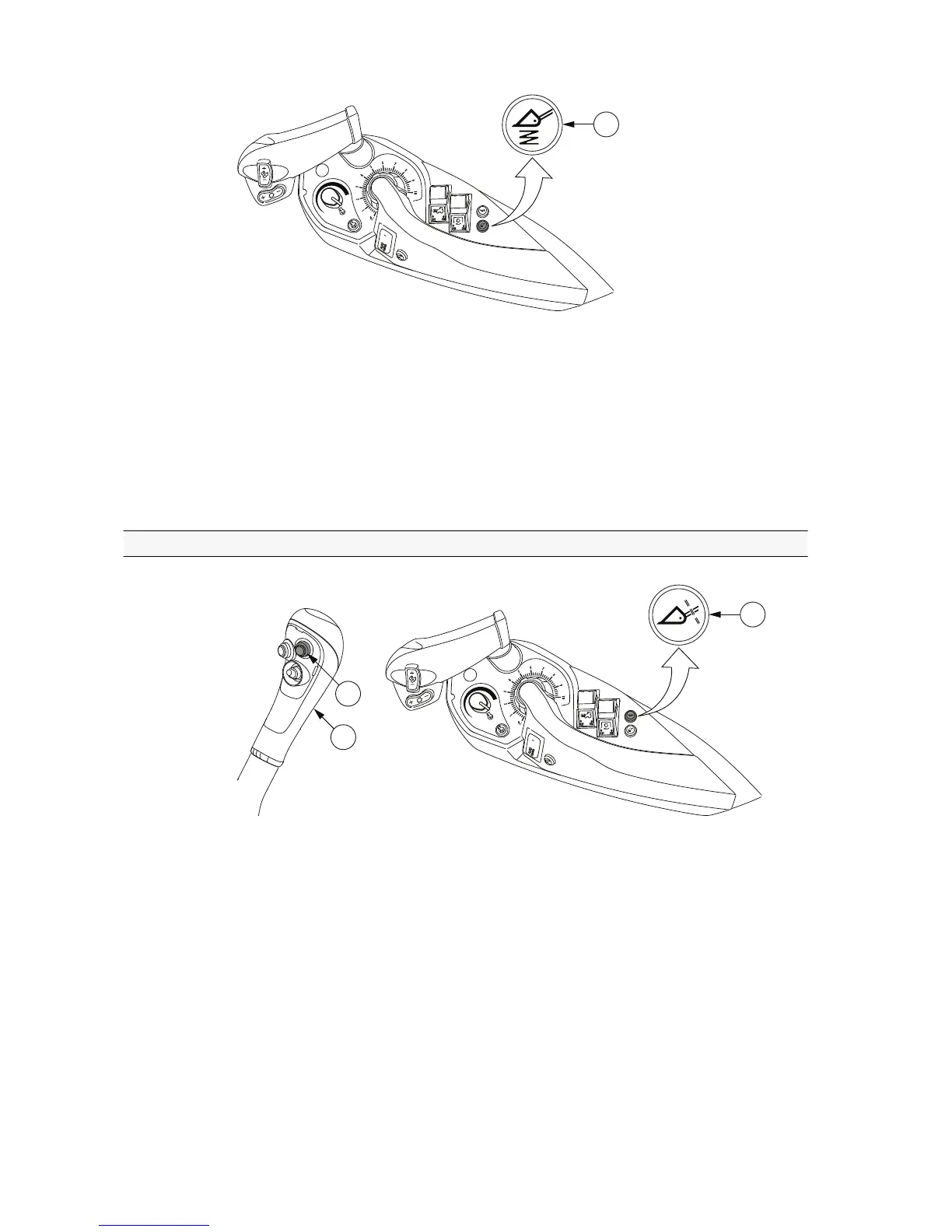
1. Button for Softdrive
• To activate or deactivate the Softdrive function, press the button for Softdrive.
When activated, the light of the button is lit green.
NOTE: You can keep Softdrive activated during most working activities. It is
recommended that you deactivate Softdrive only if special precision is
required.
3.16.4 Locking the equipment
GUID-EBA3B85F-60D7-4C66-9ABA-8DCC37BA66F8
1. Button for hydraulic implement locking (optional)
2. Upper ErgoDrive joystick push button
3. ErgoDrive joystick
• To lock the equipment to the loader frame:
• Simultaneously press the button for hydraulic implement locking and the
upper joystick push button, and move the joystick to the left.
• To release the equipment from the loader frame:
• Simultaneously press the button for hydraulic implement locking and the
upper joystick push button, and move the joystick to the right.
3. Operation
- 202 -



 To Next Page