GUID-3651DB43-8120-4067-92A6-F1ADAEC6DDF0
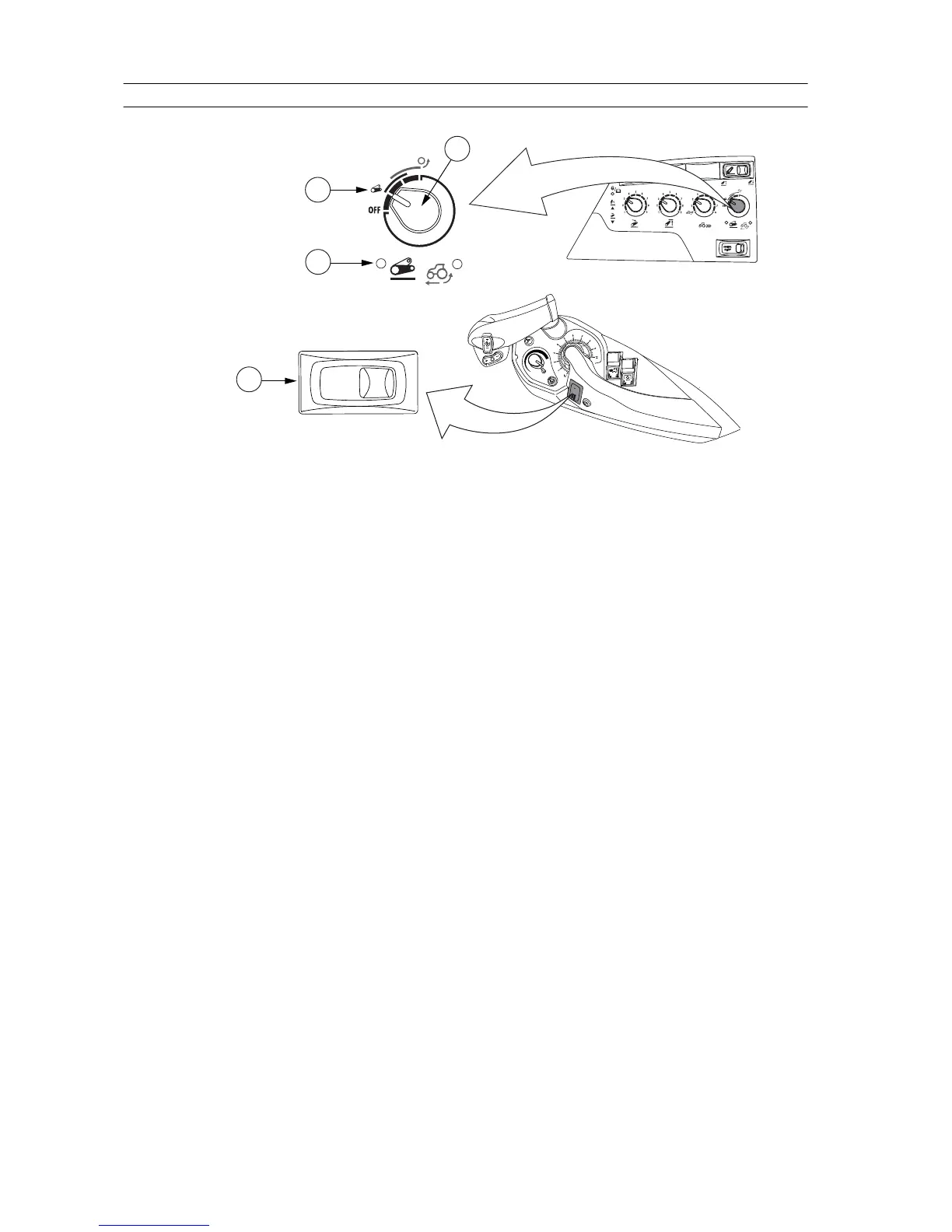
1. Drive balance control knob
2. Drive balance position
3. Drive balance control light
4. Lift/stop/lower switch
1. To activate the drive balance control, turn the drive balance control selector
to the drive balance position.
The drive balance control light is lit when the balance control is activated.
2. Set the lift/stop/lower switch to the lift (transport) position.
3. To deactivate the drive balance control, turn the drive balance control
selector to the off position.
3. Operation
- 178 -





 To Next Page