OTDR Series e-Manual, D07-00-076P-RevC00 Page 17 of 107
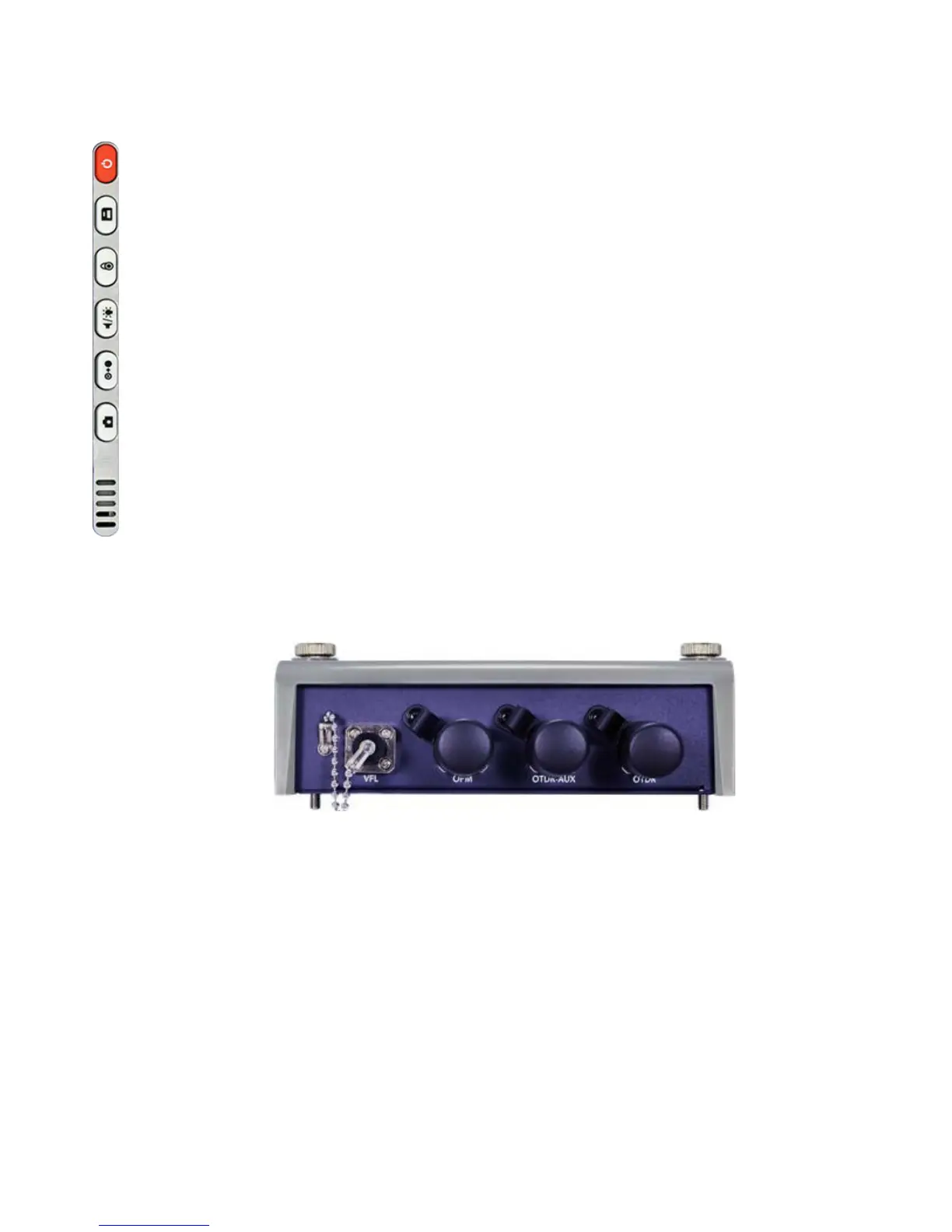
5.3.2 MTTplus Control Panel
• Power: Press for 2 seconds to turn the test set ON or OFF (prevents
accidental ON/OFF) If a test is running when the power off is started, test
is terminated and results may not be automatically saved.
• Save Test Results: Saves the current Test Results with customized or
auto naming.
• Lock/Unlock Touch Screen or Screen Capture: Can also be
programmed to Capture Screen images. Go to >Utilities >Settings
>Global >Save Settings to set save and image compression options.
• Volume and Brightness Control: (it also acts as the MTT F1 key, when
the is active) Brings up the Sound and screen Brightness controls; Use
cursor buttons to adjust the levels.
• Clear History: Resets blinking LED reminders of past Errors or Alarms
Test results are not affected. (not used with OTDR)
• Camera App: Launches the optional Camera App to help document the
job site, damage, connections, etc. Requires the camera (factory-installed
5.3.3 MTTplus OTDR Module Top View



 To Next Page