OTDR Series e-Manual, D07-00-076P-RevC00 Page 97 of 107
7.7 Results
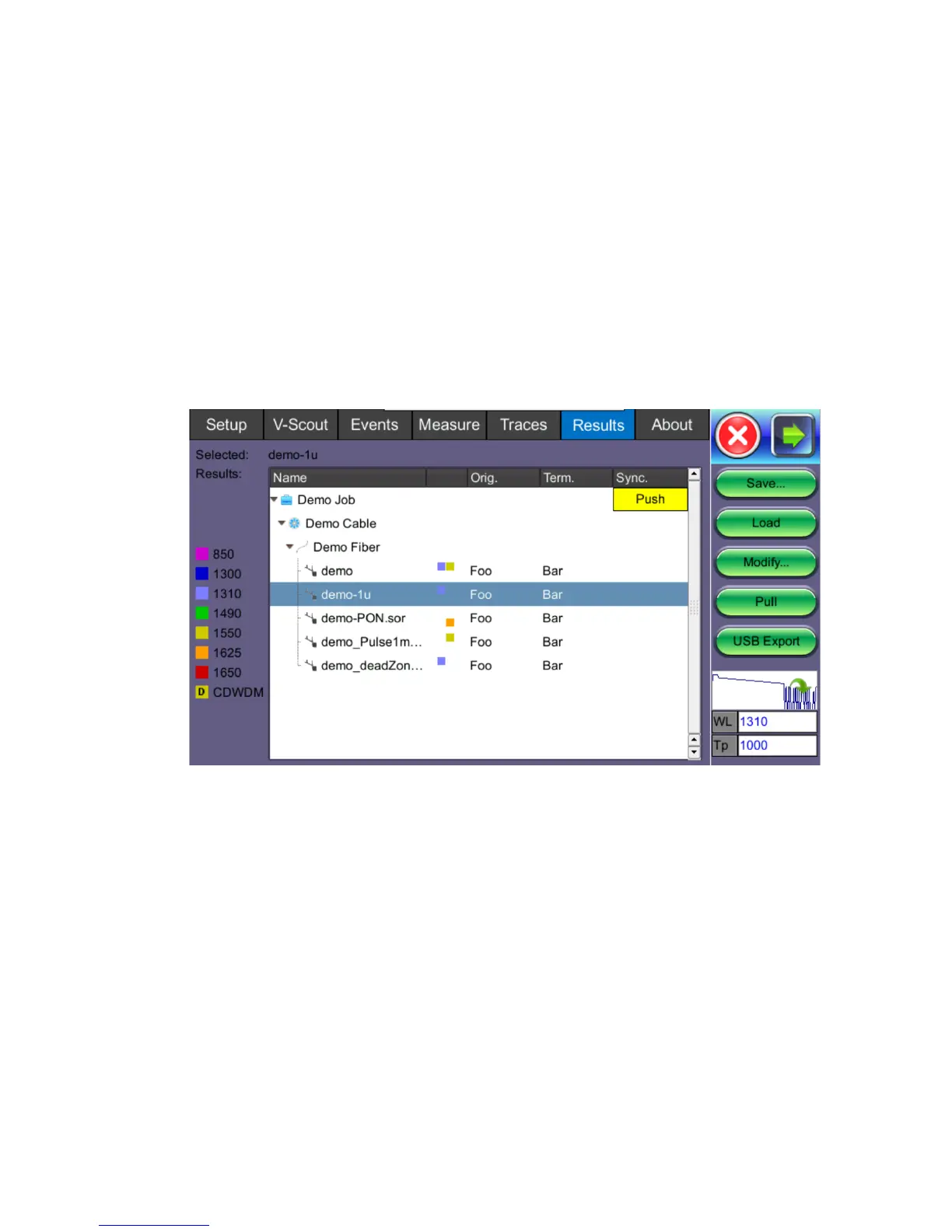
The Results tab displays the following information pertaining to OTDR traces. To expand the
selection or folder directory, tap on the arrow. An arrow pointing to the right indicates the
branch is collapsed whereas an arrow pointing downwards indicates the branch is expanded.
The traces are saved in the following folder directory hierarchy:
• Job ID
• Cable ID
• Fiber ID
• Results – Traces
• Save: Saves file when autosave is disabled.
• Load: Displays selected trace for viewing.
• Modify: Renames or removes selected file.
• Pull: When connected, pulls file from Fiberizer Cloud onto test set.
• USB Export: Exports selected test results to USB stick using standard MyVeEX tree
directory format or a flat file when all files should be saved in a single folder.



 To Next Page