OTDR Series e-Manual, D07-00-076P-RevC00 Page 48 of 107
6.8.9 Managing Fiberscope Results with File Manager
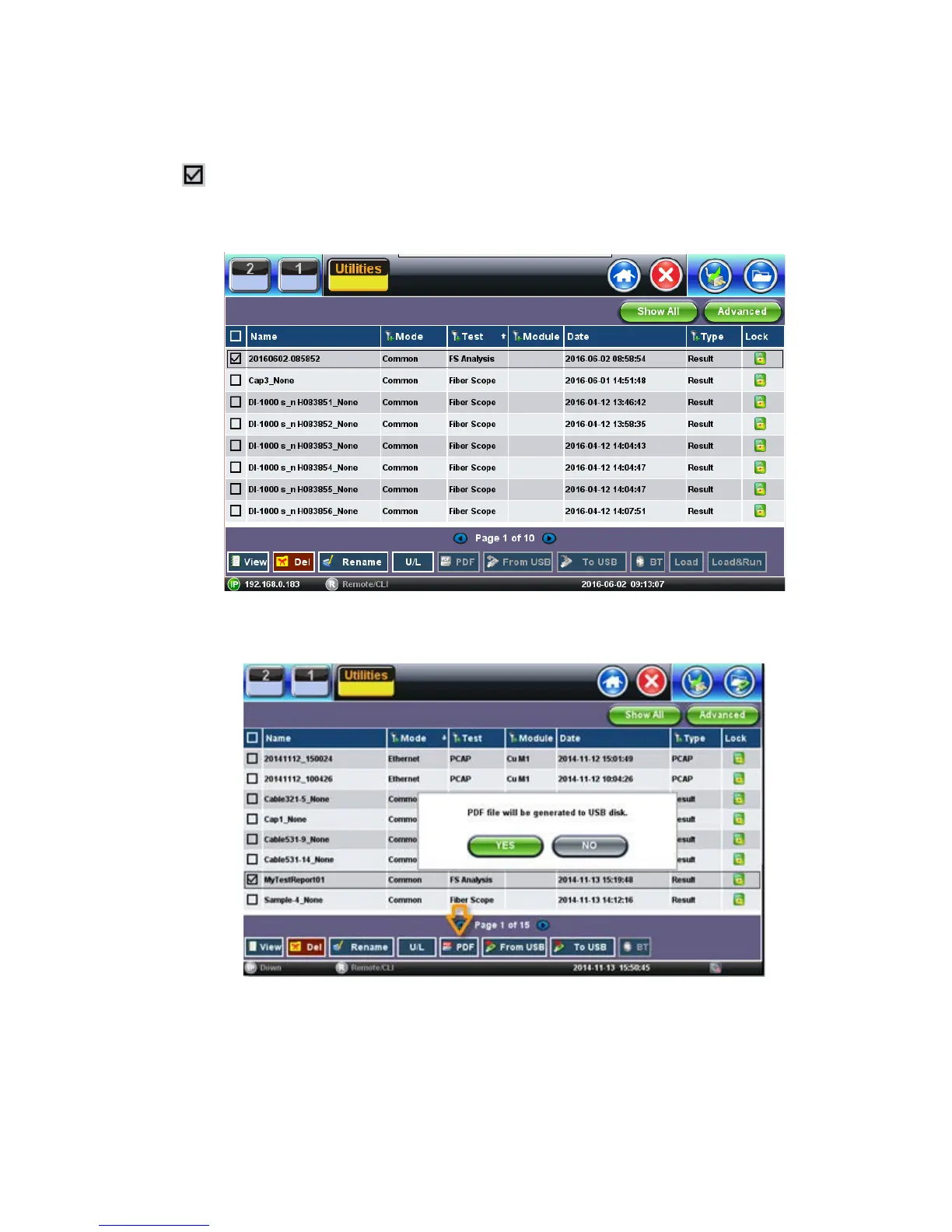
1. Go to Utilities >Files >Saved. All results stored in the test set are displayed.
2. Use the to select the desired files.
3. Tap on any column header to sort by that specific parameter (FS Analysis or Fiber Scope).
Tap again to change the sorting order.
• U/L: Unlock or locks files to prevent accidental deletion.
• PDF: Converts all selected files: Requires FAT32 USB Memory stick.
To backup and restore files, use a USB Memory stick.
• To USB: Copies all selected files to the stick.
• From USB: Restores all files from the stick.
• BT: (Bluetooth®) File Transfer the requires compatible USB dongle.



 To Next Page