OTDR Series e-Manual, D07-00-076P-RevC00 Page 40 of 107
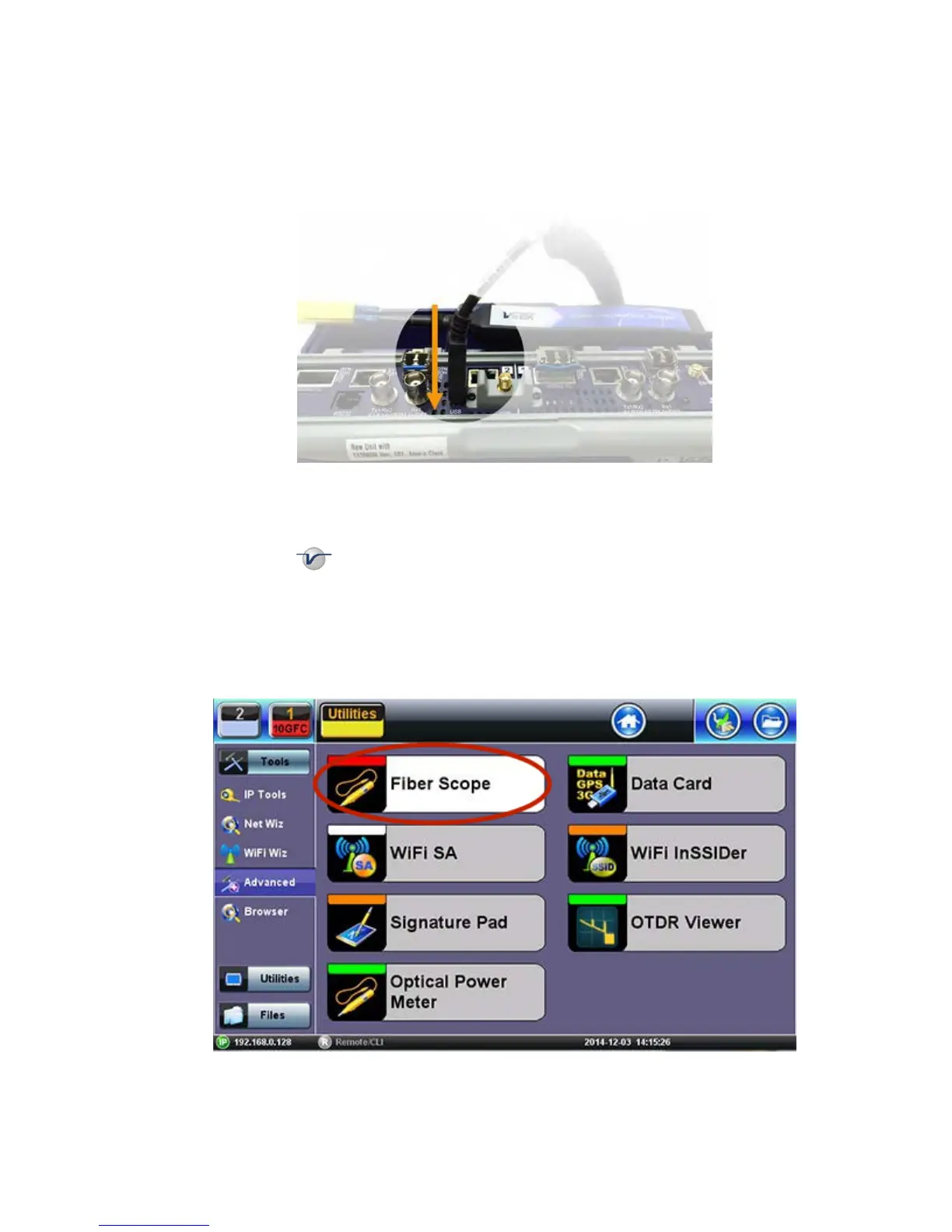
6.8.2 Connecting the Fiber Scope
Note: VS-400D, VS-500 and DI-1000 Fiber Inspection Scopes are currently supported if the
Fiber Scope Expert option is installed.
1. Connect the Fiber Scope to the test set, using any available USB port (Older analog fiber
scopes require a USB adapter). To connect to the FX150 microUSB port, use an approved
OTG cable.
2. Select the Utilities or button on the top-left corner of the screen.
3. Tap the Tools menu item, and then tap Advanced Tools.
4. Select the Fiber Scope options.
Note: The OTDR Viewer app is for the portable USB/Bluetooth OPX BOX micro
OTDR option. The Optical Power Meter app is for the UPM-100 USB dongle option.



 To Next Page