5.0 Operations
10 1210 QuickStep Programming User Manual, Ver 5.0 Ver-Mac - May 2011
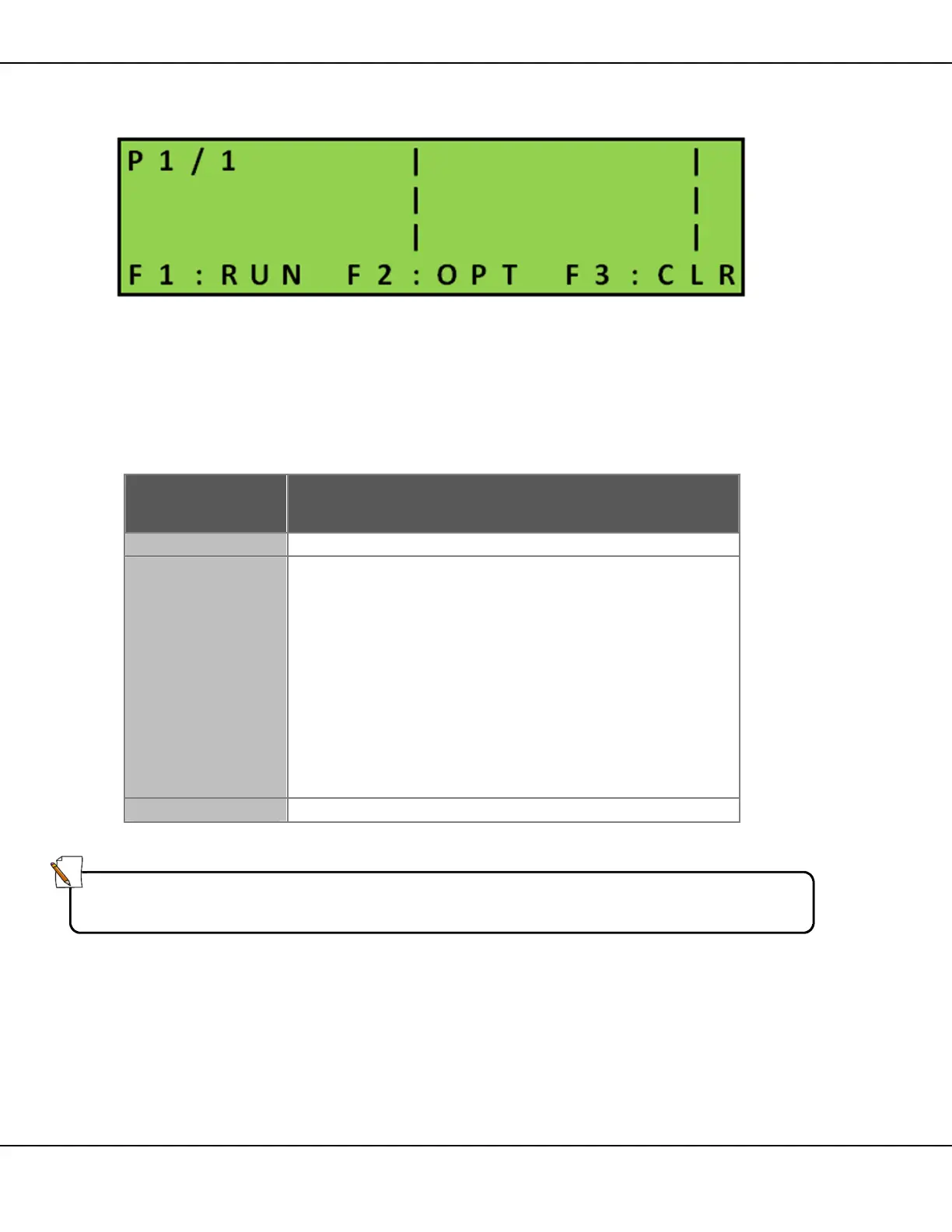
5.3.1 Quick Program Menu Explained
[ ] Enter > Main Menu > [F1] Quick Program
Figure 7 – Quick Program
Screen shows:
• the number of pages in the current sequence and the first page of
currently activated sequence
• function keys for Quick Program
Key Function
Activates newly created sequence.
[F2] OPT
Gives access to:
• [F1] TIMING: used to set the length of time the
page displays on the sign
• [F4] ARROW:
o select and insert a page with arrows, chevrons,
lines or caution signals
o select the flash pattern for the selected graphic
See Section 5.6 for in-depth explanation
• [F3] CLEAR SEQ: clear the whole sequence
• [INS] / [DEL] PAGE: insert or remove pages from
the sequence
Deletes contents of current page.
Table 6 – Quick Program Keys
Note:
Press [FN] to activate the alternate keypad.



 To Next Page