6.0 Utilities
Ver-Mac - May 2011 1210 QuickStep Programming User Manual, Ver 5.0 29
6.2 Config
[ ] Enter > Main Menu > [F4] Utilities > [F2] Config
The Configuration menu gives access to the system setup options. These
options affect the function and performance of the PCMS unit and any
devices attached to it.
The system setup choices display on four (4) menu screens. Use the []
arrows to move between screens, press [ESC] to return to Utilities menu
To select the option(s) you require, press the relevant key(s):
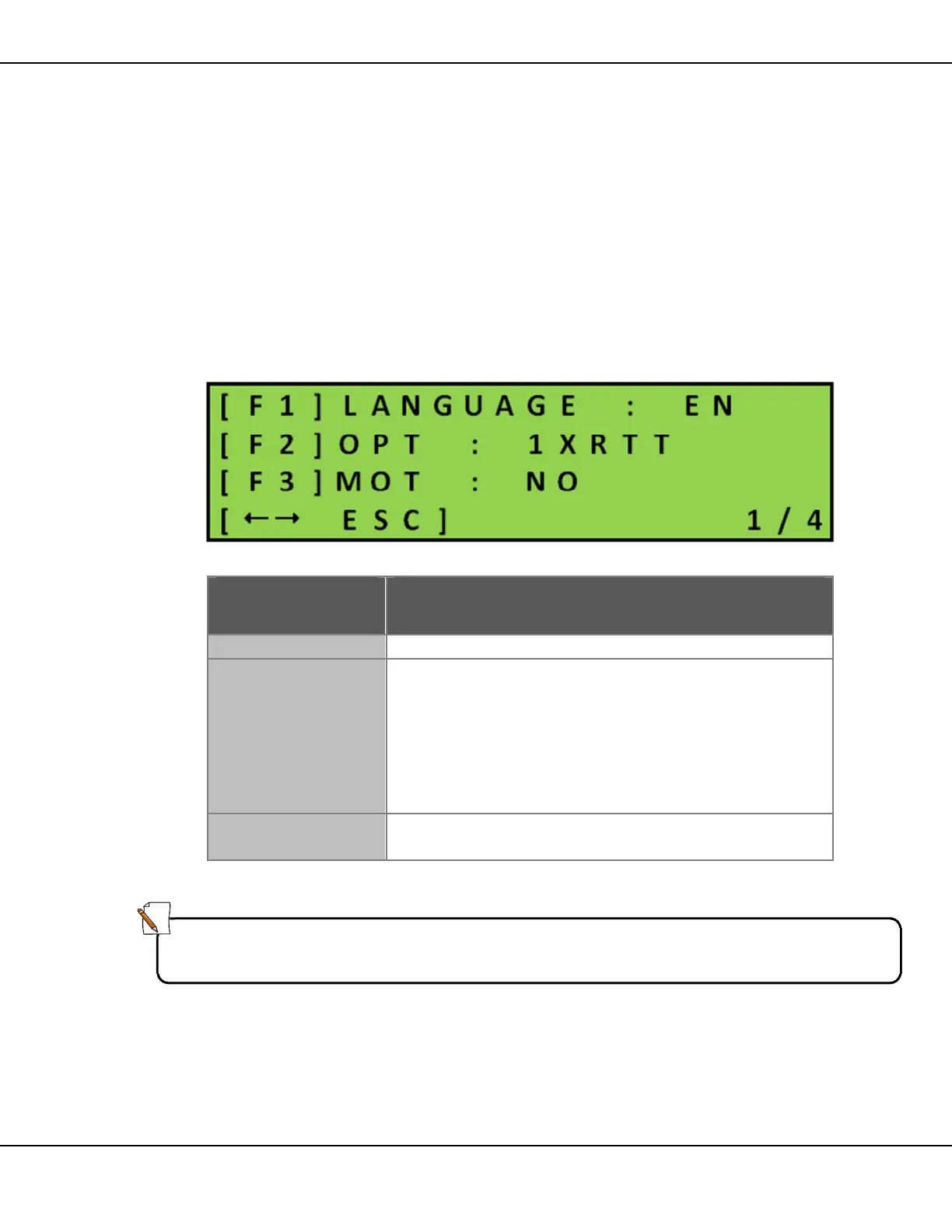
Menu Screen 1/4
Figure 31 – Configuration Menu Screen 1/4
Key Function
Toggles between ENglish and FRench.
[F2] OPT
Sets the remote communication connectivity option
for the handheld controller
• 1xRTT (Default)–used for IP communications
through a cellular router
• CELL–used for a cellular modem or cell phone
• BLUETOOTH– used for Bluetooth connection
(Optional)
[F3] MOT
Applies to Truckmount message boards. Always make
sure this option is set to NO.
Table 10 – Configuration Menu Screen 1/4
Note:
If the PCMS is incorrectly configured as a Truckmount, the Status screen on
handheld controller displays the error message Status = Sign Down.



 To Next Page