5.0 Operations
Ver-Mac - May 2011 1210 QuickStep Programming User Manual, Ver 5.0 17
5.4.2 Creating a New Text Message
[ ] Enter > Main Menu > [F3] Message
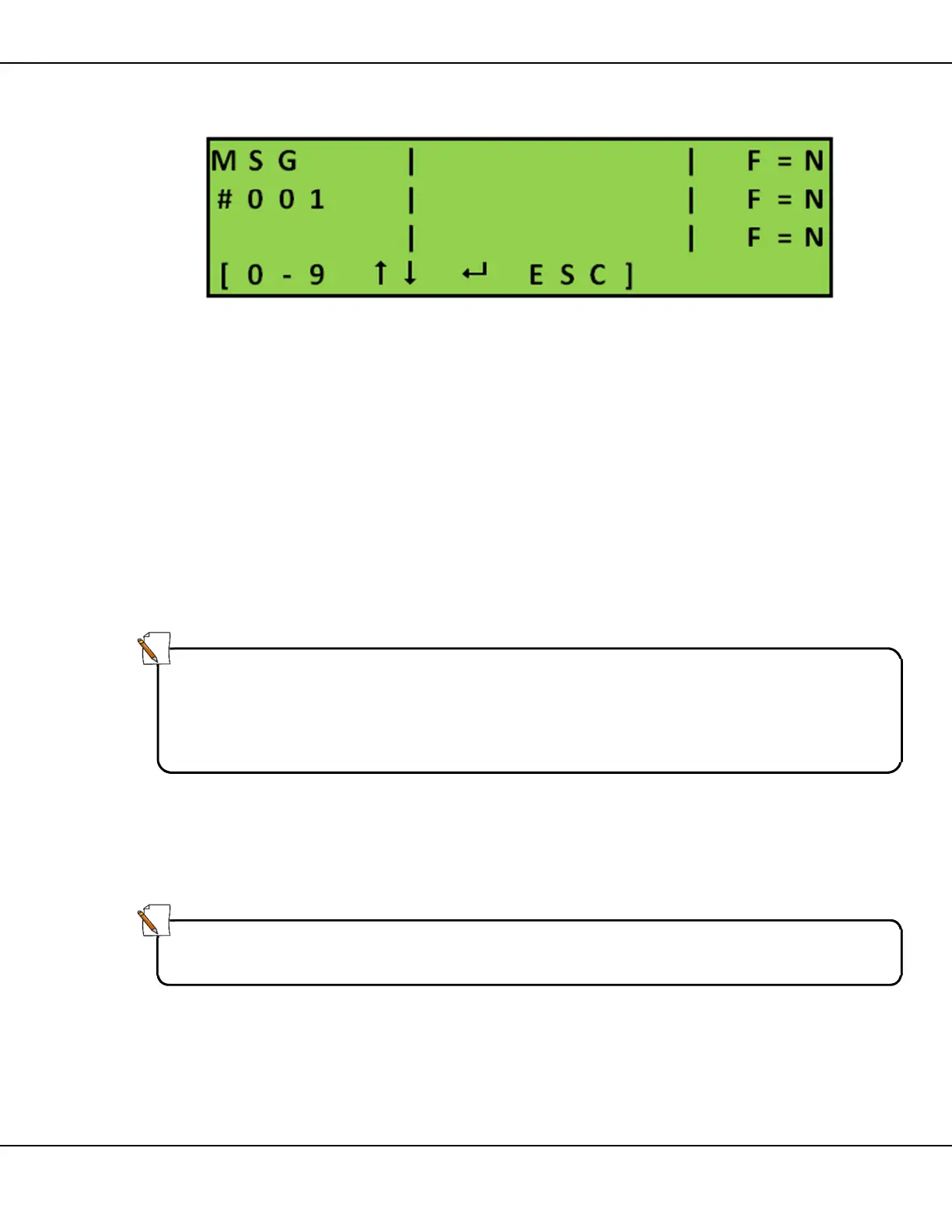
Figure 16 – New Message Main Screen
1. Select a blank message:
• overwrite the last two digits of the MSG number
or
• use the arrows [] to scroll through existing messages to find a
blank message and press [ ] Enter
2. The blinking cursor appears at the beginning of line 1 in the message
area. Create text message using
• keypad to write message text
• arrow keys [] to position the cursor
3. Set line flashing (F=)
• move cursor to required line
• press [F1] to toggle Yes/No
4. Press [ ] Enter to save message and return to the Message screen
or
Press [ESC] to discard changes and return to the Message screen
Note:
To correct text content you can do one of the following:
• type over the existing text
• press [BS] Backspace to erase previous characters and rewrite
• press [DEL] erase entire page
Note:
You set display time and flashing rate for the message page when you use
that particular message in a Sequence.



 To Next Page