5.0 Operations
18 1210 QuickStep Programming User Manual, Ver 5.0 Ver-Mac - May 2011
5.4.3 Modifying an Existing Text Message
[ ] Enter > Main Menu > [F3] Message
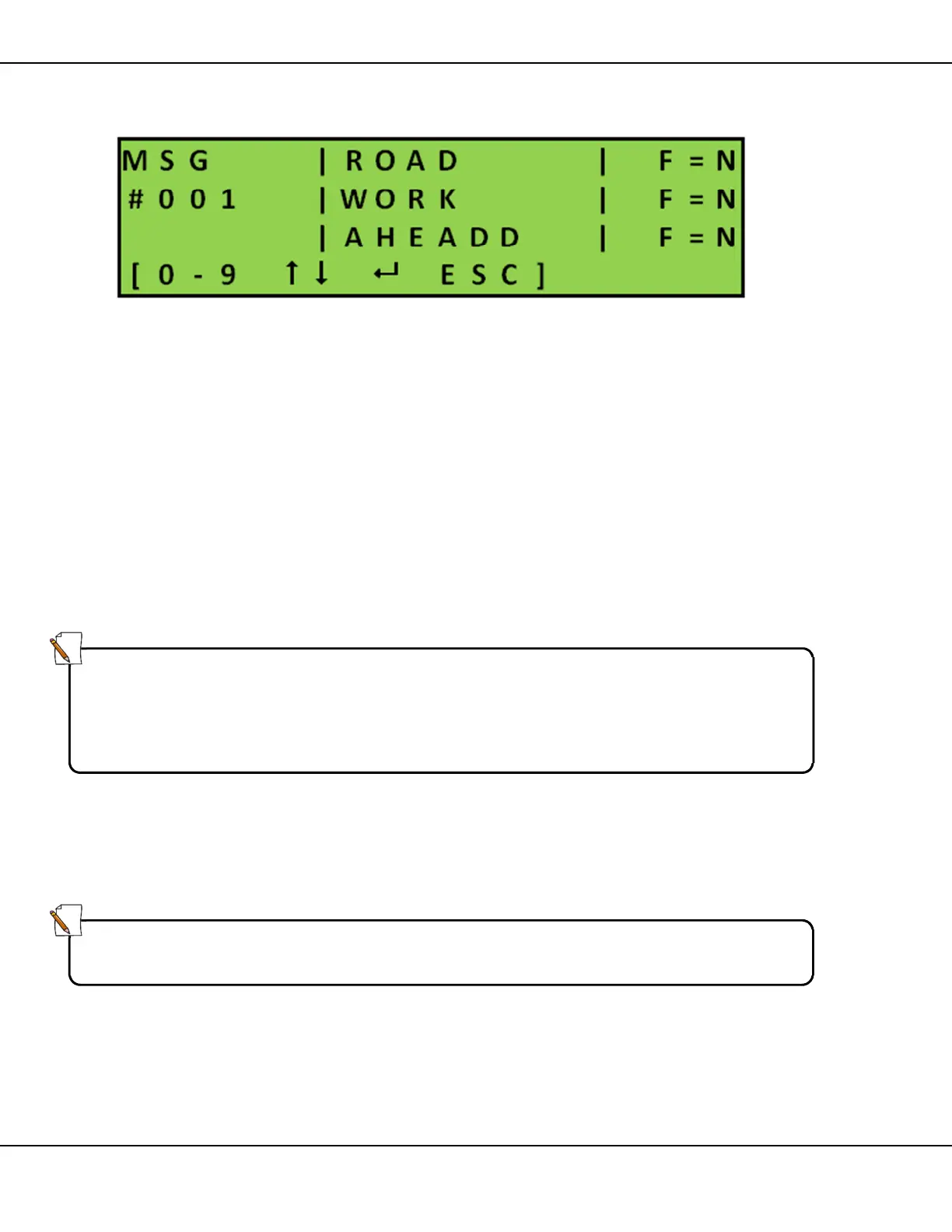
Figure 17 – Modifying an Existing Message
1. Select the message you need to edit:
• overwrite the last two digits of the MSG number
or
• use the arrows [] to scroll through existing messages and press
[ ] Enter
2. The blinking cursor appears at the beginning of line 1 of the text in the
message area. Modify the message using
• keypad to write message text
• arrow keys [] to position the cursor
3. Set line flashing (F=)
• move cursor to required line
• press [F1] to toggle Yes/No
4. Press [ ] Enter to save message and return to Message Screen
or
Press [ESC] to discard changes and return to the Message screen
5. Press [ESC] once more to return to the Main Menu
Note:
To correct text you can do one of the following:
• type over the existing text
• press [BS] Backspace to erase previous characters and rewrite
• press [DEL] erase entire page
Note:
You set display time and flashing rate for the message page when you use
that particular message in a Sequence.



 To Next Page