6.0 Utilities
30 1210 QuickStep Programming User Manual, Ver 5.0 Ver-Mac - May 2011
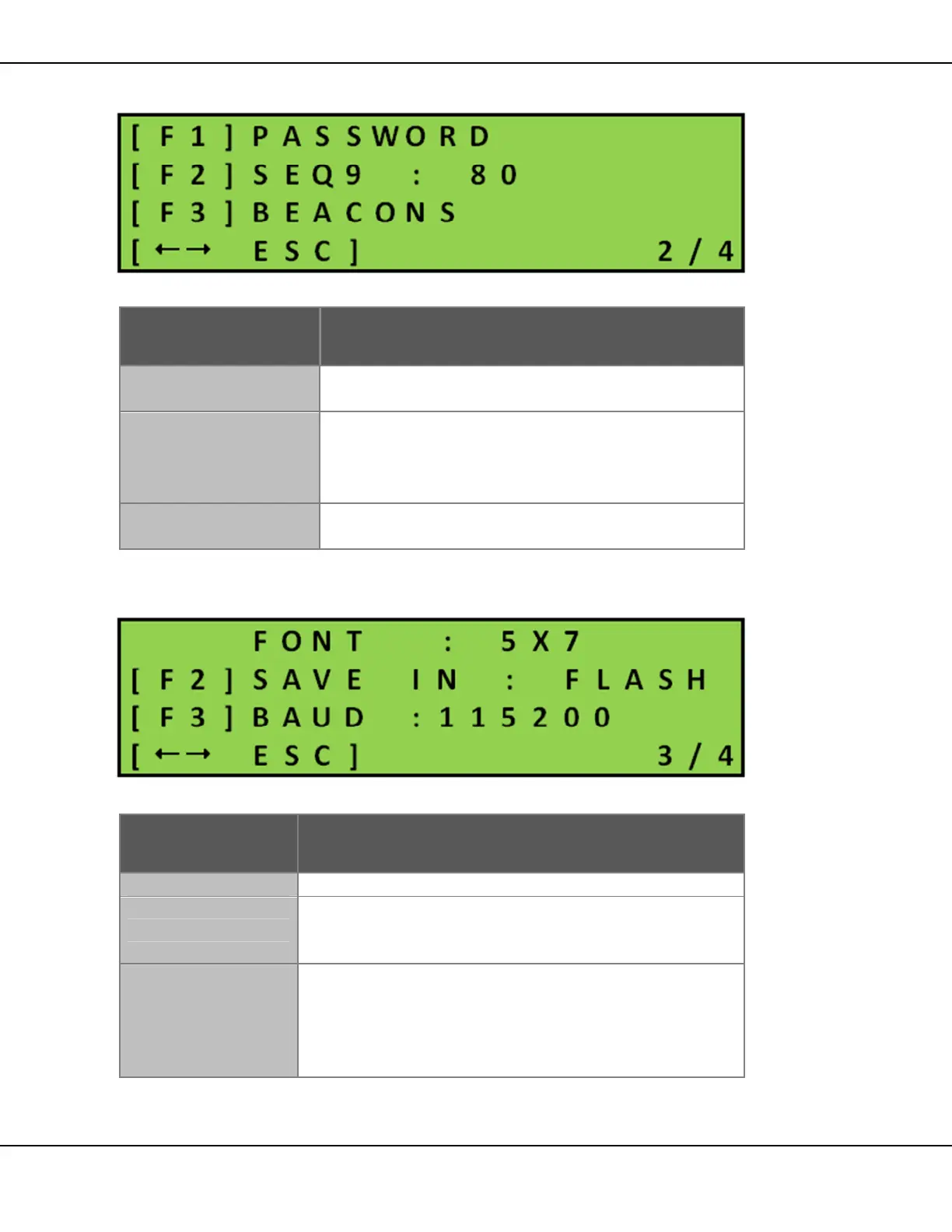
Menu Screen 2/4
Figure 32 – Configuration Menu Screen 2/4
Key Function
[F1] PASSWORD
Access to change password function.
See Section 6.2.1 for details.
[F2] SEQ9
Sets the maximum number of pages (Default = 80)
that a remote user can use.
Do not change this option under any
circumstances.
[F3] BEACONS
Activates the optional warning beacons.
See Section 6.2.2 for details.
Table 11 – Configuration Menu Screen 2/4
Menu Screen 3/4
Figure 33 – Configuration Menu Screen 3/4
Key Function
Displays the default font (5x7) for the PCMS.
[F2] SAVE IN
Toggles between:
• Flash: default for standalone PCMS
• RAM: used by remote systems (Jamlogic2)
[F3] BAUD
Indicates serial transmission rate for attached
communication device (Cellular modem/router,
Bluetooth or RF link).
Toggles between: 115 200 (default), 57 600, 19 200,
9 600
Table 12 – Configuration Menu Screen 3/4



 To Next Page