44
PREPARE THE VIdEO BATON FOR CLEANING
1. Ensure the video monitor has been turned off.
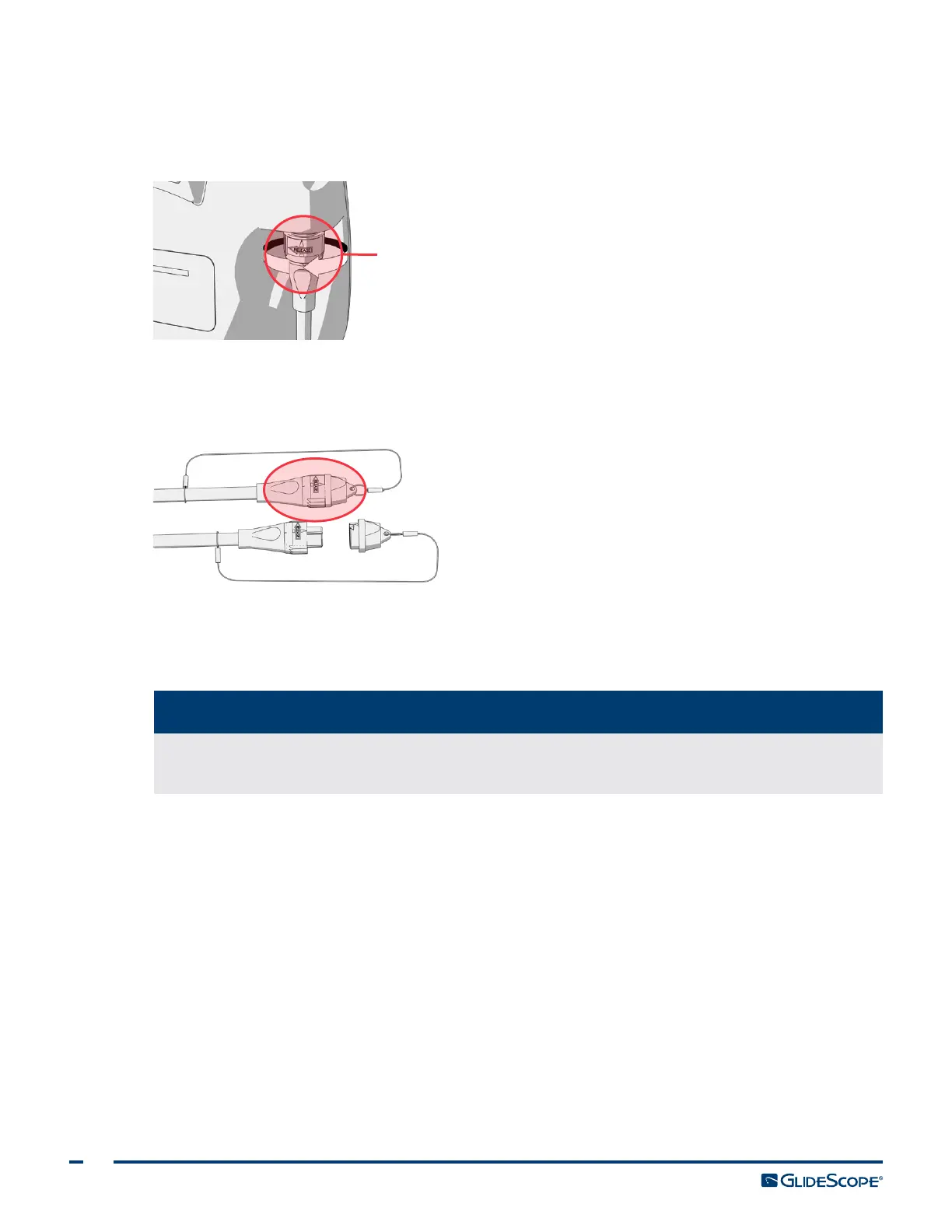
2. Detach the video cable from the monitor by turning the connector ring in the direction of the arrow.
Connector ring
3. If you are cleaning a Video Baton 2.0, skip to the section Clean the Video Baton.
4. Place the protective cleaning cap over the connector. Ensure that the mark on the cap is aligned with the
arrow on the cable.
CLEAN THE VIdEO BATON
5. Wash the video baton manually using a hospital‑grade equipment detergent or an enzymatic
debridement agent/detergent. For more information, see Table 8.
Be sure to remove all foreign material, such as soil and organic material, from the surface of
the component.
IMPORTANT
6. Rinse the video baton in clean, running water.
The video baton can now be disinfected.
dISINFECT OR STERILIZE THE VIdEO BATON
7. Ensure the equipment is clean according to the previous steps.
8. Ensure the protective caps on the connectors are secure.
9. Prepare and condition the disinfection solution according to the solution manufacturer’s instructions and
the conditions stated in Table 8.













 To Next Page