28
UM150 User’s Manual
28
UM150 User’s Manual
Run program on connection: This allows you to automatically run a program
when you use VZAccess Manager to connect to a WWAN network. Select the
browse button, , to browse to the desired application you want to run when you
connect to a WWAN network using VZAccess Manager. The application will run for
all WWAN connections made from VZAccess Manager.
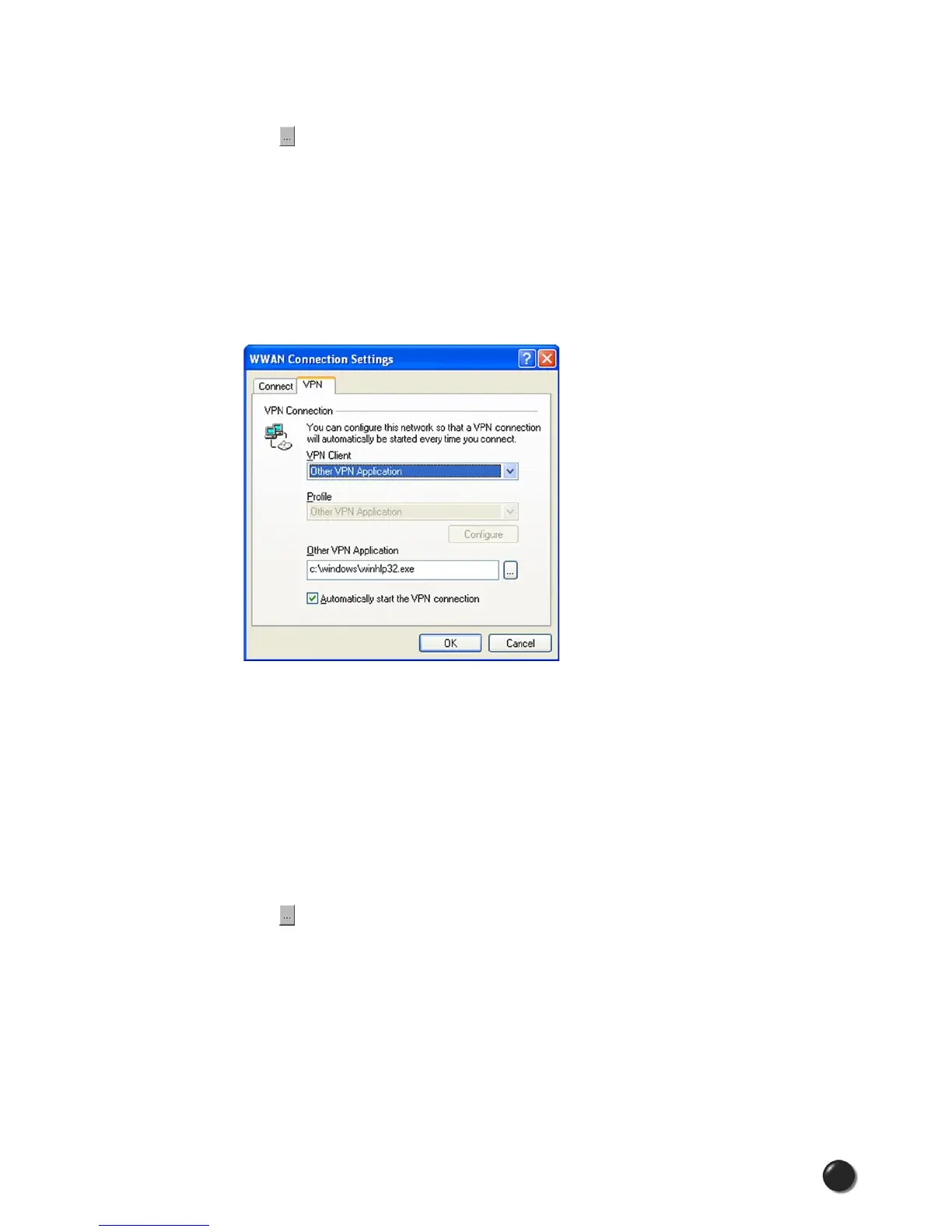
The VPN Tab
The following options exist on the VPN tab (“Tools,” “Preferences,” “WWAN” tab,
“Set Options...,” “VPN” tab):
VPN Client: VZAccess Manager automatically detects if certain VPN clients like
Microsoft, Cisco, CheckPoint, etc, are installed on the computer and allows you to
select the one you wish to use. Check with your network administrator to setup your
VPN connection.
If the VPN client you wish to use does not appear in the list, you can select Other
VPN Application
Other VPN Application: This allows running a VPN program when VZAccess
Manager connects to a network. Enter the full path to an executable, or select the
browse button, , to find the path to the desired application.



 To Next Page