51
UM150 User’s Manual
51
UM150 User’s Manual
STEP 3: If you are only using Wi-Fi connections without VPN and you want to
access the Internet directly, you would uncheck the first three options to turn proxy
settings off. If using VPN and if the settings are present you would leave them.
To restore the settings you would navigate back to this screen and recheck any
boxes you had unchecked. If using a WWAN device, you will find that VZGlobal,
BroadbandAccess and NationalAccess have no proxy settings associated with
them by default in VZAccess Manager. This means you can access the Internet
directly using these connections but if you connect via VPN and your company
requires proxy settings, you will not be able to access the Internet when connected
via VPN. Performance is better if you drop your VPN connection when you want to
access the Internet directly, but, if desired, you can record all the settings on the
“Local Area network (LAN) Settings” screen and on the screen that appears when
you select the “Advanced” button (Step 5), enter these settings in the properties for
your WWAN connections (VZGlobal, BroadbandAccess, NationalAccess). Note:
If desired, you can have proxy settings automatically turned off when you connect
using Wi-Fi connections − See Wi-Fi Specific Settings.
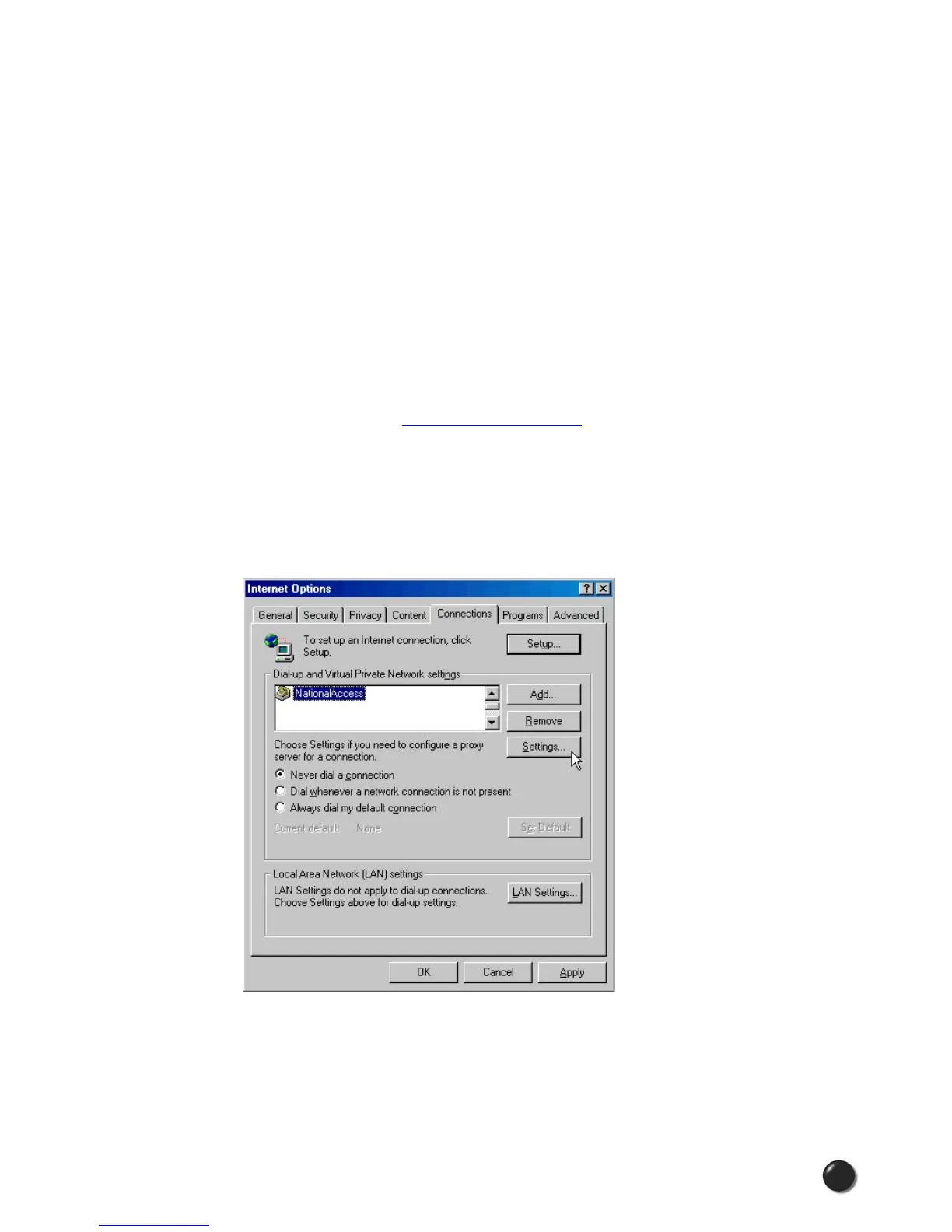
STEP 4: If you need to enter proxy settings for the connections used by VZAccess
Manager, you would use the “Connections” tab in the previous step, highlight
the connection − ex. NationalAccess − and then select “Settings.” (If you need to
navigate to this tab, from Internet Explorer’s main screen, select “Tools,” “Options”
as shown in Step 1 and then the “Connections” tab.)



 To Next Page