Maintenance
81
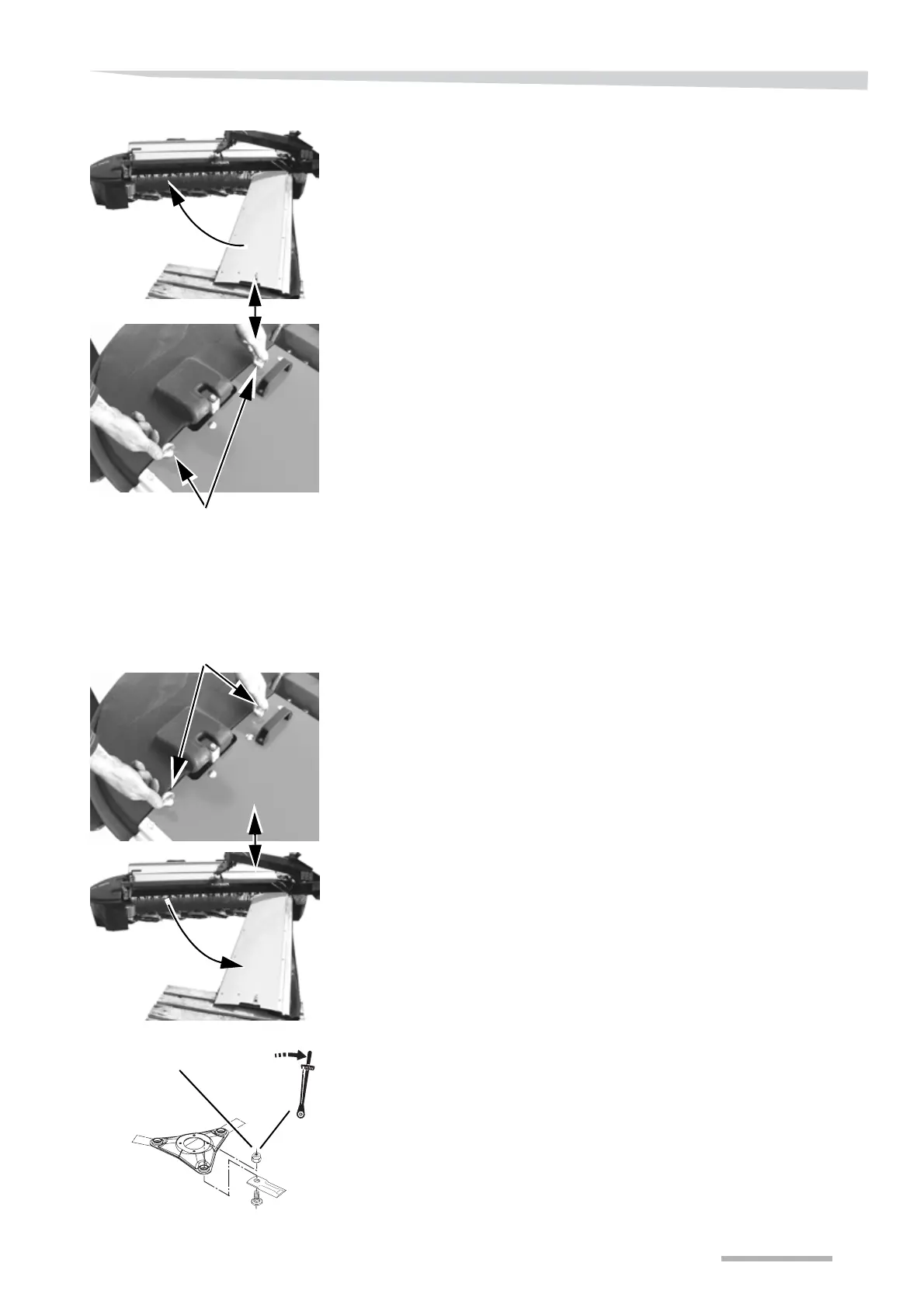
> Close the guard around the machine's cutterbar.
> Fit the ring nut and fasten it.
Cutting disc
The cutting discs are replaced in the following way:
→ »Maintenance intervals« Page 55.
> Remove the ring nut shown.
> Open the machine's first protection.
> Use an appropriate wrench and remove the cutting disc.
> Remove the bolt and knife from the cutting disc.
> Mount the knife and bolt on the new cutting disc.
> Tighten up the bolt with a torque wrench to the torque shown.
Ring nut
Ring nut
95 Nm +/- 5
Bolt



 To Next Page