146
F.956 Data from consumer 13 not available
F.956
System characteristics
No information on Viessmann Energy Management
(HEMS) available in ViCare or ViGuide
Cause
Data from consumer 13 not available
Possible consumers:
■
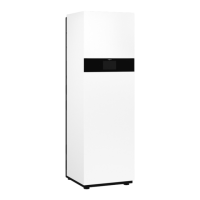
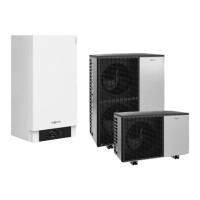
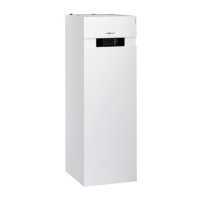
Heat pump with Viessmann One Base and CAN bus
connection
■
Heat pump with Vitotronic 200, type WO1C and
EEBUS connection
■
Wallbox with EEBUS connection
Measures
1. Check the software version of the consumer. Run
software update if required.
2. Check CAN bus or EEBUS connection to consumer.
On appliances with EEBUS connection, observe
specific EEBUS messages.
3. Check settings for Viessmann energy management
(HEMS) in commissioning assistant. Adjust settings
if required.
4. Read out and check the ID numbers from
Viessmann Technical Service.
See relevant consumer documentation.
F.957 Data from consumer 14 not available
F.957
System characteristics
No information on Viessmann Energy Management
(HEMS) available in ViCare or ViGuide
Cause
Data from consumer 14 not available
Possible consumers:
■
Heat pump with Viessmann One Base and CAN bus
connection
■
Heat pump with Vitotronic 200, type WO1C and
EEBUS connection
■
Wallbox with EEBUS connection
Measures
1. Check the software version of the consumer. Run
software update if required.
2. Check CAN bus or EEBUS connection to consumer.
On appliances with EEBUS connection, observe
specific EEBUS messages.
3. Check settings for Viessmann energy management
(HEMS) in commissioning assistant. Adjust settings
if required.
4. Read out and check the ID numbers from
Viessmann Technical Service.
See relevant consumer documentation.
F.958 Data from consumer 15 not available
F.958
System characteristics
No information on Viessmann Energy Management
(HEMS) available in ViCare or ViGuide
Cause
Data from consumer 15 not available
Possible consumers:
■
Heat pump with Viessmann One Base and CAN bus
connection
■
Heat pump with Vitotronic 200, type WO1C and
EEBUS connection
■
Wallbox with EEBUS connection
Measures
1. Check the software version of the consumer. Run
software update if required.
2. Check CAN bus or EEBUS connection to consumer.
On appliances with EEBUS connection, observe
specific EEBUS messages.
3. Check settings for Viessmann energy management
(HEMS) in commissioning assistant. Adjust settings
if required.
4. Read out and check the ID numbers from
Viessmann Technical Service.
See relevant consumer documentation.
Messages
Fault messages (cont.)
6218234
Diagnosis





 To Next Page