52
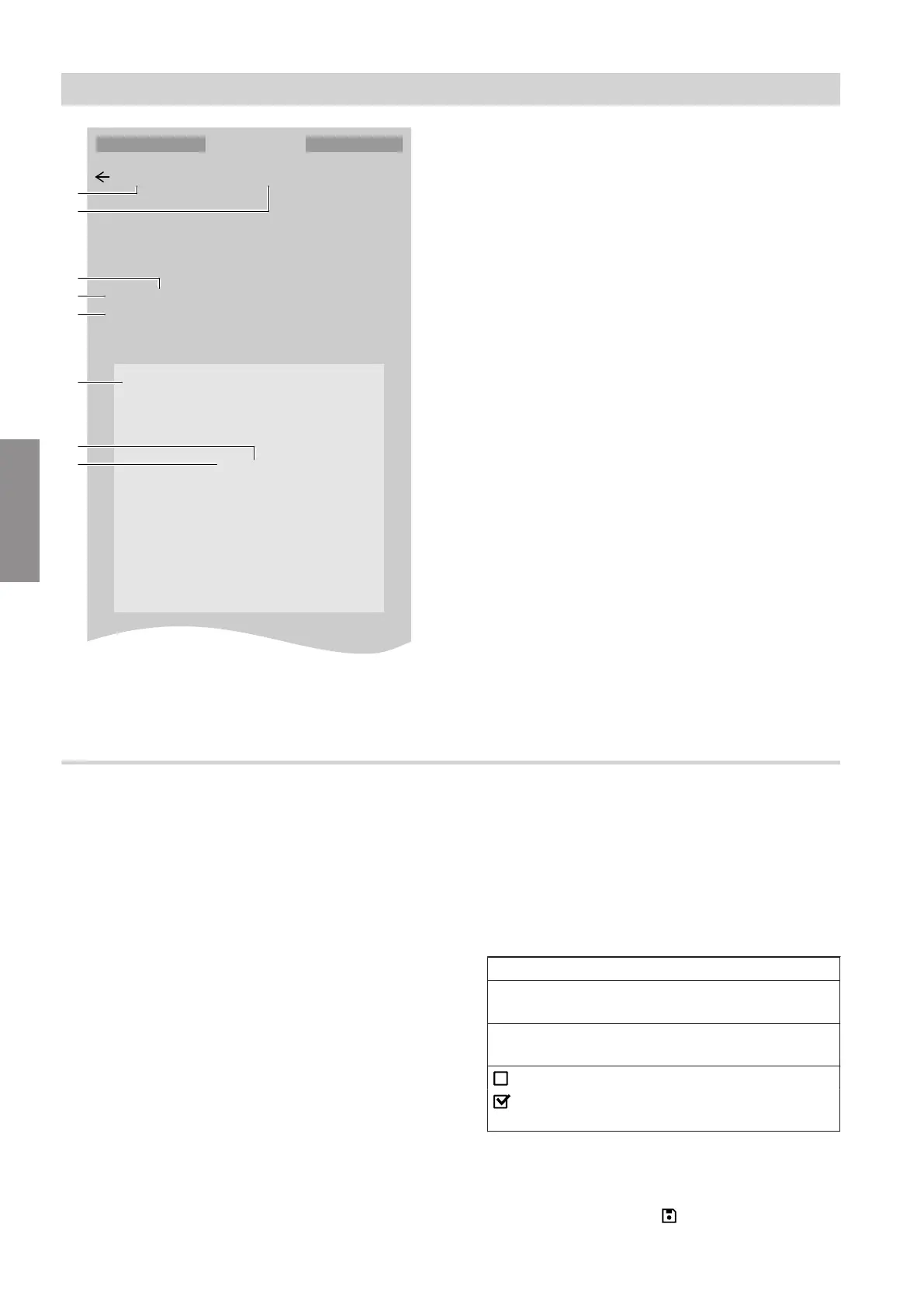
504 Domestic hot water setpoint metadata
504.0 Minimum value
10 °C
504.1 Low
10 °C
504.1 Low
30
31
CANCEL OKAY
A
B
D
C
E
F
H
°C
°C
G
Fig. 19
A
Number of the parameter category
B
Name of the parameter category
C
Name of parameter
D
Number of parameter
E
Current set value
F
Parameter currently in focus for value setting
G
Unit for value
H
Selected value
Setting parameters via ViGuide web applications
Carry out the following steps:
1. Launch the ViGuide web application.
2. Under "Diagnosis" call up the "Extended param-
eters & diagnostics" menu.
3. Connect to the system via "Diagnostic mode".
4. "Add parameter" via the "Parameter search". To
do this, first select the "Control unit" of the
Viessmann appliance in the CAN bus system.
Under "Select parameter", use the number to
search for the required parameter category and
tick it.
Example: Calling up parameter category 504
Add parameter
Control unit
HPMU lead appliance, internal CAN bus:1
Select parameter
504
0 of 733 parameters selected
Limits for set DHW temperature (504)
DomesticHotWaterSetpointMetaData
5. Set the required "Parameter values", e.g. "Low
value".
6. Confirm the settings with .
System configuration
Setting parameters (cont.)
6218234
Parameter







 To Next Page