Unpacking the Memory Array
535-0045-00 Rev 02
Violin 6000 Series Memory Array Installation Guide
7
Unpacking the Memory Array
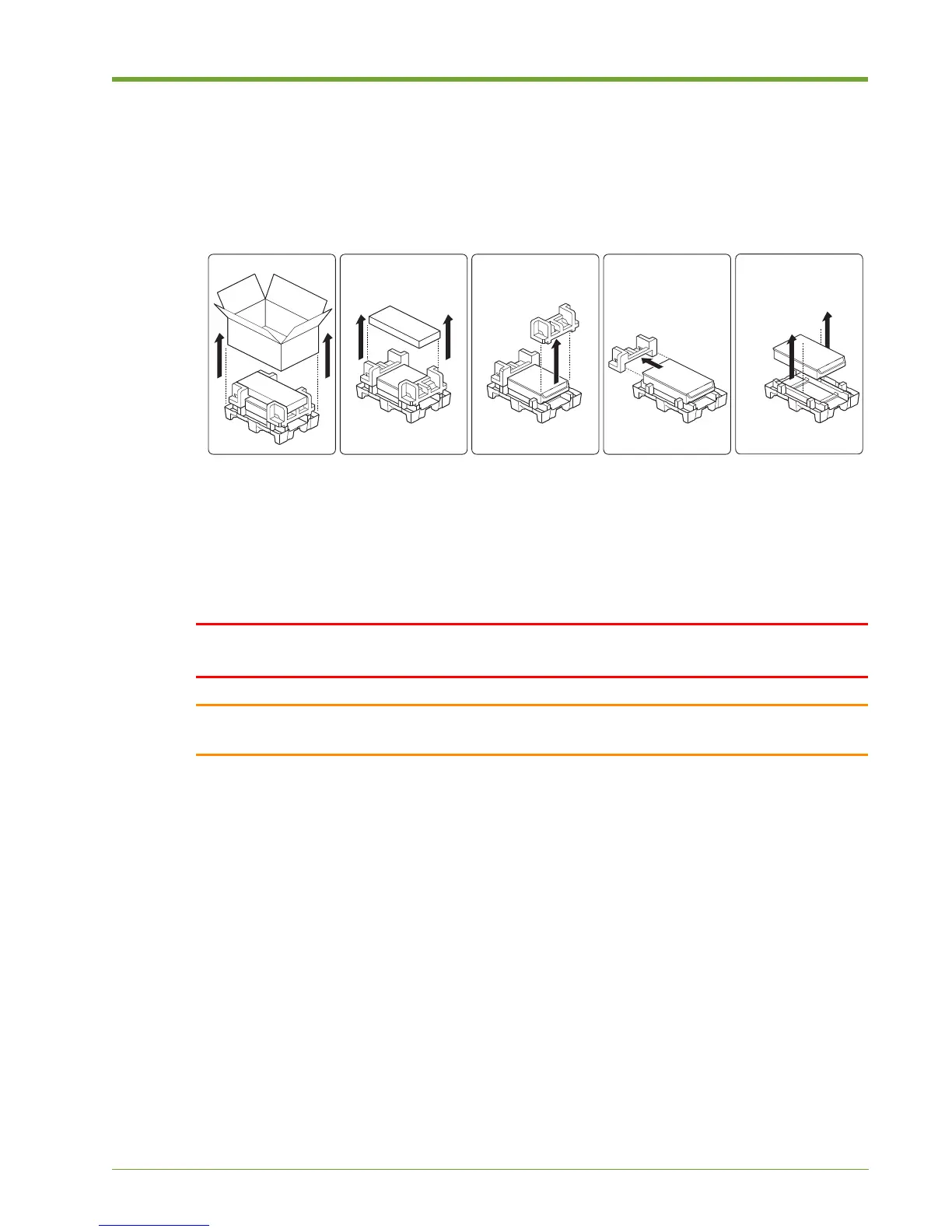
The first step in the Memory Array hardware installation is to remove the Memory Array from the
shipping box.
Remove the Memory Array from the shipping packaging and remove all packing materials. Visually
inspect the system for any damage. If any damage is detected, contact Violin Memory Customer
Support. For more information, see Contacting Violin Memory on page 4.
Unpack the supplied kits and confirm that all parts and components have arrived in good order.
WARNING! Only authorized, qualified, and trained personnel should attempt to work on this
equipment.
Caution: Because of the weight of the Violin 6000 Series Memory Array, two people are required to lift
and place the system in an equipment rack.
Figure 1.1 Unpacking Memory Array



 To Next Page