Chapter 1: Memory Array Hardware Installation
28
Violin 6000 Series Memory Array Installation Guide
535-0045-00 Rev 02
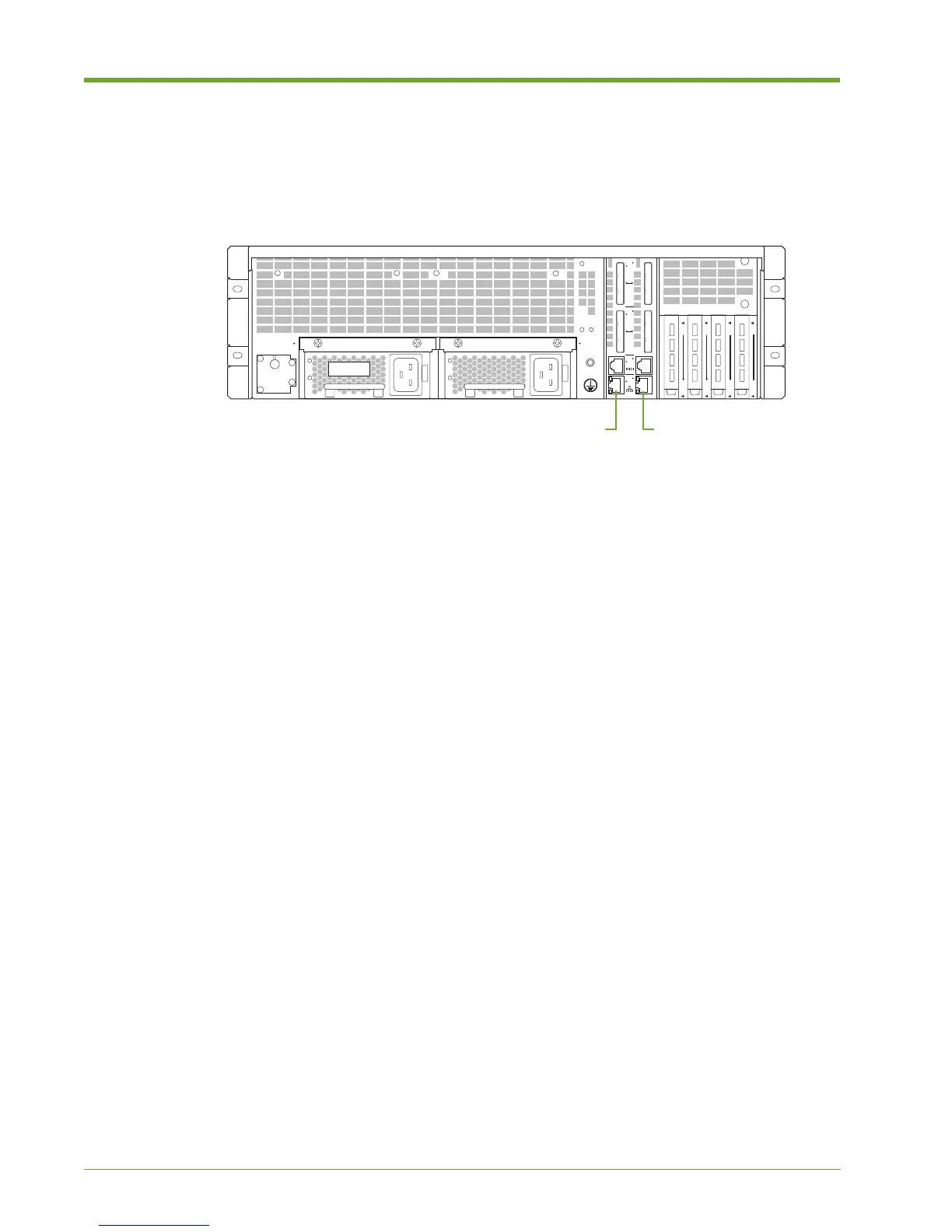
Connecting the Ethernet Cable
The RJ-45 10/100/1000 Ethernet cable connects the host computer to the command-line interface
(CLI) for configuration operations and retrieves system status.
For a direct host-to-system Ethernet connection, use a straight-through or cross-over RJ-45 to RJ-
45 CAT5 Ethernet cable.
You can also use a straight-through or cross-over cable to connect the Memory Array to a switch,
hub or other network equipment, provided that the host and the system can communicate with each
other.
To connect the Ethernet cable to the Memory Array and the host computer:
1. Connect one end of the Ethernet cable to one of the bottom Ethernet connectors on the rear of
the Memory Array.
2. Connect the other end of the Ethernet cable:
• If directly connecting to the host machine, plug the cable into the Ethernet connector on
the host.
• If connecting to customer network equipment, plug the cable into the customer network
equipment, such as a network switch. Use a second Ethernet cable to connect the host
computer to the customer network equipment.
Figure 1.20 Connecting the Ethernet Cable to the Memory Array
ID
1
2
n
1
1
n
D
D
1
n
C
C
1
n
B
B
A
A
B
A
B
A
B
A
B
A
A
B
Ethernet Port AEthernet Port B



 To Next Page