Standard System Configurations
535-0045-00 Rev 02
Violin 6000 Series Memory Array Installation Guide
11
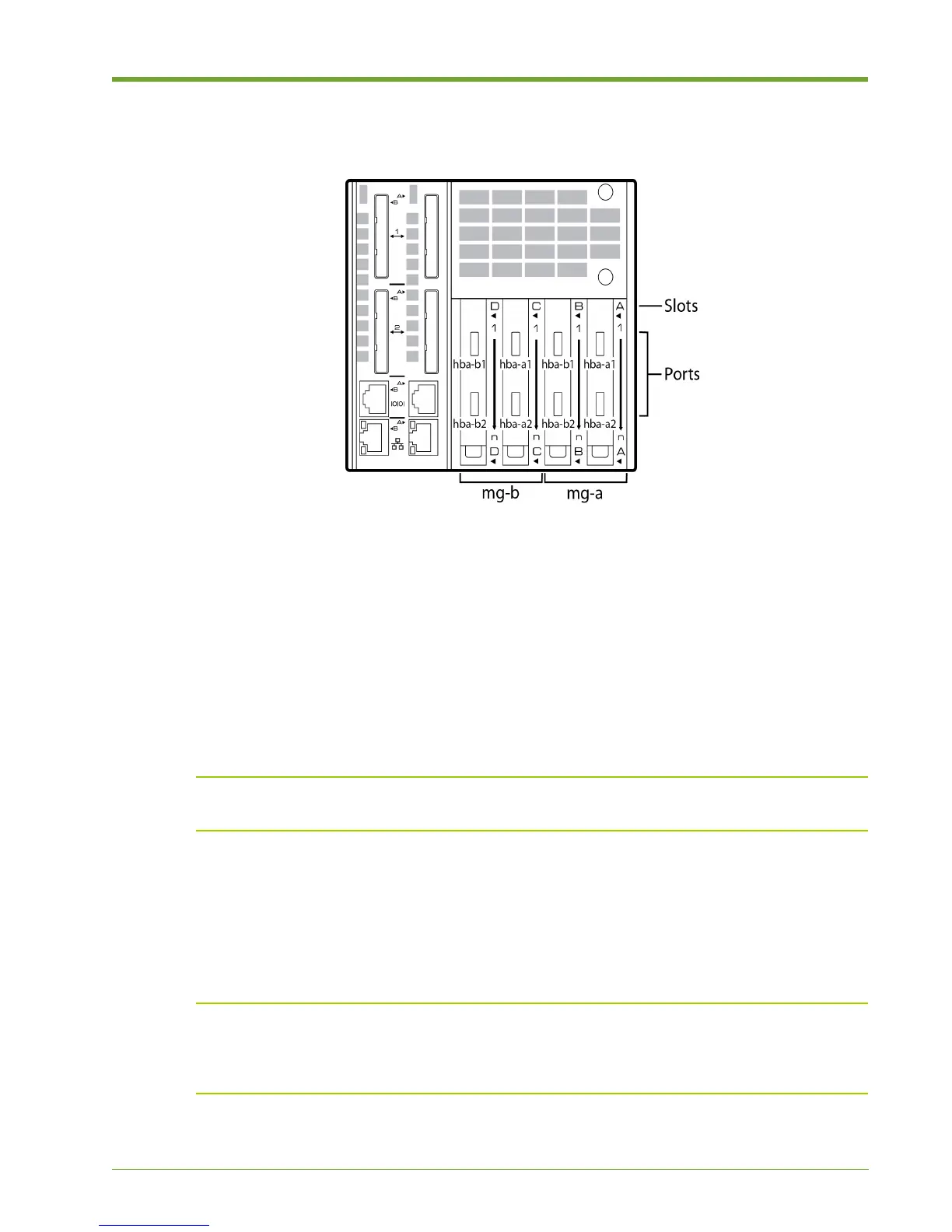
Note that the physical port numbers on the network interface cards (NICs) are not aligned with their
corresponding port names in the CLI, as shown in Figure 1.3. For example, in a Fibre Channel
environment, NIC port A1 is shown as “hba-a1” in the CLI, and NIC port C1 is also shown as “hba-
a1” in the CLI. This is because the two Memory Gateways, shown with their CLI representations
above (mg-a and mg-b), separately manage two NICs each.
InfiniBand and iSCSI cards are also supported. Their port numbers are represented in the CLI as
follows:
• InfiniBand: hca-a1, hca-a2, etc.
• iSCSI: eth-a1, eth-b1, etc.
Note: To verify the actual port numbering shown in the CLI, log in to the Memory Gateway master
and then run the “show targets” command.
Direct-attached Storage Configurations
PCI Express (PCIe) is the primary interconnect for direct-attached storage configurations. It is also
possible to use Fibre Channel without a SAN or switch, but this is treated as a SAN-attached
storage configuration. See SAN-attached Storage Configurations on page 9.
Note: vMOS-6 requires that the Array Controller Modules (ACMs) be externally connected to
each other to interconnect the internal Memory Gateways. Data Management features available in
vMOS-6, such as snapshots and thin provisioning, are not supported in PCIe direct-attached
configurations. See Connecting the ACMs for vMOS-6 on page 26 for details.
Figure 1.3 Memory Gateway NIC Slots and Fibre Channel Port Numbers



 To Next Page