Installing the Memory Array
535-0045-00 Rev 02
Violin 6000 Series Memory Array Installation Guide
15
• To reduce heat build-up inside high-density racks, top exhaust fans or door exhaust fans can
be installed.
Installing the Slide Rails
This section describes attaching the inner slide rails to the Memory Array chassis and mounting the
slide rails and Memory Array chassis to an equipment rack. If you are installing the Memory Array
in a square-hole equipment rack, the slide rails contain front and rear toolless mounting brackets
that click and lock into place.
The slide rail kit should include the following:
• Two slide rails
• Two flat head screws for mounting the rails to the Memory Array chassis
Caution: Improperly mounted rack-mounting brackets and slide rails can cause the product to fall.
Caution: Because of the weight of the Violin 6000 Memory Array, two people are required to lift and place
the system in an equipment rack.
Note: You must be able to access the rear of the Memory Array and the equipment rack during
installation.
To install the slide rails:
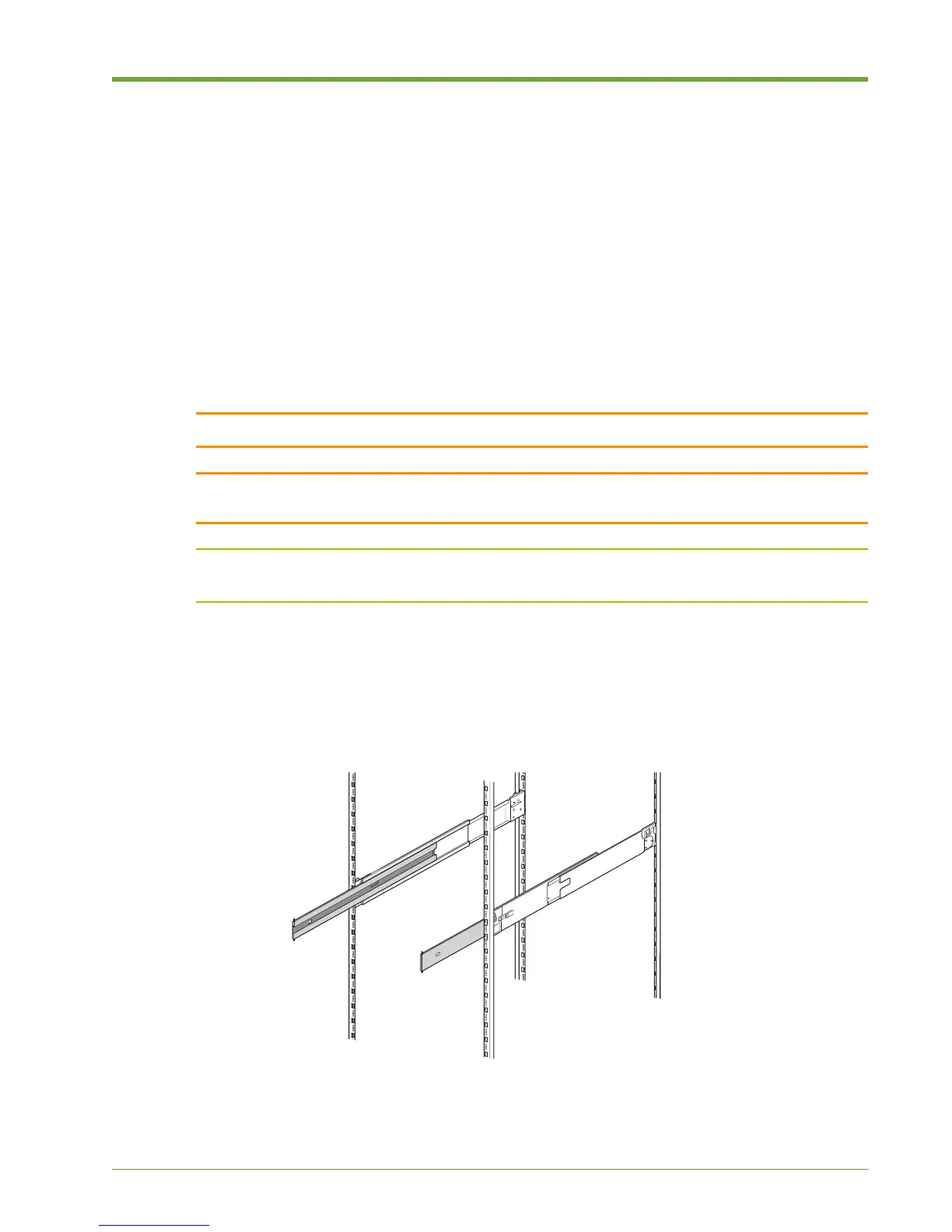
1. Locate the left and right slide rails. The left slide rail is labeled “LEFT FRONT” on the outside
front of the rail; the right slide rail is labeled “RIGHT FRONT.”
Figure 1.7 Slide Rails in Equipment Rack



 To Next Page