Connecting Management Cables
535-0045-00 Rev 02
Violin 6000 Series Memory Array Installation Guide
27
Connecting Management Cables
Configuring the Memory Array and gathering status about the system can be completed by
connecting to the console or Ethernet ports on the back of the chassis. Each method is described
in the following sections:
• Connecting the Console Cable on page 27
• Connecting the Ethernet Cable on page 28
Connecting the Console Cable
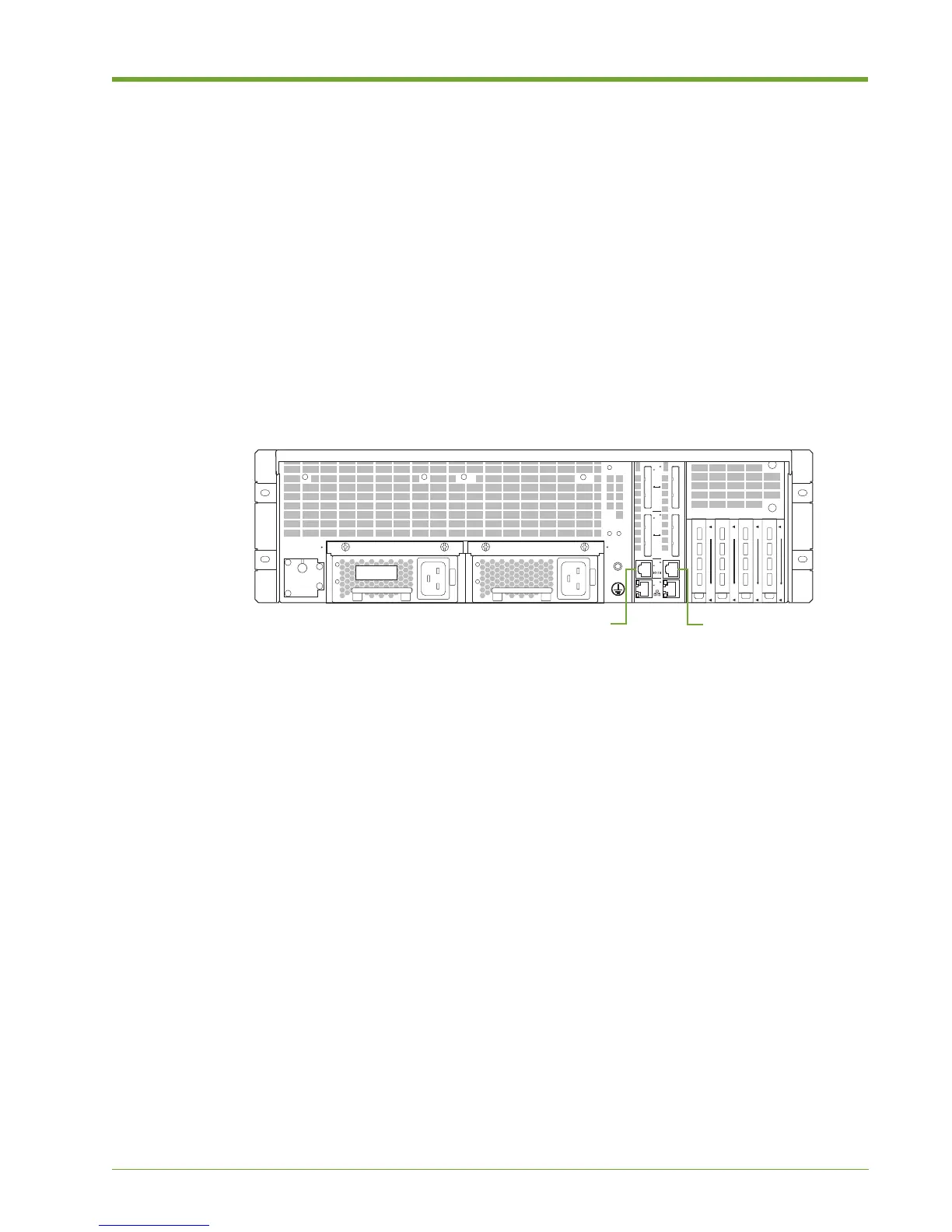
Use the serial console cable to connect a computer to the Memory Array for configuration
operations and retrieval of system status using the command-line interface (CLI).
To connect the console cable to the Memory Array and a computer:
1. Connect one end of the console cable to a serial console port A on the rear of the Memory
Array.
2. Connect the other end of the cable to a computer.
3. When you are ready to connect to the CLI, launch a terminal window, and then use the
following console settings:
— Bits per second: 115200
— Data bits: 8
— Parity: None
— Stop bits: 1
See System Setup and Configuration on page 31 for more information.
Figure 1.19 Connecting the Console Cable to the Memory Array
ID
1
2
n
1
1
n
D
D
1
n
C
C
1
n
B
B
A
A
B
A
B
A
B
A
B
A
A
B
Console Port A
Console Port B



 To Next Page