Installing the Memory Array
535-0045-00 Rev 02
Violin 6000 Series Memory Array Installation Guide
19
2. Using a #1 Phillips screwdriver, attach the rack ears to both sides of the chassis.
Note: Do not secure the rack ears to the equipment rack until all of the cables are connected to
the Memory Array.
Mounting the Memory Array in the Equipment Rack
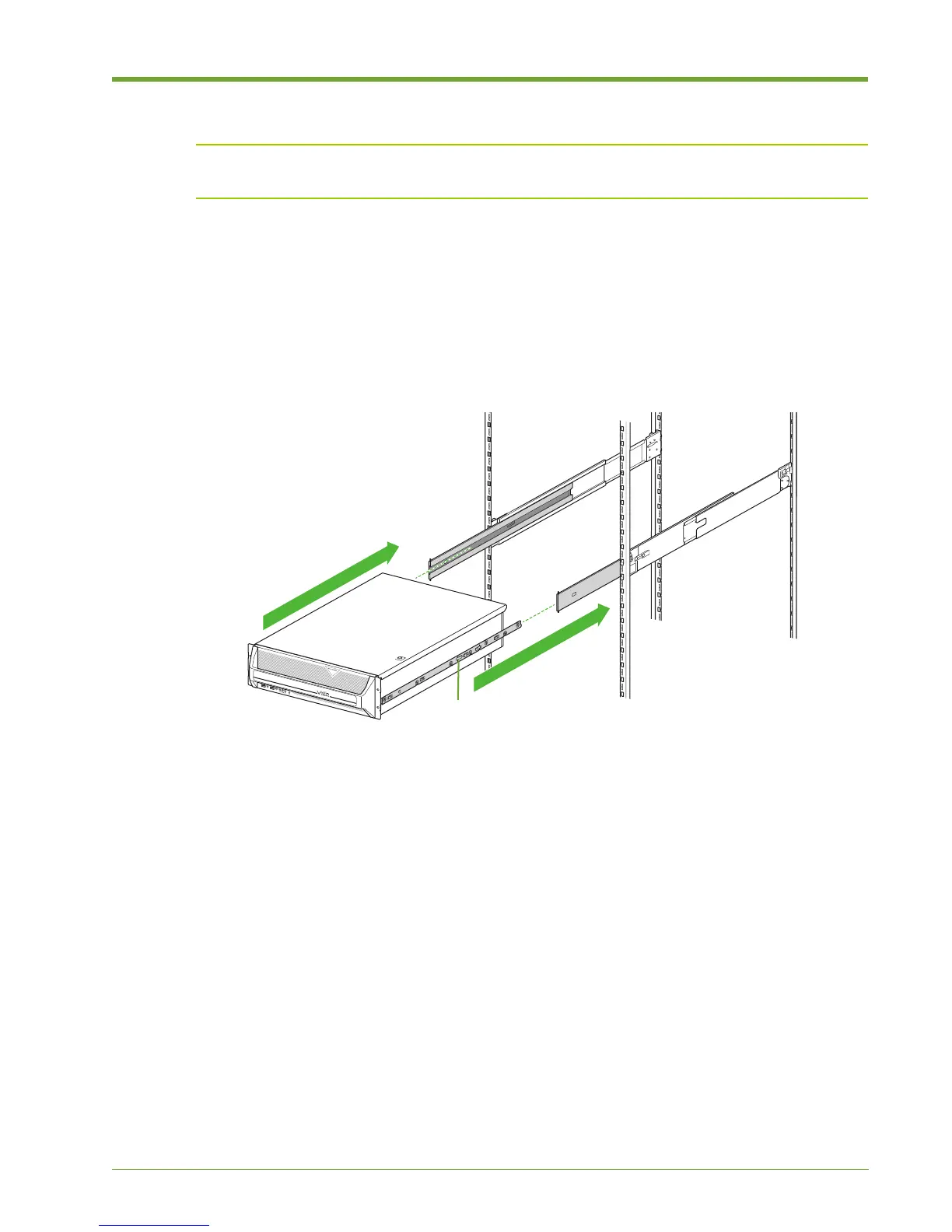
1. With another person, lift the Memory Array and then align the left and right inner rail sections
that you mounted on the Memory Array chassis with their original channels located on the
inside of the slide rails.
2. Carefully push the Memory Array into the slide rails until the inner rail sections lock into place,
making sure that the Memory Array remains level throughout.
3. Press in the spring-loaded locking mechanism on the outside of both inner rail sections and
then push the whole assembly back into the equipment rack.
Connecting the Cable Management Arm
See the Violin 6000 Series Memory Array Cable Management Installation Guide included in the
Memory Array shipping box for instructions on installing the cable management arm.
Skip to Grounding the Memory Array on page 20 if you are not using the Violin cable management
arm.
Figure 1.12 Mounting the Memory Array on the Equipment Rack



 To Next Page