Chapter 1: Memory Array Hardware Installation
16
Violin 6000 Series Memory Array Installation Guide
535-0045-00 Rev 02
Note: The Memory Array is a 3U storage system. When identifying the location of the slide rails,
make sure to allow for enough space above and below the Memory Array to accommodate other
devices in the equipment rack. The bottom of the Memory Array chassis rests .125 inches below
the bottom of the slide rails; the lid is 2 inches above the top of the slide rails.
2. Install the slide rails at the appropriate height in the equipment rack. Orient the slide rails so
they slide out to the front of the equipment rack.
Removing the Inner Slide Rail Sections
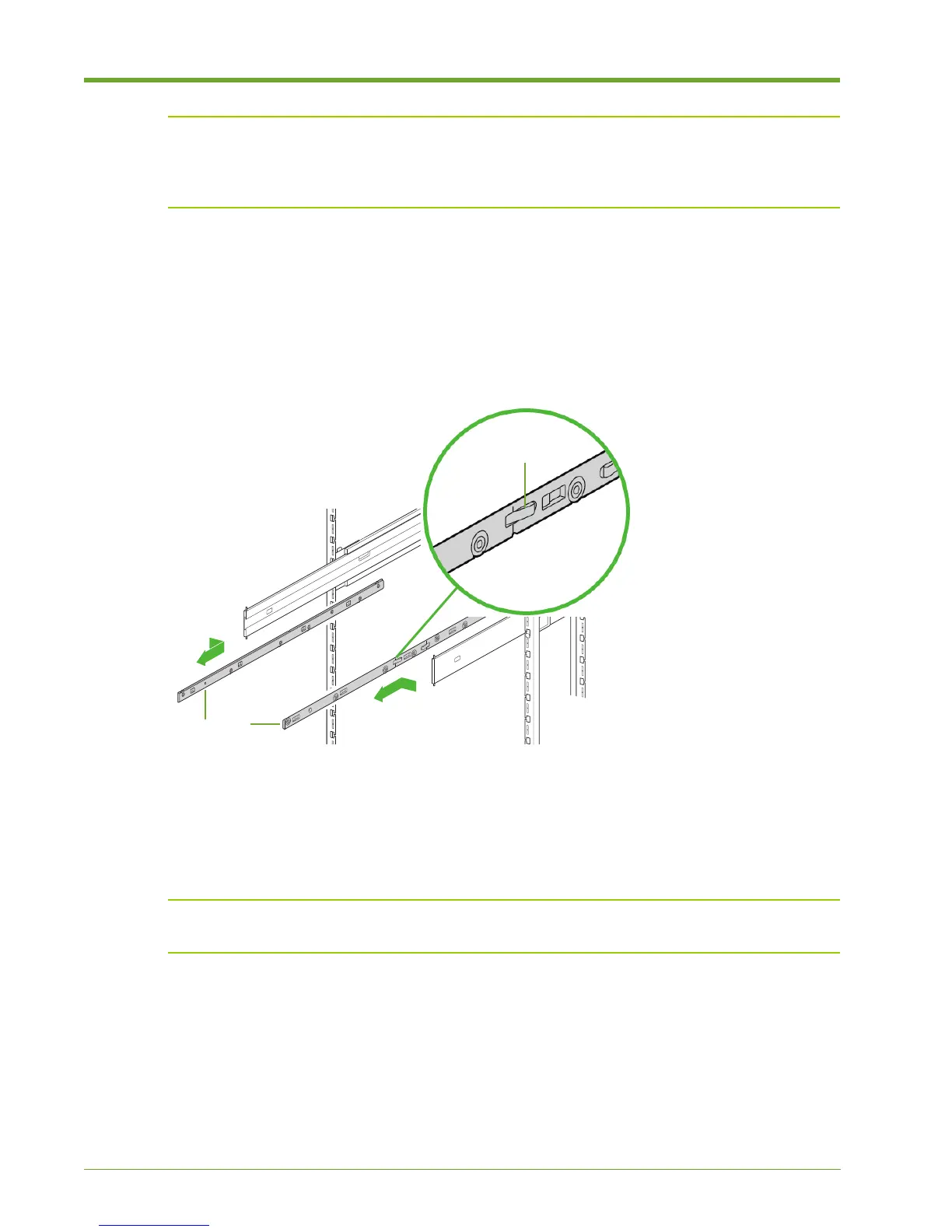
Fully extend the slide rails from the equipment rack until the rails click into place.
3. Press the spring-loaded locking mechanisms on the outside of both inner rail sections and
then pull out and remove the inner slide rail sections from the left and right slide rails.
Note: Keep track of the left and right inner slide rail sections. The left must attach to the left of
the chassis; the right must attach to the right of the chassis.
Figure 1.8 Removing the Inner Slide Rail Sections
Inner Rail
Sections
Locking
Mechanism



 To Next Page