Standard System Configurations
535-0045-00 Rev 02
Violin 6000 Series Memory Array Installation Guide
13
Connect the other ends of the PCIe cables to the host machine.
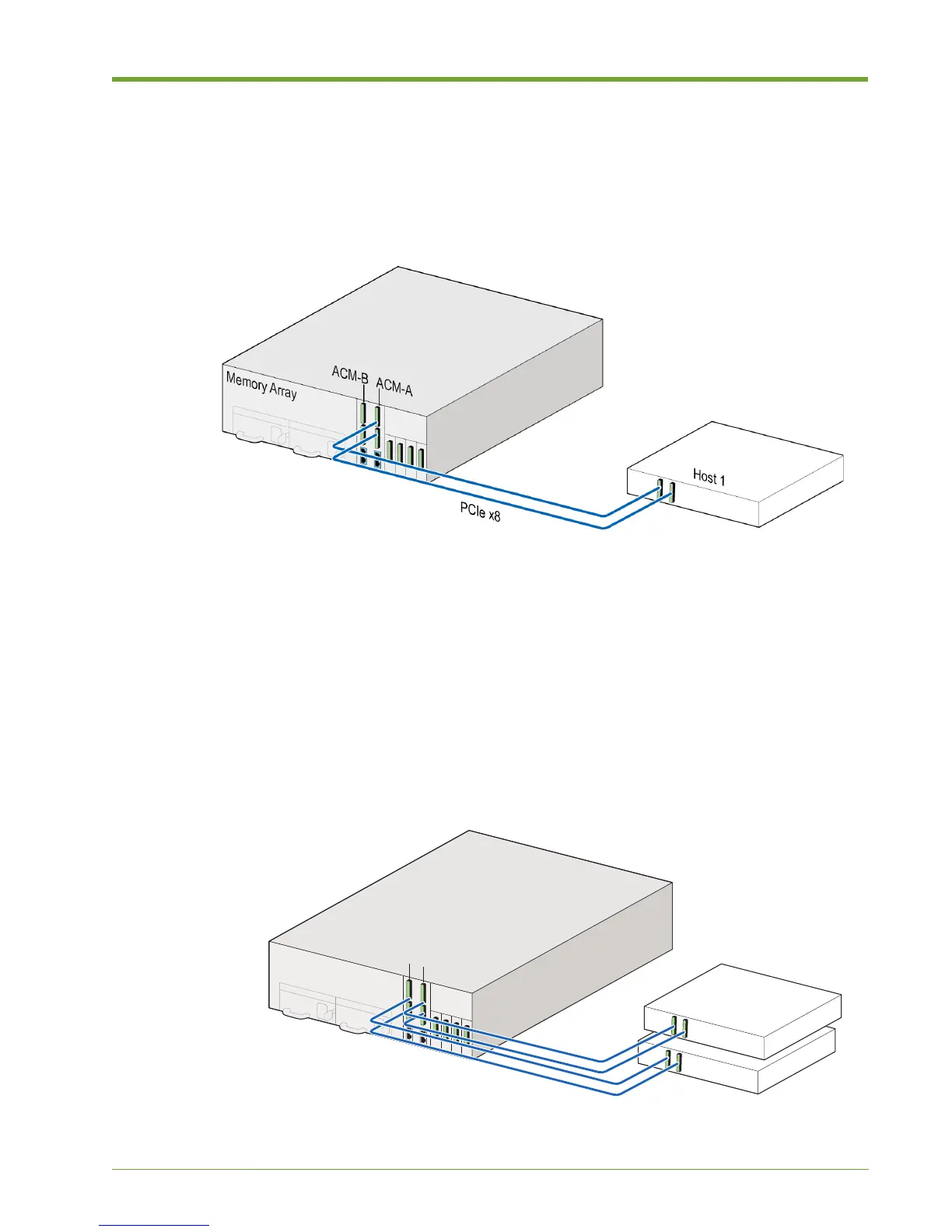
Connecting two PCIe cables from one ACM to the host machine is also supported (as shown in
Figure 1.5), however, utilizing both ACMs is recommended to take advantage of redundancy, as
described above.
For a dual PCIe x8 connection to the host machine, connect one PCIe cable to the top PCIe
connector on one of the ACMs, and connect the other PCIe cable to the bottom of the same ACM.
Connect the other end of the PCIe cable to the host machine.
Direct Attached, Two Hosts
A direct-attached connection to two host machines is supported. Each host can be connected via
single or dual PCIe x8 connections. In dual configuration, the second PCIe x8 connection can be
used to increase bandwidth, redundancy and system availability.
Figure 1.5 Direct-Attached to Single Host
Figure 1.6 Direct-Attached to Two Hosts
Memory Array
Host 1
Host 2
PCIe x8
ACM-A
ACM-B



 To Next Page