9
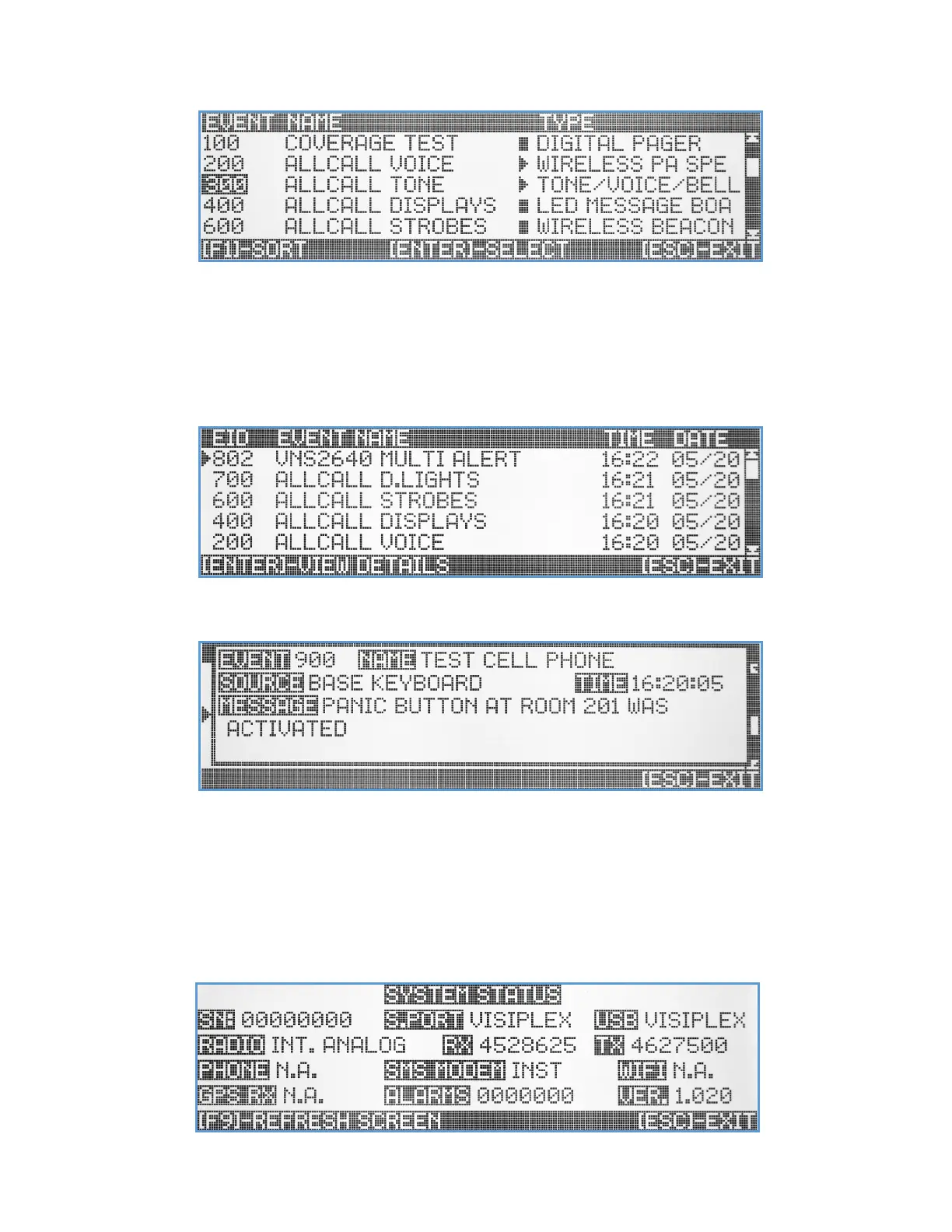
input and confirmation before the event can be activated. Events that are marked with ► status are programmed as
auto mode events that when selected, will be activated instantly without any additional user input.
Activity Report Screen
The Activity Report screen provide the user with the ability to view the latest event activations and system paging
activity. When selected, the screen will display a list of events with information regarding the event ID, name, time &
date. Use the Up/Down arrow keys and [PgUp]/[PgDn] keys to select event from the list.
Hitting the [Enter] key to select specific event, will open another window that will display the full details of that event
activation.
The detailed information includes the event ID, event name, the source of the activation (unit keyboard, serial port,
panic button, etc.), the exact time and the encoded message data that has been transmitted.
System Status Screen
The System Status screen provides a review of the VS4820 hardware configuration, interface setup and unit specific
information.



 To Next Page