14
Brightness – Setup the beacon light brightness for this event. Use the Up/Down arrow keys to select one of 9 brightness
levels.
Tone – Select a tone alert mode, to provide audible indication when the beacon light is activated or deactivated. Use the
Up/Down arrow keys to select one of 9 tone alert modes.
Timeout – Set the length of time the beacon light will stay on after activation. Enter 5 digits number to setup the
timeout total number of seconds or ‘00000’ when no timeout is required (beacon light will stay on until turned
off by another event).
Name – A descriptive title/name for the event that will help identify it from other events. Type in the description and hit
[Enter] to move to next field.
Auto – Enable/disable the event activation style. If enabled, the event will be initiated instantly, (when activated)
without any additional user input or confirmation. If the Auto mode is disabled, the user will be able to
temporarily change beacon light mode, color and confirm the activation, before any data is being transmitted.
TX Channel – Select the transmitter RF channel for this event, if other than the default channel, in cases where the
VS4820 base station operates on more than one frequency.
Use the Left/Right arrow keys to navigate between the fields. Use [F5] to save any changes, [F9] to delete the event (if
editing an existing event) and hit the [ESC] key to exit the screen back to the previous menu.
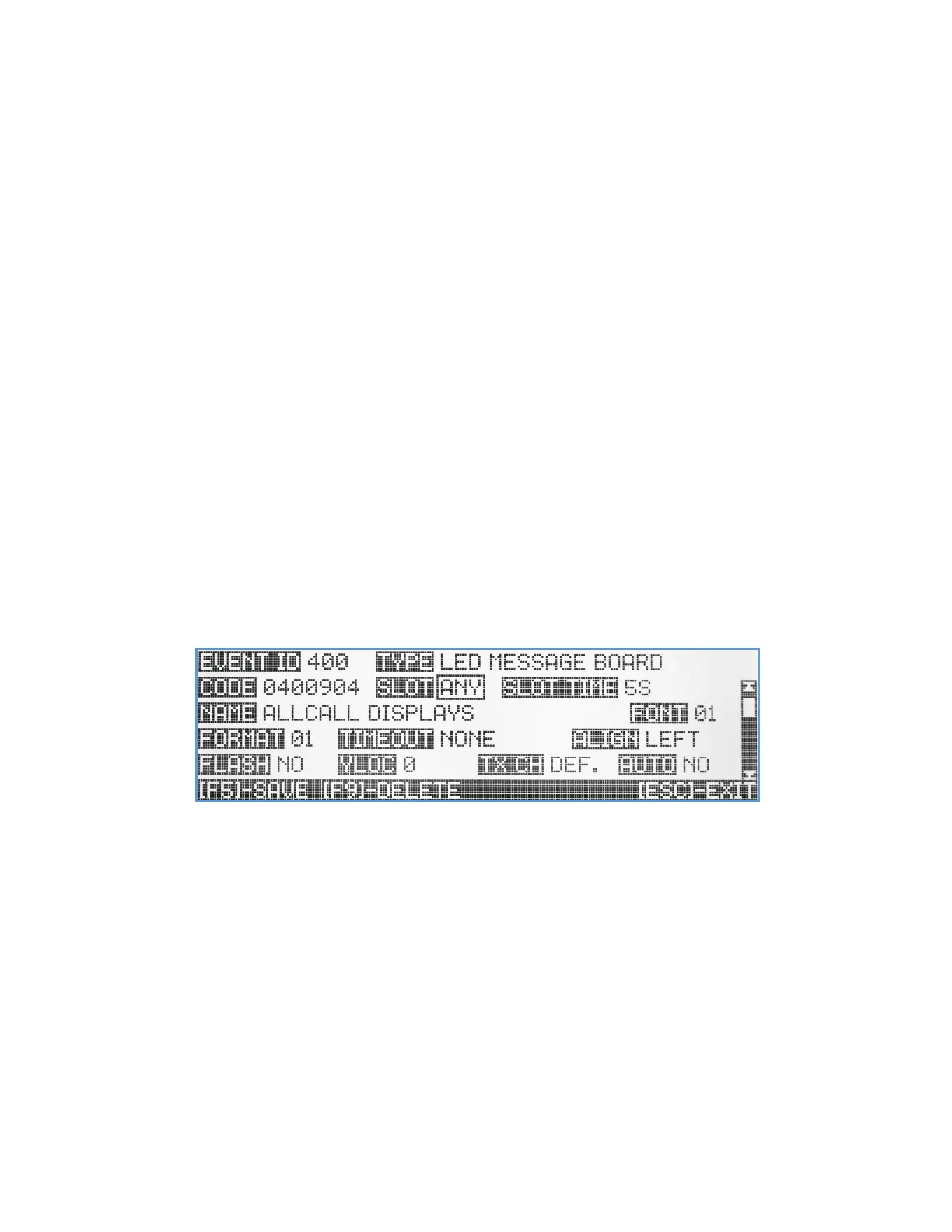
LED Message Board Event
The wireless LED Message Board event type is designed to control and activate Visiplex alphanumeric message boards
such as the VNS16xx series of LED message boards or the VNS2640 wireless speaker (with integrated LED display). These
LED message boards offers many features, parameters, and text viewing options that can be customized by the user
with each individual event or globally in the Message Board Default Setup menu.
Code – A unique 7-digit activation code that can activate a single or group of wireless LED message boards. Usually,
Visiplex products include up to 8 user-programmable activation codes, that provide individual activation or as
part of up to 7 groups/zones. Use the keyboard numeric keys to enter/edit the activation code.
Slot – Text message slot selection. Each Visiplex LED message board can display up to 99 different messages by assigning
a screen time slot to each message and keep rotating the displayed messages until they reach their timeout or
cleared by another event. Selecting ANY slot mode will write the event text message into the next available
free time slot to be displayed, in rotation, with other messages on the screen. Selecting any slot values from 01-
99 will write the event text message into a specific time slot on the display (overwriting other messages, if they
exist). Setting the slot to Clear Display will send a clear all command to the message board clearing all slots and
display screens. Select the preferred slot number/mode using the Up/Down arrow keys.
Slot Time – Select the slot time length for this event. When rotating with other messages, the user can set the message
screen time (5-20 seconds) for this specific event activation. If there are no other messages on the screen, the
slot time will be ignored, and the message will be displayed until timed out or cleared. If the event Slot was set



 To Next Page